1. Увод
This manual provides instructions for the operation and maintenance of your LIGE FV26-F Smartwatch. Please read this manual carefully before using the device to ensure proper function and to maximize its features. The smartwatch is designed for women, featuring a round display, silver stainless steel band with diamond accents, and a silicone strap option.
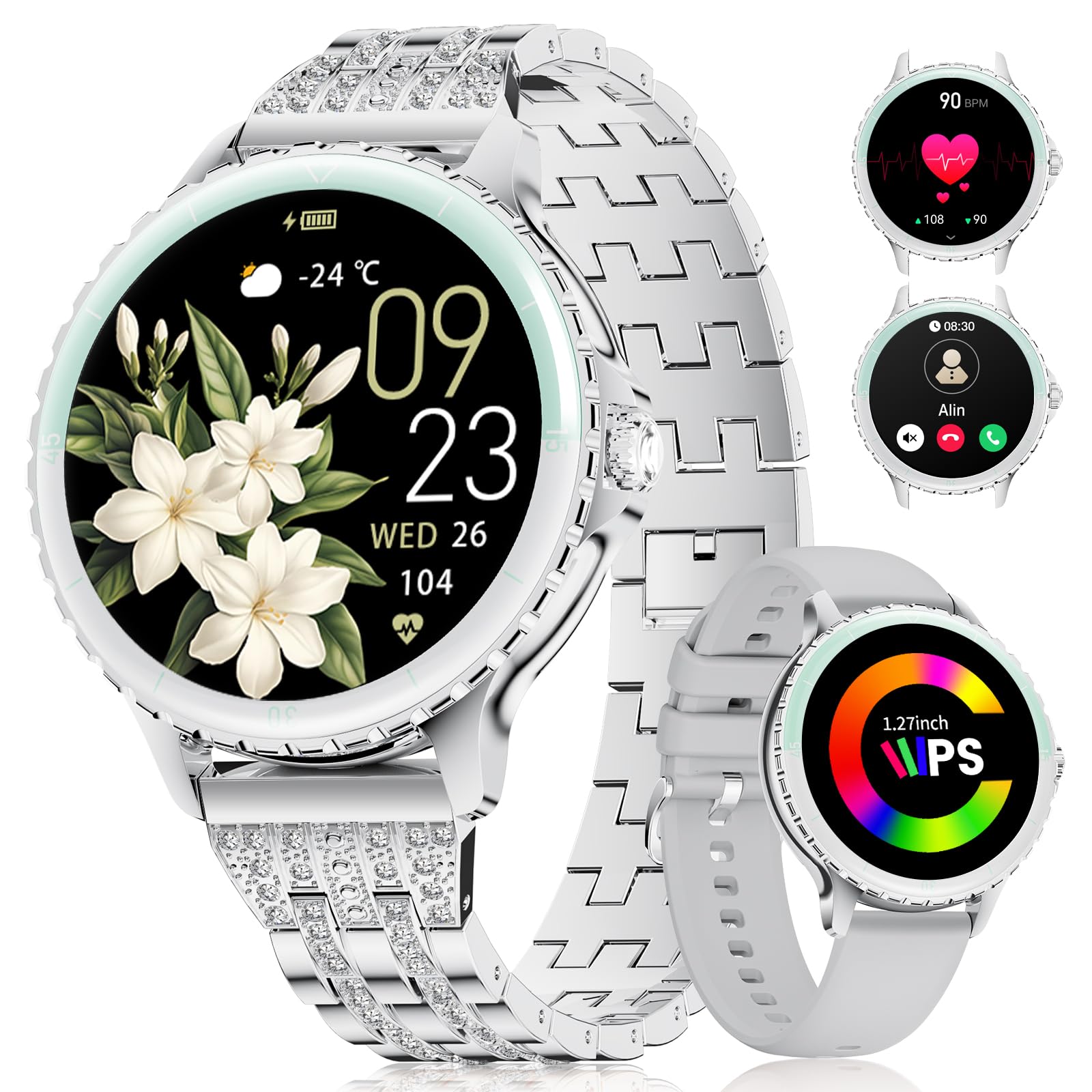
Image: LIGE FV26-F Smartwatch displaying its elegant design with both stainless steel and silicone strap options.
2. Подешавање
2.1 Пуњење паметног сата
- Повежите кабл за пуњење са портом за пуњење на задњој страни паметног сата.
- Прикључите УСБ крај кабла у стандардни УСБ адаптер за напајање (није укључен) или УСБ порт рачунара.
- Ensure the charging pins are properly aligned with the smartwatch's contacts.
- A charging indicator will appear on the screen. Allow approximately 2-3 hours for a full charge.
2.2 Инсталација и упаривање апликације
- Преузмите ФитцлоудПро application from your smartphone's app store (Google Play Store for Android, Apple App Store for iOS).
- Ensure your smartphone meets the compatibility requirements: Android 6.0 or higher, or iOS 9.0 or higher.
- Омогућите Блуетоотх на свом паметном телефону.
- Отворите апликацију FitcloudPro и пратите упутства на екрану да бисте креирали налог или се пријавили.
- In the app, navigate to the device pairing section and search for your LIGE FV26-F smartwatch.
- Select your smartwatch from the list of available devices to initiate the pairing process. Confirm any pairing requests on both your phone and the smartwatch.
Once paired, the smartwatch will synchronize data with the app, and you can customize settings.
3. Упутство за употребу
3.1 Основна навигација
- екран осетљив на додир: Превуците прстом лево, десно, горе или доле да бисте се кретали кроз меније и функције. Додирните да бисте изабрали опцију.
- Бочно дугме: Typically used to return to the home screen or to power on/off the device (long press).
3.2 Блутут позиви
- After successful Bluetooth pairing, you can make and receive calls directly from your wrist.
- The smartwatch supports contact uploading from your phone and displays call history.
- Utilize the integrated AI voice assistant for hands-free control of your phone's calling functions.
3.3 Обавештења у реалном времену
- Receive alerts for incoming calls, messages, WhatsApp, and other application activities.
- The smartwatch will gently vibrate to notify you.
- Note for WhatsApp: To ensure WhatsApp notifications are received, set your WhatsApp notification settings on your phone to "Show comments - Always show." If your software is connected to a computer, the watch may not send messages.
3.4 Мониторинг здравља
- Откуцаји срца: Continuous 24/7 heart rate measurement.
- СпО2: Blood oxygen saturation measurement (data for reference only).
- Женско здравље: Features include menstrual cycle prediction, pregnancy preparation mode, and pregnancy mode.
- Праћење сна: Tracks and analyzes sleep patterns.
- Седентарно упозорење: Подсећа вас да се крећете након периода неактивности.
- Вежбе дисања: Вођене вежбе дисања за опуштање.
3.5 спортских режима
- The smartwatch supports over 100 sport modes.
- Ten built-in sports include yoga, cycling, running, and badminton.
- Use the "Sport Push" function in the FitcloudPro app to transfer additional sport modes to your watch.
- During workouts, the watch provides comprehensive data such as steps, training time, distance, calories burned, and heart rate (data for reference only).
3.6 Camera Remote and Music Control
- Даљински управљач камере: Даљински управљајте камером свог паметног телефона да бисте снимали фотографије.
- Контрола музике: Play, pause, skip tracks, and adjust volume for music playing on your connected smartphone.
3.7 прилагодљивих бројчаника
- Personalize your smartwatch by setting photos from your phone (e.g., family, pets) as watch faces through the FitcloudPro app.
4. Одржавање
- Чишћење: Wipe the smartwatch and straps regularly with a soft, dry cloth. Avoid harsh chemicals.
- Одржавање батерије: The 300 mAh battery provides approximately 3 to 5 days of usage depending on feature use. Charge the device before the battery is completely depleted to prolong its lifespan.
- Складиштење: Чувајте паметни сат на хладном и сувом месту када га не користите.
КСНУМКС. Решавање проблема
- Проблеми са повезивањем: If the smartwatch disconnects from your phone, ensure Bluetooth is enabled on both devices and that the FitcloudPro app is running in the background. Try restarting both the smartwatch and your phone.
- Обавештења нису примљена: Verify that app notifications are enabled in your phone's settings and within the FitcloudPro app. For WhatsApp, ensure the specific setting "Show comments - Always show" is active.
- Нетачни здравствени подаци: Ensure the smartwatch is worn snugly on your wrist, but not too tight. Environmental factors and movement can affect sensor readings. Health data is for reference only and not for medical diagnosis.
- Екран не реагује: Try restarting the smartwatch by long-pressing the side button. If the issue persists, ensure the device is charged.
6. Спецификације
| Феатуре | Спецификација |
|---|---|
| Бранд | ЛИГЕ |
| Број модела | FV26-F |
| Боја | Сребро |
| Оперативни систем | иОС, Андроид |
| Величина екрана | 1.27 инча |
| Облик | Роунд |
| Технологија повезивања | Блуетоотх |
| Стандард бежичне комуникације | Блуетоотх |
| Посебне карактеристике | Phone Call, Voice Control, Email, Notification, Touchscreen |
| Компатибилни уређаји | Смартпхоне |
| Капацитет батерије | 300 мАх |
| Састав батерије | Литијум-полимер |
| Пуњива батерија | Да |
| Капацитет меморије | 256 МБ |
| ГПС | ГПС преко паметног телефона |
7. Гаранција и подршка
Specific warranty information for the LIGE FV26-F Smartwatch is not provided in the product data. Please refer to the manufacturer's official website or your point of purchase for detailed warranty terms and conditions.
For technical support, software updates, or further assistance, please consult the ФитцлоудПро application or visit the LIGE official support channels.


