1. Увод
The Satlink ST-5155 is a versatile combo meter designed for measuring DVB-S/S2, DVB-T/T2 (H.265), and DVB-C signals. It provides essential signal parameters such as strength, quality (MER), signal-to-noise ratio (C/N), and bit error rate (BER) on its high-resolution 4.3-inch TFT LCD screen. This device is ideal for quick and accurate antenna alignment and signal verification across various digital broadcasting standards.
2. Садржај пакета
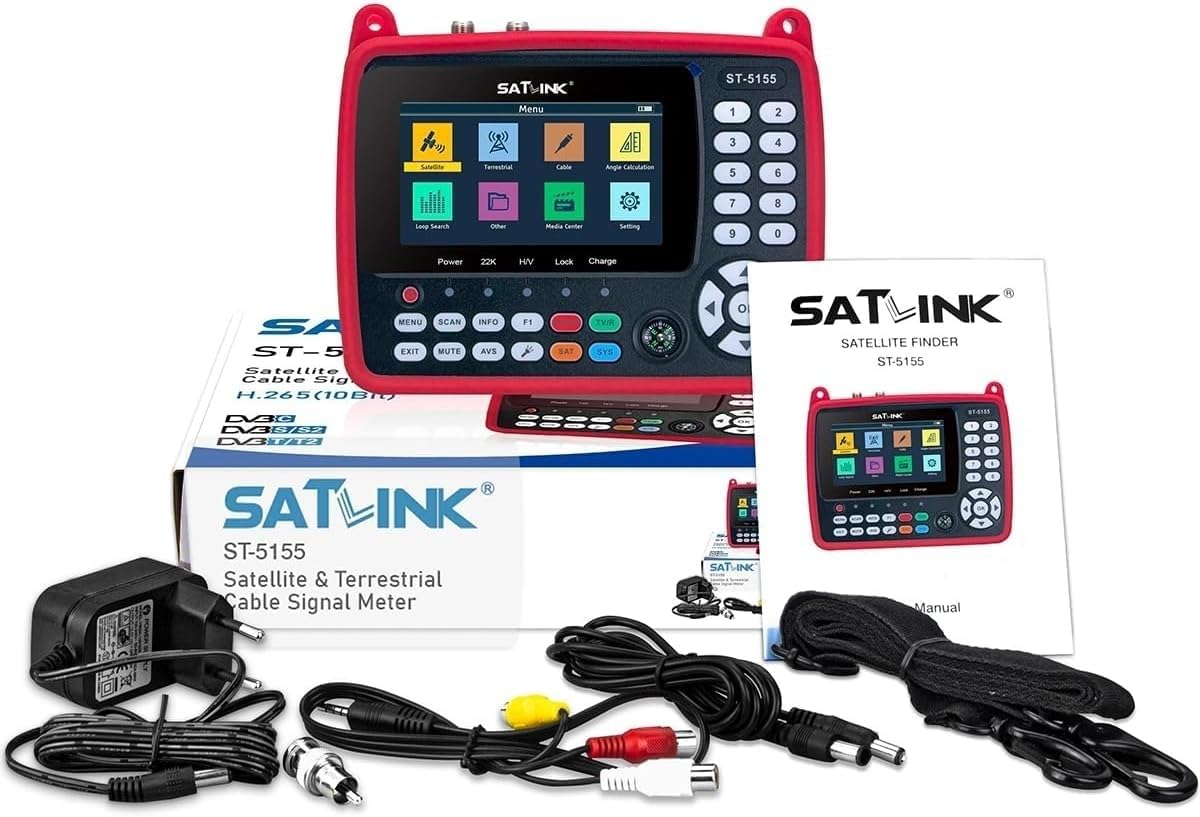
The Satlink ST-5155 package includes all necessary components for immediate use. Please verify that all items listed below are present:
- Satlink ST-5155 Combo Meter (DVB-S/S2/T/T2/C)
- Енглески приручник за употребу
- Rubber Protective Case
- Плуг-ин напајање
- 12V Connection Cable
- AV Cable (3.5 mm jack to 3 x RCA)
- 2 x F-Connectors (for RF/ANT measurement sockets)
3. Карактеристике производа
The Satlink ST-5155 offers a comprehensive set of features for efficient signal measurement and antenna alignment:
- Digital meter for DVB-S/S2, DVB-T/T2 (H.265), and DVB-C signals.
- Loop search function for all signal types.
- Signal strength indication in dBµV, dBm, or dBmV.
- 4.3-inch TFT LCD screen for clear display.
- HDMI 1.4 output for external display.
- A/V outputs: 3.5 mm jack (via AV cable), HDMI Ver 1.4.
- Analog video input and 12V power test for CCTV cameras.
- Quick system startup and user-friendly interface.
- Channel list displayable by region or full list.
- Quick shot function for capturing signal data.
- Measurements include: Level (Pegel), C/N, BER, MER.
- Acoustic signal for lock and level, which can be deactivated.
- Supports DiSEqC 1.0, 1.1, 1.2, and USALS.
- Supports Unicable 1.0 & 1.1.
- LNB power supply: 13/18 V, 0/22 kHz.
- LNB short circuit protection.
- 5V, 12V, 24V power supply for terrestrial antennas.
- USB 2.0 port for firmware updates and channel list backup.
- Keyboard illumination (deactivatable).
- SAT antenna angle calculator function.
- Integrated flashlight function.


4. Подешавање
Follow these steps to set up your Satlink ST-5155 Combo Meter:
- Пуњење уређаја: Before first use, connect the provided plug-in power supply to the device and a power outlet. Allow the device to charge fully. The charge indicator will show the charging status.
- Attaching the Protective Case: Place the rubber protective case around the device for enhanced durability and grip.
- Connecting Signal Sources:
- For Satellite (DVB-S/S2): Connect your LNB cable or multiswitch output to the DVB-S/S2 (RF) F-socket using one of the provided F-connectors.
- For Terrestrial (DVB-T/T2) or Cable (DVB-C): Connect your terrestrial antenna cable or broadband cable network to the T2/T/C (ANT) F-socket using one of the provided F-connectors.
- Почетно укључивање: Press and hold the power button to turn on the device. The system will perform a quick startup.
- Pre-programmed Satellites: Many common satellites are pre-programmed for quick alignment. An Astra 19.2 channel list is also pre-loaded.
5. Упутство за употребу
This section details the general operation of your Satlink ST-5155.
5.1. Мену Навигатион
- Користите МЕНУ дугме за приступ главном менију.
- Navigate through menu options using the directional arrow keys (ГОРЕ ДОЛЕ ЛЕВО ДЕСНО).
- Притисните тастер OK дугме да бисте изабрали опцију или потврдили подешавање.
- Користите ЕКСИТ button to go back to the previous screen or exit the menu.
5.2. Signal Measurement
To measure signal parameters:
- Select the desired signal type (Satellite, Terrestrial, or Cable) from the main menu.
- Configure the necessary parameters (e.g., satellite, transponder, frequency, symbol rate, LNB type for satellite; channel, frequency for terrestrial/cable).
- The device will display signal strength (Pegel), quality (MER), C/N, and BER. These values are shown numerically and as a bar graph.
- Adjust your antenna or LNB for optimal signal readings. The acoustic signal can assist in finding the peak signal.


5.3. Напредне функције
- DiSEqC/USALS/Unicable: Configure these settings in the satellite menu for multi-LNB systems or motorized dishes.
- CCTV Camera Test: Connect a CCTV camera to the AV IN port and use the 12V DC OUT to power it for testing.
- SAT Angle Calculator: Access this tool from the menu to assist in calculating the correct elevation and azimuth for satellite dishes.
- Лампа: Activate the built-in flashlight for working in low-light conditions.
6. Везе
The Satlink ST-5155 features several ports for various functionalities:
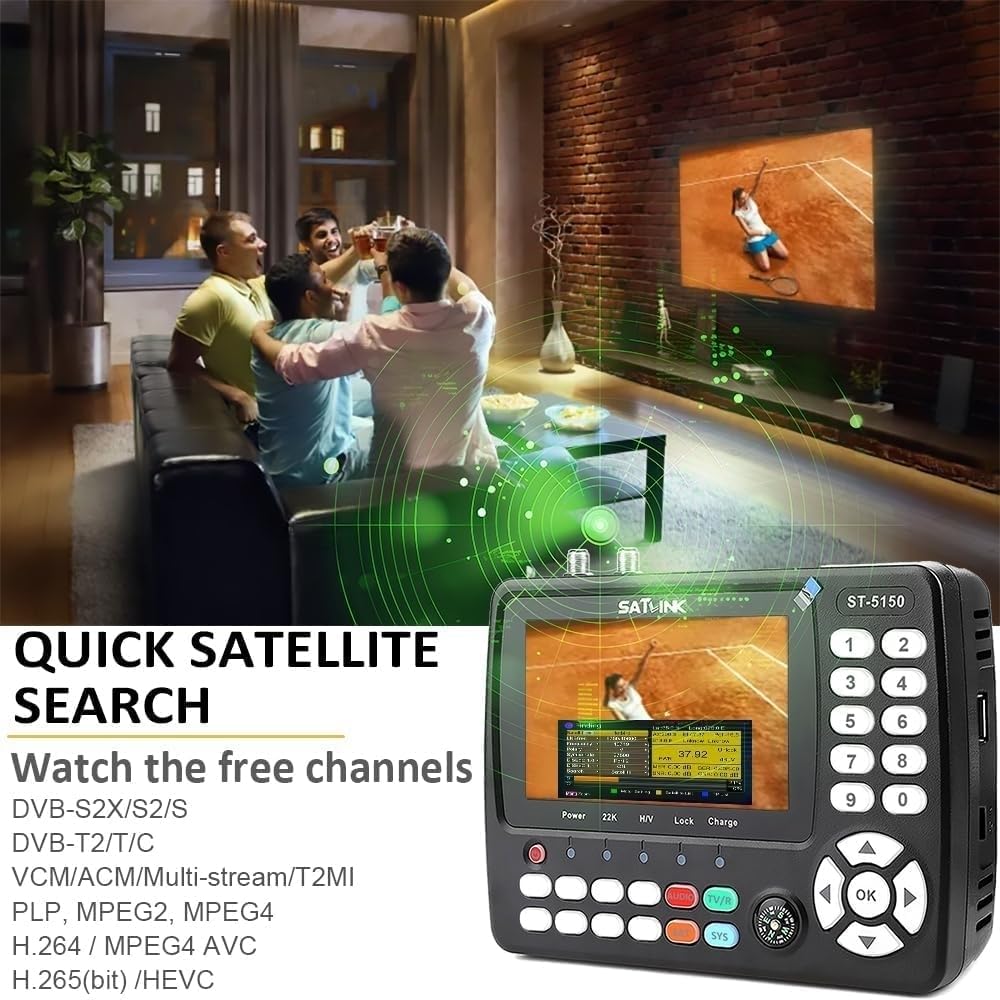
- ХДМИ излаз: Digital audio and video output (Ver 1.4) for connecting to an external display or TV with HDMI input.
- УСБ порт: A USB 2.0 port for connecting a USB drive. This port is used for firmware updates and backing up/restoring channel lists. The integrated media player can also play various media formats from a USB drive.
- AV IN / AV OUT: 3.5mm jack for analog video input and output. This allows playing external sources or forwarding the received signal to an external device.
- DC OUT (12V): Output for powering external devices, such as CCTV cameras.
- DVB-S/S2 (RF) F-Socket: For connecting the satellite signal source (LNB, multiswitch) via an F-connector.
- T2/T/C (ANT) F-Socket: For connecting to terrestrial antennas or a broadband cable network via an F-connector.

7. Техничке спецификације
| Спецификација | Валуе |
|---|---|
| Оператинг Волtage | 7.4 В |
| Тип батерије | Li-oN |
| Капацитет батерије | 2.6 Ах |
| Тежина | 500 г (0.5 кг) |
| Димензије (В к Ш к Д) | 170 к 120 к 40 мм |
| Дисплаи | 4.3" TFT LCD |
| ХДМИ верзија | 1.4 |
| УСБ верзија | 2.0 |
8. Одржавање
Proper maintenance ensures the longevity and optimal performance of your Satlink ST-5155.
- Чишћење: Keep the device clean and dry. Use a soft, dry cloth for cleaning. Avoid using liquid cleaners or abrasive materials.
- Складиштење: Уређај чувајте на хладном и сувом месту, даље од директне сунчеве светлости и екстремних температура.
- Одржавање батерије: To maintain battery lifespan, avoid fully discharging the battery frequently. Charge the device regularly, even if not in use for extended periods.
- Ажурирања фирмвера: Периодично проверавајте произвођачеве website for firmware updates. Updates can improve performance and add new features. Follow the instructions provided with the firmware update carefully.
КСНУМКС. Решавање проблема
If you encounter issues with your Satlink ST-5155, refer to the following common problems and solutions:
- Уређај се не укључује:
- Ensure the battery is charged. Connect the power adapter and try again.
- Проверите да ли на адаптеру за напајање и каблу има оштећења.
- Није откривен сигнал:
- Verify all cable connections are secure and correctly attached to the appropriate F-sockets.
- Ensure the LNB or antenna is correctly aligned to the satellite or terrestrial transmitter.
- Check the signal source settings in the device menu (e.g., LNB type, frequency, transponder).
- For satellite, ensure LNB power is enabled in the settings if required.
- Low Signal Quality (Low MER/High BER):
- Fine-tune the antenna or LNB alignment. Even small adjustments can significantly impact signal quality.
- Check for obstructions between the antenna and the signal source.
- Inspect cables and connectors for damage or corrosion.
- Screen Freezes or Device Unresponsive:
- Perform a soft reset by pressing and holding the power button until the device turns off, then restart it.
- If the issue persists, consider performing a factory reset (refer to the device menu for this option, note that this will erase custom settings).
10. Гаранција и подршка
For warranty information and technical support, please refer to the documentation provided with your purchase or contact your retailer. Keep your proof of purchase for any warranty claims. For the latest information and support resources, visit the official Satlink webсајту.


