Увод
The NUBWO HG04 Wireless Gaming Headset is designed to provide a versatile audio experience for gaming, music, and movies across multiple platforms. Featuring dual 2.4GHz wireless and Bluetooth 5.3 connectivity, three custom EQ sound modes, a noise-canceling microphone, and a comfortable foldable design with a 50-hour battery life, this headset is engineered for extended use and clear communication.
Садржај пакета
Please ensure all items are present in your NUBWO HG04 package:
- NUBWO HG04 Wireless Gaming Headset
- USB-A/C 2.4GHz Wireless Dongle
- Detachable Noise-Canceling Microphone
- УСБ-Ц кабл за пуњење
- 3.5 мм аудио кабл
- Упутство за употребу
- Extended Warranty Activation Card (as shown in some product videos)
Производ је завршенview и контроле
Упознајте се са компонентама и контролама слушалица за оптималну употребу.
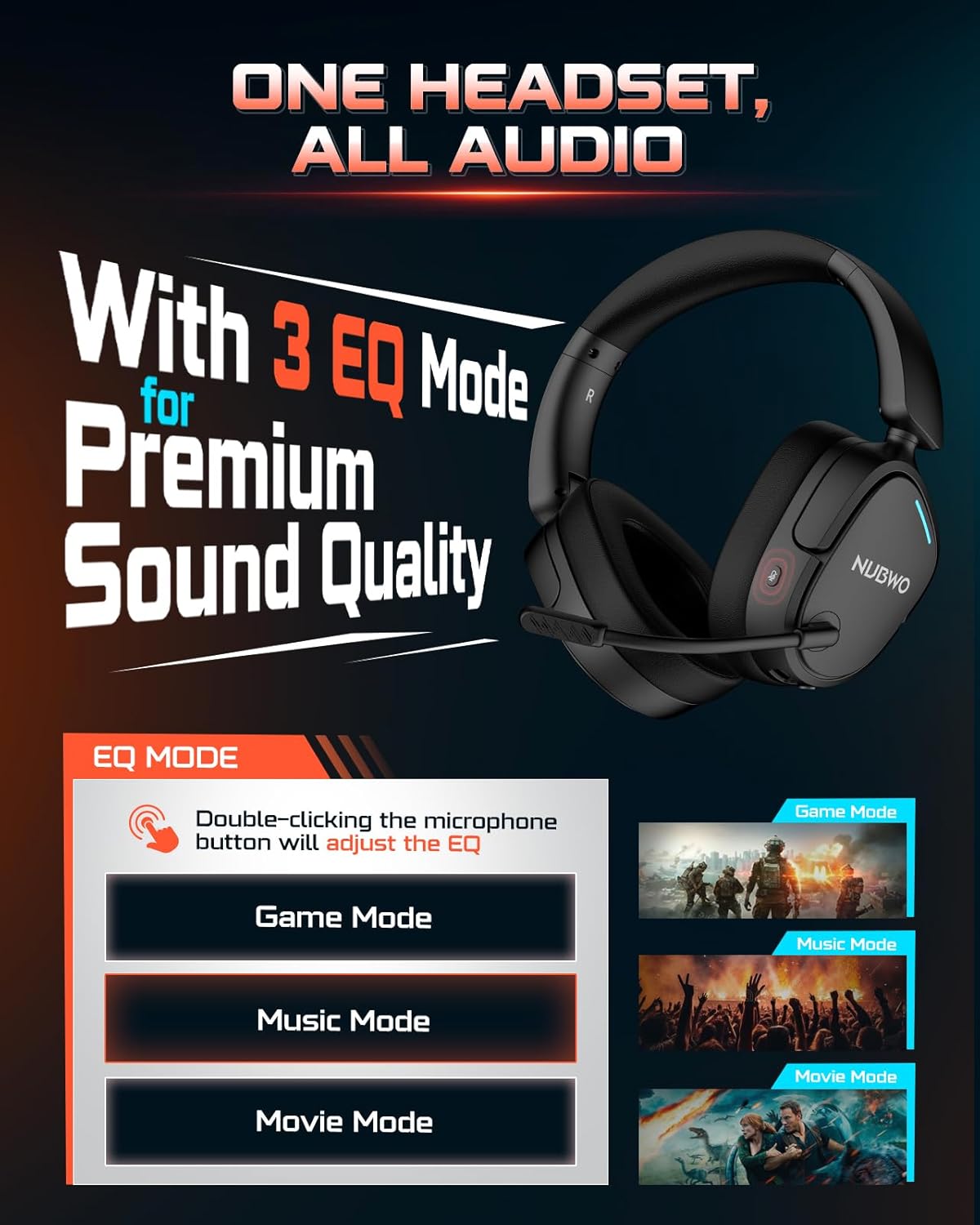
Image: NUBWO HG04 Wireless Gaming Headset highlighting its three EQ modes (Game, Music, Movie) and the microphone button for switching between them.
Контроле слушалица:
- Дугме за напајање: Located on the left earcup. Long press to power on/off.
- Точак јачине звука: Подешава ниво аудио излаза.
- Дугме за искључивање микрофона: Toggles microphone mute. Double-click to cycle through EQ modes.
- EQ Mode Indicator: Visual feedback for selected sound mode (Game, Music, Movie).
- УСБ-Ц прикључак за пуњење: За пуњење слушалица.
- 3.5 мм аудио прикључак: За жично повезивање.
- Detachable Microphone Port: Connects the boom microphone.
Comfort and Design:
The NUBWO HG04 features lightweight construction (270g) with rotating memory foam earcups for extended comfort during long gaming sessions. Its foldable design allows for easy storage and portability.

Image: Close-up of the NUBWO HG04 headset's memory foam earcups, emphasizing comfort for prolonged use.

Image: Comparison showing the NUBWO HG04 headset in its foldable state for travel versus a non-foldable headset.
Подешавање и повезивање
The NUBWO HG04 offers multiple connectivity options for various devices.

Image: Diagram illustrating the headset's 4-in-1 multi-platform connectivity, including 3.5mm wired, Bluetooth, USB-A, and USB-C options for various devices.
1. 2.4GHz Wireless Connection (PC, PS5, PS4, Nintendo Switch)
- Insert the USB-A/C wireless dongle into an available USB port on your PC, PS5, PS4, or Nintendo Switch.
- Power on the headset by long-pressing the Power button. The headset will automatically connect to the dongle.
- Ensure the headset is selected as the audio output/input device in your system settings.
- Напомена: Microphone functionality is not supported on Nintendo Switch via 2.4GHz wireless.
Видео: Оверview of the NUBWO HG04 Wireless Gaming Headset, demonstrating its features and connectivity options, including the 2.4GHz dongle.
2. Bluetooth 5.3 Connection (Mobile Devices)
- Укључите слушалице.
- Activate Bluetooth pairing mode on the headset (refer to the specific button combination in the quick start guide, usually a long press on the Bluetooth button or mode button).
- On your mobile device, search for Bluetooth devices and select "NUBWO HG04" to pair.
- The headset supports dual-channel simultaneous connection, allowing you to game via 2.4GHz and maintain a Bluetooth link to your phone for calls and notifications.

Image: Illustration of the NUBWO HG04 headset simultaneously connected to a PS5 via 2.4GHz and a phone via Bluetooth, enabling seamless game and call management.
3. 3.5mm Wired Connection (Xbox Series X|S, Nintendo Switch, PC, PS4)
- Connect the 3.5mm audio cable from the headset's 3.5mm jack to your device's audio port (e.g., Xbox controller, Nintendo Switch, PC).
- Напомена: For Xbox Series X|S, only wired connection is supported. Microphone functionality is not supported on Nintendo Switch in wired mode.
Упутство за употребу
EQ Sound Modes:
The NUBWO HG04 features three custom EQ modes to optimize your audio experience:
- Режим игре: Enhanced treble for clear footsteps and in-game audio cues.
- Музички режим: Deep bass and balanced tones for full immersion.
- Режим филма: Clear voices and cinematic immersion.
To switch between EQ modes, double-click the Microphone Mute button.
Употреба микрофона:
The detachable directional microphone focuses on your voice, reducing background noise through passive noise reduction. It also features real-time mic monitoring, allowing you to hear your own voice clearly through the headset.

Image: A gamer wearing the NUBWO HG04 headset, showcasing the crystal clear noise-canceling microphone in action, designed to block background noise and highlight the user's voice.
- Причвршћивање/одвајање: Align the microphone's 3.5mm plug with the port on the left earcup and insert until it clicks. To remove, gently pull it out.
- Искључивање звука: Use the Microphone Mute button on the headset to quickly mute or unmute your voice.
- Позиционирање: For optimal clarity, position the microphone 1-2 cm away from your mouth, ensuring it is not tilted upwards.
Подешавање јачине звука:
Use the volume wheel on the headset to adjust the audio output to your preferred level.
Пуњење и батерија
The NUBWO HG04 headset is equipped with a long-lasting battery for extended usage.
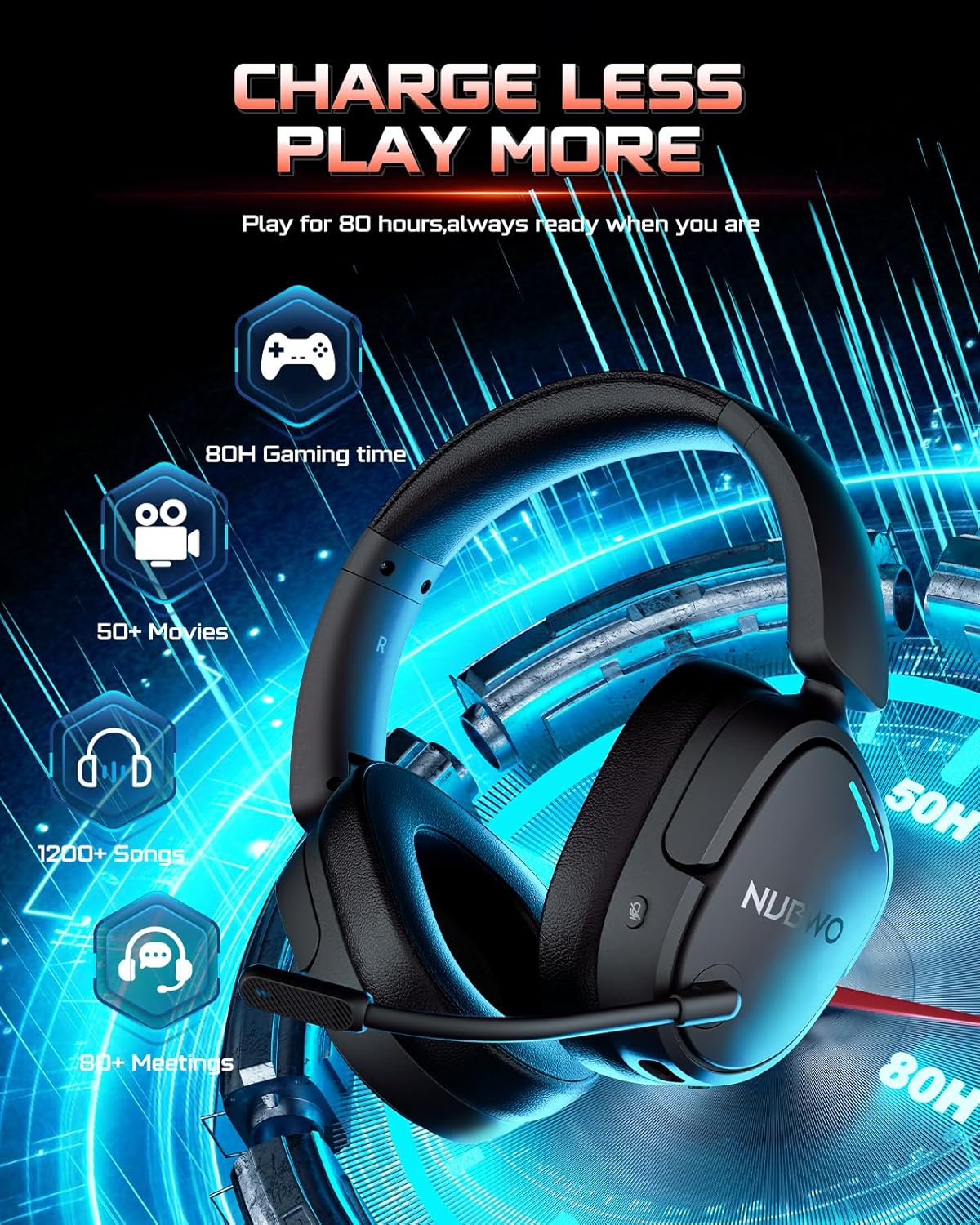
Image: The NUBWO HG04 headset with graphics indicating a 50-hour battery life, suitable for extended gaming, movies, music, and meetings.
- Трајање батерије: Уживајте до 50 сати непрекидне употребе са једним пуњењем.
- Пуњење: Connect the supplied USB-C charging cable to the headset's USB-C port and a power source (e.g., computer USB port, USB wall adapter).
- Индикатор пуњења: An LED indicator on the headset will show the charging status.
Одржавање и њега
To ensure the longevity and optimal performance of your NUBWO HG04 headset, follow these care guidelines:
- Чишћење: Use a soft, dry cloth to clean the headset. Avoid harsh chemicals or abrasive materials.
- Складиштење: When not in use, store the headset in a cool, dry place. The foldable design helps protect it during travel.
- Избегавајте екстремне услове: Не излажите слушалице екстремним температурама, влажности или директној сунчевој светлости.
- Пажљиво рукујте: Избегавајте испуштање слушалица или њихово излагање јаким ударцима.
Решавање проблема
If you encounter any issues with your NUBWO HG04 headset, please refer to the following common solutions:
- Нема звука/ниска јачина звука:
- Check the headset's volume wheel and your device's volume settings.
- Ensure the headset is properly connected (dongle inserted, Bluetooth paired, or 3.5mm cable fully plugged in).
- Verify the correct audio output device is selected in your system settings.
- Микрофон не ради:
- Уверите се да је микрофон безбедно причвршћен и да није искључен.
- Check your device's audio input settings to ensure the headset microphone is selected.
- Remember, microphone is not supported on Nintendo Switch (2.4GHz or wired) and Xbox Series X|S (wired only).
- Проблеми са везом:
- For 2.4GHz, ensure the dongle is fully inserted and the headset is powered on and within range.
- For Bluetooth, ensure the headset is in pairing mode and your device's Bluetooth is enabled. Try unpairing and re-pairing.
- Поново покрените и слушалице и повезани уређај.
Спецификације
| Феатуре | Спецификација |
|---|---|
| Назив модела | ХГ04 |
| Бранд | НУБВО |
| Технологија повезивања | Бежично (2.4 GHz, Bluetooth 5.3), жичано (3.5 mm прикључак) |
| Бежична комуникациона технологија | 2.4GHZ, Bluetooth 5.3 |
| Блуетоотх домет | 33 стопа |
| Аудио Латенци | 20 милисекунди |
| Величина аудио драјвера | 40 милиметара |
| Фреквенцијски одзив | 20000 Хз |
| Осетљивост | 90 дБ |
| Контрола буке | Пасивно уклањање буке |
| Тежина артикла | 6.1 унце (0.38 фунте) |
| Димензије производа | 7.13 к 6.2 к 2.46 инча |
| Трајање батерије | До 50 сати |
| Материјал | Пластика |
| Компатибилни уређаји | Cellphones, Desktops, Gaming Consoles, Laptops, PS5/PS4, Xbox Series X|S (wired only) |
Гаранција и подршка
Your NUBWO HG04 Wireless Gaming Headset comes with a manufacturer's warranty. Please refer to the included Extended Warranty Activation Card for details on how to register your product and activate your warranty.
For further assistance, troubleshooting, or product inquiries, please visit the official NUBWO support webсајту или контактирајте њихову корисничку службу.


