Увод
This manual provides detailed instructions for the setup, operation, and maintenance of your LIGE EF21-I Smartwatch. Please read this manual thoroughly before using the device to ensure proper function and to maximize its features.
Безбедносне информације
- Не покушавајте да раставите или преправите сат.
- Држите сат даље од екстремних температура и директне сунчеве светлости.
- Избегавајте излагање сата јаким ударцима или падовима.
- Do not use corrosive chemicals to clean the watch.
- This device is not a medical device. Health data is for reference only and should not be used for medical diagnosis or treatment.
- Уверите се да су контакти за пуњење чисти и суви пре пуњења.
Садржај пакета
Проверите да ли су све ставке присутне у вашем пакету:
- LIGE EF21-I Smartwatch
- УСБ магнетни кабл за пуњење
- Кабл за пуњење типа Ц
- Упутство за употребу

Image: The package includes both a USB magnetic charging cable and a Type-C charging cable for versatile power options.
Водич за подешавање
1. Почетно пуњење
Before first use, fully charge your smartwatch. Connect the magnetic charging cable to the charging contacts on the back of the watch and the USB end to a power adapter (not included) or a computer USB port. The watch display will show the charging status.

Image: The smartwatch connected to its magnetic charger, indicating its 800 mAh battery capacity.
2. Инсталација и упаривање апликације
To unlock all features, download and install the "Fit CloudPro" app on your smartphone.
- Scan the QR code in the manual or on the watch (if available) or search for "Fit CloudPro" in your phone's app store (compatible with Android 8.0+ and iOS 12.0+).
- Отворите апликацију и креирајте налог или се пријавите.
- Уверите се да је Блуетоотх омогућен на вашем паметном телефону.
- In the app, navigate to the device section and select "Add Device" or similar option.
- Select "EF21-I" from the list of available devices to pair.
- Пратите упутства на екрану да бисте довршили процес упаривања.
Једном упарен, сат ће синхронизовати време и податке са вашим телефоном.
Упутство за употребу
Основна навигација
- Екран на додир: Превуците прстом лево/десно, горе/доле да бисте се кретали кроз меније и функције. Додирните да бисте изабрали.
- Бочна дугмад: Typically, one button acts as a power/back button, while others may be customizable shortcuts. Refer to the on-screen prompts for specific functions.

Image: The 1.43-inch AMOLED display offers brilliant colors and a fluid, efficient user experience.
Блуетоотх функција позива
The EF21-I Smartwatch supports Bluetooth calls, allowing you to make and receive calls directly from your wrist.
- Уверите се да је сат повезан са вашим паметним телефоном путем Блутут-а.
- Access the "Call" or "Phone" function on your watch.
- You can use the dial pad, access your contacts, or view позив историја.
- Advanced noise cancellation ensures clear audio during calls.
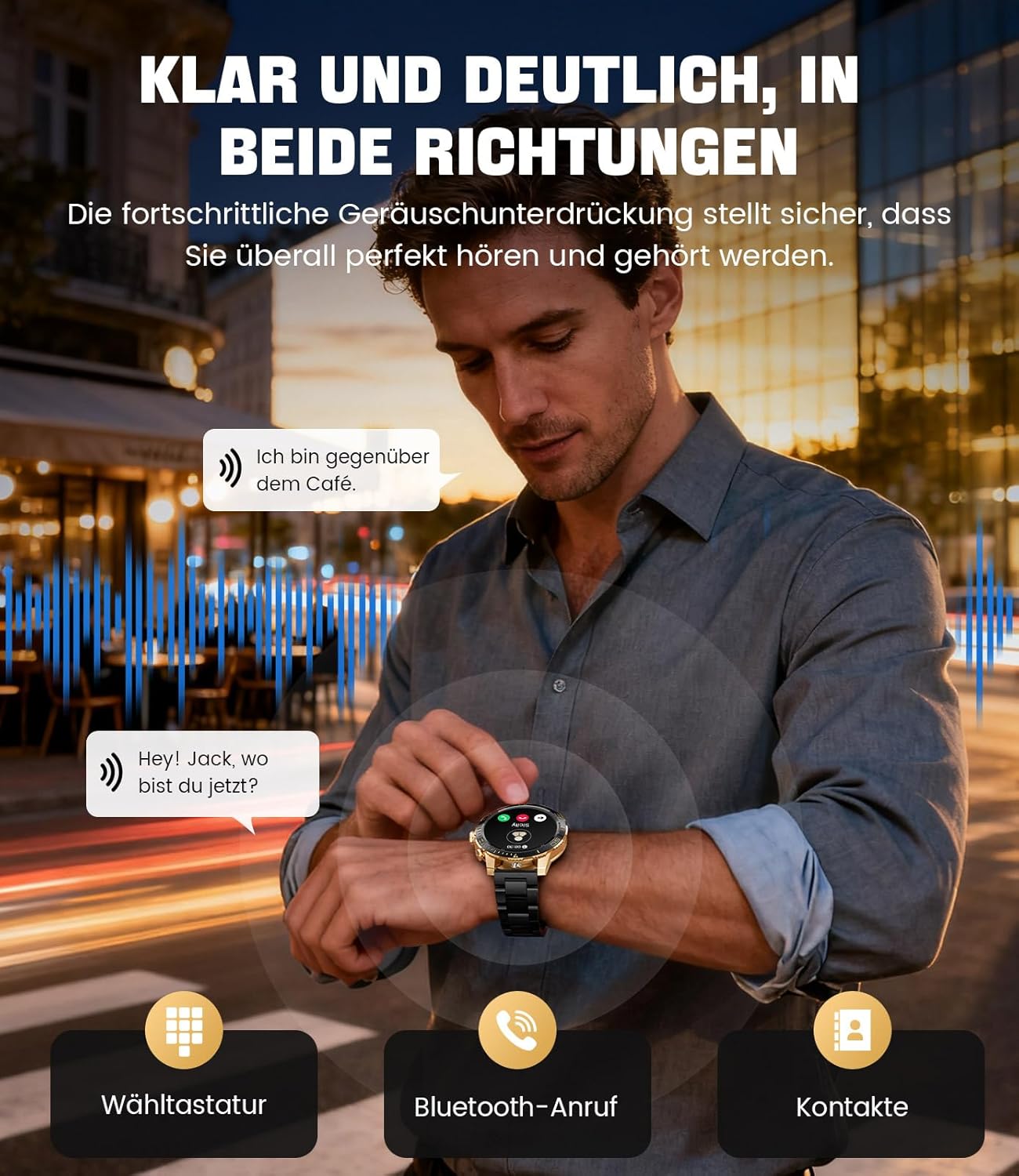
Image: The smartwatch allows clear two-way communication with advanced noise cancellation, featuring a dial pad, Bluetooth call option, and contacts access.
Обавештења
Примајте обавештења у реалном времену са апликација за паметни телефон директно на свој сат.
- Enable app notifications in the "Fit CloudPro" app settings.
- The watch will display incoming calls, SMS, and messages from social media apps (e.g., Facebook, Twitter, Instagрам, ВхатсАпп).
- A quick glance at your wrist allows you to stay informed discreetly.

Image: The smartwatch displays real-time notifications from various social media applications, keeping you informed discreetly.
Мониторинг здравља
The EF21-I Smartwatch acts as your 24/7 health guardian, providing continuous monitoring of key health metrics.
- Откуцаји срца: Прати ваш пулс током целог дана.
- Кисеоник у крви (SpO2): Мери ниво засићености крви кисеоником.
- Праћење спавања: Analyzes your sleep patterns, distinguishing between deep sleep, light sleep, and awake times.
- Праћење стреса: Tracks stress levels.
- Седентарни подсетници: Упозорава вас да се покренете након периода неактивности.
View detailed health data and trends in the "Fit CloudPro" app.
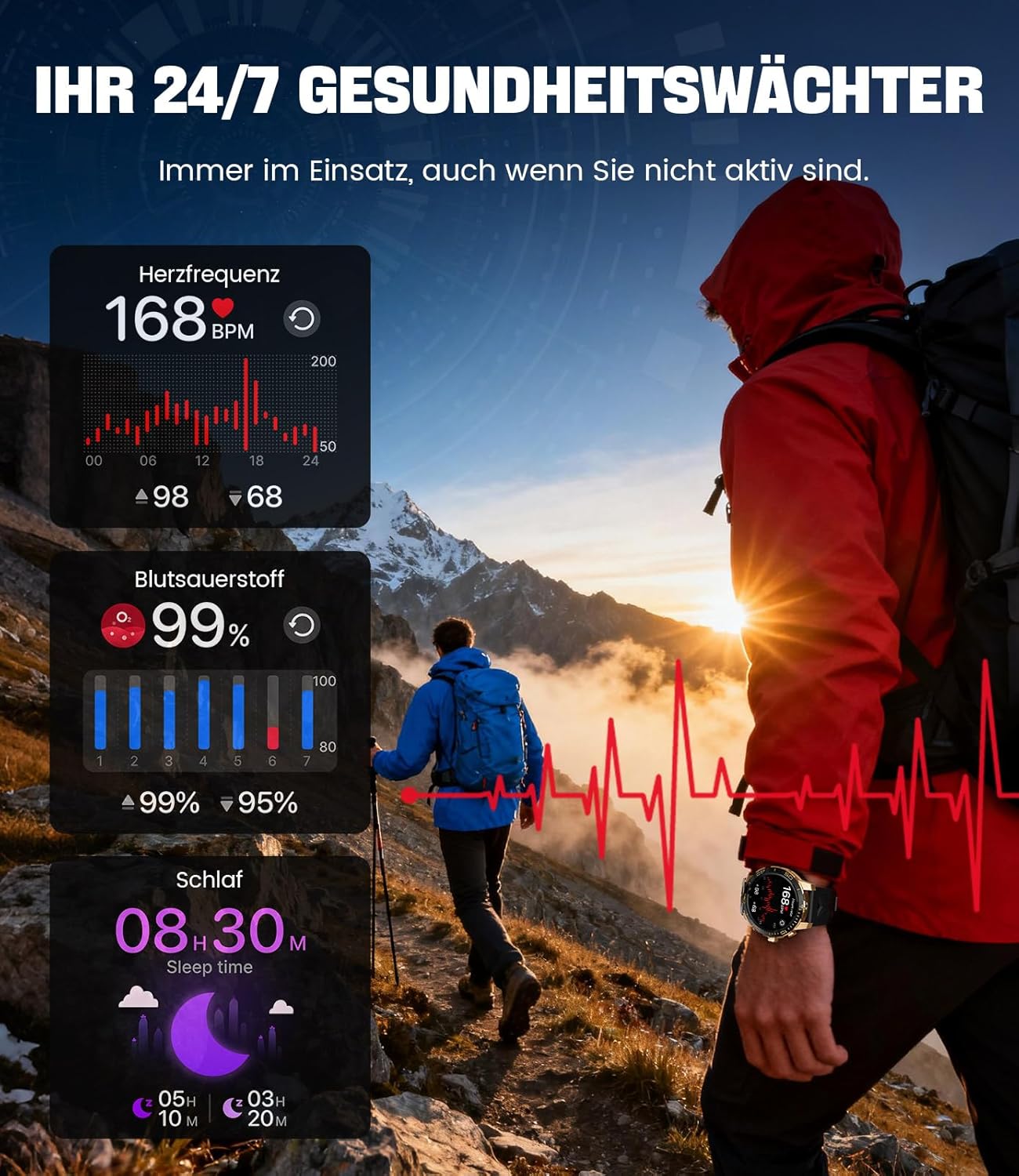
Image: The smartwatch functions as a 24/7 health guardian, monitoring heart rate, blood oxygen, and sleep patterns, even when you are not actively engaged in exercise.
Спортски режими
With over 200 sports modes, the watch helps you track your workouts and achieve your fitness goals.
- Изаберите жељени спортски режим из менија сата.
- The watch records data such as heart rate, calories burned, and steps taken.
- Automatic recognition for walking, running, and cycling is supported.
- Review your activity data in the "Fit CloudPro" app for performance analysis.

Image: The smartwatch supports over 200 training modes, tracking heart rate, calories, and steps for various activities.
Прилагодљиви сатови
Персонализујте свој паметни сат помоћу разних изгледа сата.
- The watch comes with several pre-installed classic watch faces.
- Access over 200 additional designs through the "Fit CloudPro" app.
- You can also upload your own photos to create custom watch faces.
Додатне карактеристике
- Временска прогноза: Добијајте ажурирања о времену у реалном времену.
- Будилник: Подесите аларме директно са свог зглоба.
- Даљинска контрола камере: Use your watch to trigger your phone's camera.
- Лампа: Activate a flashlight function on your wrist.
- Локатор телефона: Find your misplaced smartphone using the watch.

Image: The smartwatch features a wrist flashlight function, providing illumination for outdoor activities.
Одржавање
Чишћење
- Обришите екран и кућиште сата меком крпом која не оставља влакна.
- За тврдокорне мрље, дampблаго натопите крпу водом.
- Avoid using harsh chemicals, abrasive materials, or ultrasonic cleaners.
- Ensure the charging contacts are clean and free of debris.
Водоотпорност (IP68)
The LIGE EF21-I Smartwatch is IP68 water-resistant, meaning it can withstand immersion in water up to 1.5 meters for up to 30 minutes. It is suitable for daily use, hand washing, and swimming.
- Не користите сат у врућој води, саунама или парним купатилима.
- Избегавајте притискање дугмади под водом.
- After exposure to water, especially saltwater, dry the watch thoroughly.
Решавање проблема
Сат се не укључује
- Уверите се да је сат потпуно напуњен. Повежите га са пуњачем најмање 30 минута.
- Притисните и држите дугме за напајање неколико секунди.
Unable to Pair with App
- Уверите се да је Блуетоотх омогућен на вашем паметном телефону.
- Уверите се да је сат довољно напуњен.
- Поново покрените и паметни телефон и паметни сат.
- Try unpairing and re-pairing the device through the "Fit CloudPro" app.
- Проверите да ли апликација има потребна дозвола на вашем телефону.
Нетачни здравствени подаци
- Уверите се да сат чврсто приања на зглоб, да није ни превише лабав ни превише затегнут.
- Очистите сензор на задњој страни сата.
- Избегавајте прекомерно кретање током мерења.
- Remember that health data is for reference and not for medical use.
Notifications Not Received
- Проверите да ли је сат повезан са вашим телефоном путем Блутут-а.
- Check notification settings in the "Fit CloudPro" app.
- Ensure your phone's notification settings allow the app to send notifications.
- Disable any battery optimization settings for the "Fit CloudPro" app on your phone.
Спецификације
| Феатуре | Детаљ |
|---|---|
| Бранд | ЛИГЕ |
| Број модела | ЕФ21-И |
| Величина екрана | 1.43 инча |
| Дисплаи Типе | АМОЛЕД |
| Капацитет батерије | 800 mAh (литијум-полимер) |
| Повезивање | Блуетоотх |
| Компатибилност оперативног система | Андроид 8.0+ и иОС 12.0+ |
| Оцена водоотпорности | ИП68 |
| Капацитет меморије | 256 МБ |
| Посебне карактеристике | Weather forecast, Sedentary reminder, Alarm clock, Touch screen, Always-on display, Bluetooth calling, Heart rate monitor, SpO2 monitor, Sleep monitor, 200+ sports modes, Phone locator |
| ГПС | ГПС преко паметног телефона |

Image: The smartwatch features impact resistance, indicated by a 'Military Grade Drop-Tested' badge.
Гаранција и подршка
Информације о гаранцији
The product is supported by a 12-month warranty. Please retain your proof of purchase for warranty claims.
Корисничка подршка
For technical assistance, troubleshooting, or warranty inquiries, please contact LIGE customer support. Refer to the contact information provided with your purchase or visit the official LIGE webсајту.


