Увод
This manual provides essential information for the safe and efficient operation of your AOC XL2-211 Smart Projector. Please read it thoroughly before using the device and retain it for future reference.
The AOC XL2-211 is a portable 1080P Full HD smart projector featuring Android 12.0, Wi-Fi 6, Bluetooth 5.0, and a fully enclosed optical engine for dust protection. It offers a large projection screen size from 40 to 250 inches, integrated stereo speakers, and versatile connectivity options.
Безбедносне информације
Придржавајте се следећих мера предострожности како бисте спречили оштећење пројектора и осигурали безбедност корисника:
- Не гледајте директно у сочиво пројектора када је укљученоamp је укључен.
- Обезбедите одговарајућу вентилацију како бисте спречили прегревање. Не блокирајте вентилационе отворе.
- Користите само адаптер за напајање који се испоручује са пројектором.
- Држите пројектор даље од воде или других течности.
- Не покушавајте сами да растављате или поправљате пројектор. Обратите се квалификованом сервисеру.
- Поставите пројектор на стабилну, равну површину.
Садржај пакета
Проверите да ли су све ставке присутне у пакету:
- AOC XL2-211 Smart Projector
- Повер Цабле
- ХДМИ кабл
- Ремоте Цонтрол
- Кориснички приручник (овај документ)

Image: The AOC XL2-211 Smart Projector and its included accessories, including the power cable, HDMI cable, and remote control.
Производ је завршенview
Компоненте пројектора
Familiarize yourself with the main components of your projector:
- Пројекционо сочиво: Емитује слику.
- Дугме за напајање: Укључује/искључује пројектор.
- Focus Sensor: Used for automatic focus adjustment.
- Вентилационе решетке: Ensure proper airflow for cooling.
- Улазни портови: HDMI, USB, Audio Out (3.5mm jack).
- Улазна снага: Повезује се са каблом за напајање.

Слика: Позади view of the AOC XL2-211 projector, highlighting the HDMI, USB, and power input ports.
Сетуп
1. Прикључак за напајање
- Прикључите кабл за напајање на улазни порт за напајање пројектора.
- Укључите други крај кабла за напајање у зидну утичницу.
2. Почетно смештање
- Place the projector on a stable surface or mount it on a tripod (not included).
- Ensure the projection surface is flat and clear of obstructions.
- The projector supports flexible placement, including tabletop and tripod mounting.
3. Укључивање/искључивање
- Притисните дугме за напајање на пројектору или даљинском управљачу да бисте га укључили.
- Притисните и држите дугме за напајање да бисте га искључили.
4. Фокус и корекција Кеистоне
The projector features automatic focus and keystone correction for a clear, rectangular image.
- Ауто фокус: The projector will automatically adjust the focus upon startup or movement. You can enable/disable this in the settings.
- Аутоматска корекција Кеистоне: The projector automatically corrects image distortion caused by angled projection. This can also be adjusted in settings.
- Ручно подешавање: For fine-tuning, manual focus and keystone correction options are available in the Projection Settings menu.

Image: The AOC XL2-211 projector displaying its intelligent auto-focus and keystone correction capabilities, ensuring a clear image from various angles.
Упутство за употребу
1. Навигација и интерфејс
The projector runs on Android 12.0, providing a user-friendly interface. Use the remote control to navigate through menus and select options.
- Почетни екран: Access installed applications, settings, and media sources.
- Мени подешавања: Adjust network, Bluetooth, projection, language, and other system settings.
2. Опције повезивања
The projector offers multiple ways to connect and display content:
Wireless Connectivity (Wi-Fi 6 & Bluetooth 5.0)
- Ви-Фи: Connect to your home network for internet access and streaming. Navigate to Подешавања > Бежично за повезивање.
- Пресликавање екрана: Wirelessly cast content from your smartphone (iPhone, Android) or tablet. Ensure both devices are on the same Wi-Fi network.
- Блуетоотх: Connect external Bluetooth speakers or headphones for enhanced audio. Go to Подешавања > Блуетоотх to pair devices.

Image: The AOC XL2-211 projector displaying content mirrored from a smartphone, illustrating seamless wireless sharing.
Жичано повезивање
- ДВИ: Connect devices like laptops, gaming consoles, or TV decoders using an HDMI cable.
- УСБ: Прикључите УСБ дискове да бисте репродуковали медије fileс директно.
- Аудио излаз (3.5 мм прикључак): Повежите жичане слушалице или екстерне звучнике.
Слика: Детаљна view of the AOC XL2-211 projector's input panel, showing HDMI, USB, and audio ports for versatile connections.
3. Репродукција медија
The projector supports various media formats and streaming applications.
- Апликације за стримовање: Access pre-installed apps like Netflix, Hulu, Disney+, Prime Video, and YouTube.
- Local Media: Play videos, photos, and music from a connected USB drive.
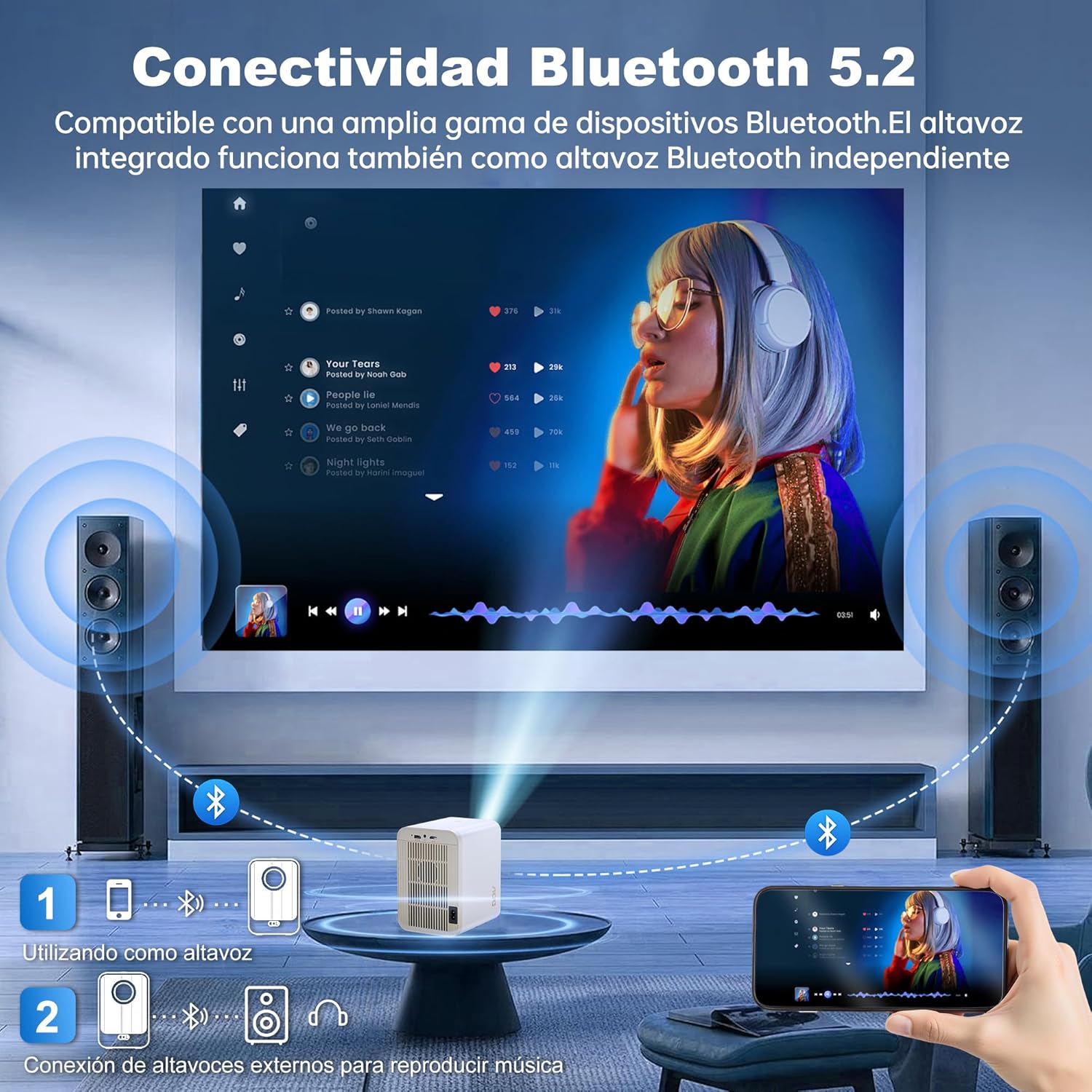
Image: The AOC XL2-211 projector displaying its smart interface with various streaming applications, ready for entertainment.
4. Аудио излаз
The projector includes built-in 2x12W stereo speakers. For alternative audio experiences:
- Connect Bluetooth speakers or headphones via Подешавања > Блуетоотх.
- Use the 3.5mm audio jack for wired external speakers or headphones.

Image: The AOC XL2-211 projector wirelessly connected to external Bluetooth speakers, demonstrating enhanced audio capabilities.
Одржавање
1. Чишћење пројектора
- Ensure the projector is turned off and unplugged before cleaning.
- Користите меку, суву крпу да обришете спољашњост пројектора.
- For the lens, use a lens cleaning cloth and specialized lens cleaning solution. Do not use abrasive materials.
- The fully enclosed optical engine minimizes dust accumulation, but regular external cleaning is recommended.
2. Складиштење
- Store the projector in a cool, dry place away from direct sunlight and extreme temperatures.
- If storing for an extended period, place it back in its original packaging or a protective case.
Решавање проблема
| Проблем | Могући узрок | Решење |
|---|---|---|
| Нема приказане слике | Power cable disconnected, incorrect input source, lens cap on. | Check power connection, select correct input source (HDMI/USB), remove lens cap. |
| Слика је мутна | Ван фокуса, нетачна корекција трапезоидног изобличења. | Allow auto-focus to adjust, or manually adjust focus/keystone in Projection Settings. |
| Нема звука | Volume too low, external audio device not connected/paired, internal speakers disabled. | Increase volume, ensure Bluetooth device is paired or wired audio is connected, check audio settings. |
| Не могу да се повежем са Wi-Fi/Bluetooth-ом | Incorrect password, device too far, interference. | Verify password, move device closer to router/projector, restart devices. |
| Даљински управљач не ради | Low batteries, obstruction. | Replace batteries, ensure no obstruction between remote and projector. |
Спецификације
| Феатуре | Детаљ |
|---|---|
| Бранд | АОЦ |
| Број модела | КСЛ2-211 |
| Нативе Ресолутион | 1280 к 800 пиксела |
| Подржана резолуција | 1920 к 1080 пиксела (Фулл ХД) |
| Осветљеност | 12000 лумена (300 АНСИ) |
| Однос контраста | 12000:1 |
| Оперативни систем | Андроид 12.0 |
| РАМ | 1ГБ |
| РОМ | 8ГБ |
| Бежично повезивање | Wi-Fi 6 (2.4G/5G), Bluetooth 5.0 |
| Улазни портови | HDMI, USB, Audio (3.5mm jack), TF Card |
| Излазни портови | Audio (3.5mm jack) |
| Спеакер | Built-in 2x12W Stereo Speakers |
| Величина пројекције | 40-250 инча |
| Форм Фацтор | Портабле |
| Димензије производа | 19 к 21 к 26 цм |
| Тежина артикла | 750 грама |
| Потрошња енергије | 40 вати |
Гаранција и подршка
Информације о гаранцији
Your AOC XL2-211 Smart Projector comes with a једногодишња гаранција од датума куповине, покривајући производне недостатке. Молимо вас да сачувате доказ о куповини за потребе гаранције.
Корисничка подршка
For technical assistance, troubleshooting, or warranty inquiries, please contact AOC customer support. Refer to the official AOC webсајт за најновије контакт информације.
Онлине ресурси: Посетите AOC Brand Store за додатне информације о производу и често постављана питања.
Видео Демонстрација
Watch this official video for a visual guide on setting up and using your AOC XL2-211 Smart Projector, including unboxing, connectivity, and key features.
Video: An official demonstration of the AOC XL2-211 Smart Projector, showcasing its unboxing, setup, and various functionalities.


