Производ је завршенview
The DIERYA DK68 is a 60% compact mechanical keyboard designed for versatility and performance. It features triple-mode connectivity, allowing seamless switching between Bluetooth 5.0, 2.4GHz wireless, and USB-C wired connections. Equipped with clicky blue mechanical switches and vibrant RGB backlighting, it offers a responsive and customizable typing experience for both gaming and office use.

Figure 1: DIERYA DK68 Wireless Mechanical Keyboard showcasinњегов компактни дизајн и RGB осветљење.
Садржај пакета
Уверите се да су све ставке присутне у пакету:
- DIERYA DK68 Бежична механичка тастатура
- УСБ-Ц на УСБ-А кабл
- Кеицап Пуллер
- 2.4GHz USB Receiver (stored in the keyboard's back compartment)
- Кориснички приручник (овај документ)
Подешавање и повезивање
The DK68 keyboard supports three connection modes: USB-C wired, 2.4GHz wireless, and Bluetooth 5.0. Choose the mode that best suits your needs.
1. Жични режим USB-C
- Повежите приложени USB-C кабл са USB-C портом тастатуре.
- Повежите USB-A крај кабла са доступним USB портом на рачунару.
- Тастатура ће бити аутоматски препозната и спремна за употребу.
2. Бежични режим од 2.4 GHz
- Locate the 2.4GHz USB receiver in the compartment on the back of the keyboard.
- Remove the receiver and plug it into an available USB port on your computer.
- Turn on the keyboard using the switch located on the back.
- The keyboard should automatically connect to the receiver. If not, press Фн + Г (labeled '2.4G' on the key) to activate 2.4GHz pairing mode.

Figure 2: Triple-mode connectivity options including 2.4GHz wireless.
3. Режим Bluetooth 5.0
Тастатура се може повезати са највише три Bluetooth уређаја.
- Turn on the keyboard using the switch on the back.
- Притисните и држите Фн + З (labeled 'BT1'), Фн + Кс (labeled 'BT2'), or Фн + Ц (labeled 'BT3') for 3-5 seconds until the corresponding key's backlight flashes rapidly. This indicates pairing mode.
- On your device (PC, laptop, tablet, phone), enable Bluetooth and search for "DIERYA DK68".
- Select the keyboard to pair. The key's backlight will stop flashing once connected.
- Да бисте пребацивали између упарених Bluetooth уређаја, једноставно притисните Fn + Z/X/C.

Figure 3: Bluetooth connectivity for multiple devices.
Упутство за употребу
RGB контрола позадинског осветљења
The DK68 features 20 built-in RGB lighting effects and 16.8 million customizable colors. Use the following key combinations to control the lighting:
- Фн + Бацкспаце: Turn backlighting On/Off.
- Фн+Схифт: Switch light colors.
- Фн + Ентер: Switch light modes (20 dynamic RGB modes).
- Фн + стрелица нагоре: Повећајте осветљеност.
- Фн + стрелица надоле: Смањите осветљеност.
- Фн + стрелица налево: Decrease light speed.
- Фн + стрелица надесно: Increase light speed.

Figure 4: RGB lighting control key combinations for the DK68 keyboard.
Прилагођавање тастера и макрои
The DIERYA DK68 supports full key anti-ghosting and N-Key Rollover (NKRO) for accurate input. For advanced customization, including key remapping, macro programming, and additional lighting effects, dedicated software is available. Please refer to the official DIERYA webсајт за преузимање софтвера и упутства.

Figure 5: Full N-Key Rollover and software customization capabilities.
Механички плави прекидачи
The keyboard is equipped with clicky blue mechanical switches, providing a distinct tactile bump and an audible click with each keystroke. These switches are ideal for users who prefer clear feedback and a satisfying typing experience. They feature a medium 60gf actuation force (±15gf) and 2.3mm travel (±0.6mm), with a lifespan of 50 million clicks.

Слика 6: Детаљно view of mechanical blue switches and their specifications.
Одржавање
Управљање батеријом
The keyboard is powered by a 3000mAh lithium battery. To charge, connect the keyboard via the USB-C cable to a power source. The keyboard can be used while charging.
- Usage Time (Backlighting On): До 12 сати.
- Usage Time (Backlighting Off): До 333 сати.
- Режим аутоматског спавања: The keyboard enters auto-sleep mode after 3 minutes of inactivity to conserve power.
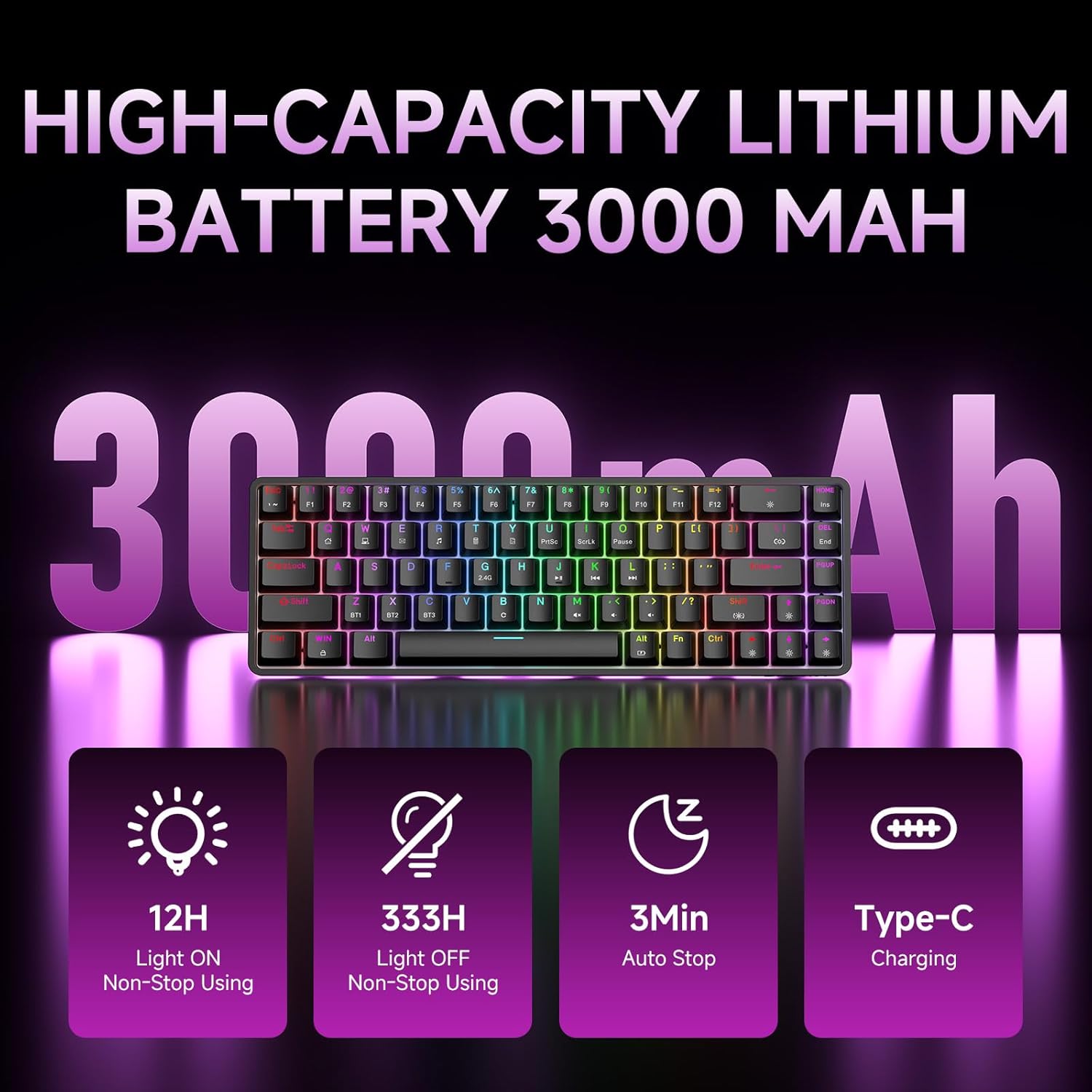
Figure 7: Battery capacity and power-saving features of the DK68.
Чишћење и њега
- Use the provided keycap puller to carefully remove keycaps for cleaning.
- Clean the keyboard surface with a soft, damp крпа. Избегавајте прекомерну влагу.
- Не користите јаке хемикалије или абразивна средства за чишћење.
- Уверите се да је тастатура искључена пре чишћења.
Решавање проблема
- Тастатура не реагује:
- Check the power switch on the back of the keyboard.
- Ensure the correct connection mode (wired, 2.4GHz, or Bluetooth) is selected.
- За 2.4 GHz, уверите се да је USB пријемник безбедно прикључен.
- For Bluetooth, ensure the keyboard is paired and selected on your device. Try re-pairing if necessary.
- If using wired mode, try a different USB port or cable.
- Позадинско осветљење не ради:
- Притисните Фн + Бацкспаце to toggle the backlighting.
- Check battery level; low battery may disable backlighting.
- Кључеви се не региструју:
- Ensure the keyboard is properly connected and powered on.
- If specific keys are not working, try removing and re-seating their keycaps.
Спецификације
| Феатуре | Детаљ |
|---|---|
| Број модела | ДК68 |
| Технологија повезивања | 2.4 GHz бежична веза, Bluetooth 5.0, USB-C жична веза |
| Тип прекидача | Clicky Blue Mechanical Switches |
| Распоред тастера | 68 тастер (60% распоред) |
| Позадинско осветљење | RGB (16.8 Million Colors, 20 Effects) |
| Капацитет батерије | Литијум полимер 3000мАх |
| Компатибилни уређаји | Играчка конзола, лаптоп, рачунар, таблет |
| Анти-Гхостинг | Full Key Anti-Ghosting & NKRO |
| Материјал | Пластика |
| Тежина артикла | 1.76 фунти (приближно 800 г) |
| Димензије пакета | 14.33 к 4.37 к 1.73 инча |

Figure 8: Keyboard dimensions and compact 68-key layout.
Гаранција и подршка
For warranty information and technical support, please refer to the documentation included with your product or visit the official DIERYA website. Amazon's return policy for this product is 30 days from the date of receipt.