Увод
The Roku Select Series 40-Inch 1080p Full HD Smart TV is designed to provide a seamless and enjoyable streaming experience. This manual provides essential information for setting up, operating, maintaining, and troubleshooting your television. Enjoy bright Full HD picture quality, clear sound, and access to a wide range of entertainment options.
Шта је у кутији
Проверите да ли су све компоненте присутне пре почетка подешавања.
- Roku Select Series 40-Inch Full HD TV
- Roku Voice Remote with batteries
- TV Stands and screws
- Повер Цабле
- Водич за брзи почетак (ово упутство)

Image: Contents of the Roku TV box, showing the television, remote control, stand components, and power cable.
Сетуп
1. Причвршћивање постоља за телевизор
- Пажљиво поставите телевизор екраном надоле на меку, чисту површину како бисте спречили оштећења.
- Поравнајте постоља за телевизор са отворима за завртње на дну телевизора.
- Secure each stand with the provided screws using a Phillips head screwdriver.
2. Монтажа на зид (опционо)
This TV supports VESA wall mounts with a standard of 200 x 300 mm. Refer to your wall mount's instructions for proper installation. Ensure the wall mount can support the TV's weight of 10.4 pounds (without stand).
3. Повезивање уређаја
Your Roku TV offers multiple connectivity options:
- ДВИ: 3 ports available for connecting gaming consoles, Blu-ray players, or other HDMI-enabled devices. HDMI 1 supports ARC.
- УСБ: 1 USB 2.0 port for media playback or connecting compatible accessories.
- С/ПДИФ (оптички): For digital audio output to a soundbar or home theater system.
- AV (композитни): For older devices using red, white, and yellow cables.
- Антена/кабл: За повезивање антене за емитовање преко етажа или кабловску телевизију.

Слика: Позади view of the Roku TV displaying the HDMI, USB, optical, and AV input ports.
4. Прикључак за напајање
Connect the provided power cable to the TV and then to a power outlet (110 VAC 60 Hz).
5. Почетно подешавање и мрежна веза
Upon first power-on, follow the on-screen instructions to set up your Roku TV. This includes connecting to your Wi-Fi network (Bluetooth and Wi-Fi connectivity are supported) and linking to a Roku account. Automatic software updates will ensure you have the latest features.
Упутство за употребу
1. Roku Home Screen Navigation
The Roku home screen provides quick access to all your entertainment. You can easily move apps around to customize your viewинг искуство.

Image: The Roku TV home screen showing a grid of streaming applications like Netflix, Disney+, and Prime Video, along with navigation menus.
2. Using the Voice Remote
The included Roku Voice Remote allows for easy navigation and control. Use your voice to search across thousands of apps, play entertainment, and control streaming functions. The remote requires 2 AAA batteries.

Image: Close-up of the Roku Voice Remote, highlighting buttons for power, volume, voice search, and dedicated app shortcuts.
3. Streaming and Apps
Access a world of entertainment with pre-installed apps like Netflix, Prime Video, Disney+, Hulu, and Apple TV+. The Streaming Store offers thousands more. Roku also provides over 500 free TV channels, including live in-season shows, movies, weather, and local news.
4. Подешавања слике
Оптимизујте своје viewискуство са различитим подешавањима слике:
- Roku Smart Picture: Automatically cleans up incoming TV signals, optimizes them, and selects the best picture mode.
- Режими слике: Choose from presets like Movie, Standard, Vivid, Sports, or Low Power.
- Custom Picture: Adjust backlight, brightness, contrast, sharpness, color, and tint manually.
5. Подешавања звука
The Roku TV features Dolby Audio for clear speech and louder sound. Adjust sound modes (Standard, Dialogue, Movie, Music, Night, Auto) or customize settings for volume mode, speech clarity, bass, and treble.
6. Bluetooth Headphone Mode
Connect your favorite wireless headphones via Bluetooth to enjoy audio privately without disturbing others.

Image: A person using Bluetooth headphones while watching the Roku TV, illustrating the private listening feature.
7. Интеграција паметног дома
Enjoy easy voice control with Roku Voice, Siri, Alexa, or Google Assistant. Effortlessly share videos, photos, and music from your Apple devices to your smart TV with Apple AirPlay.
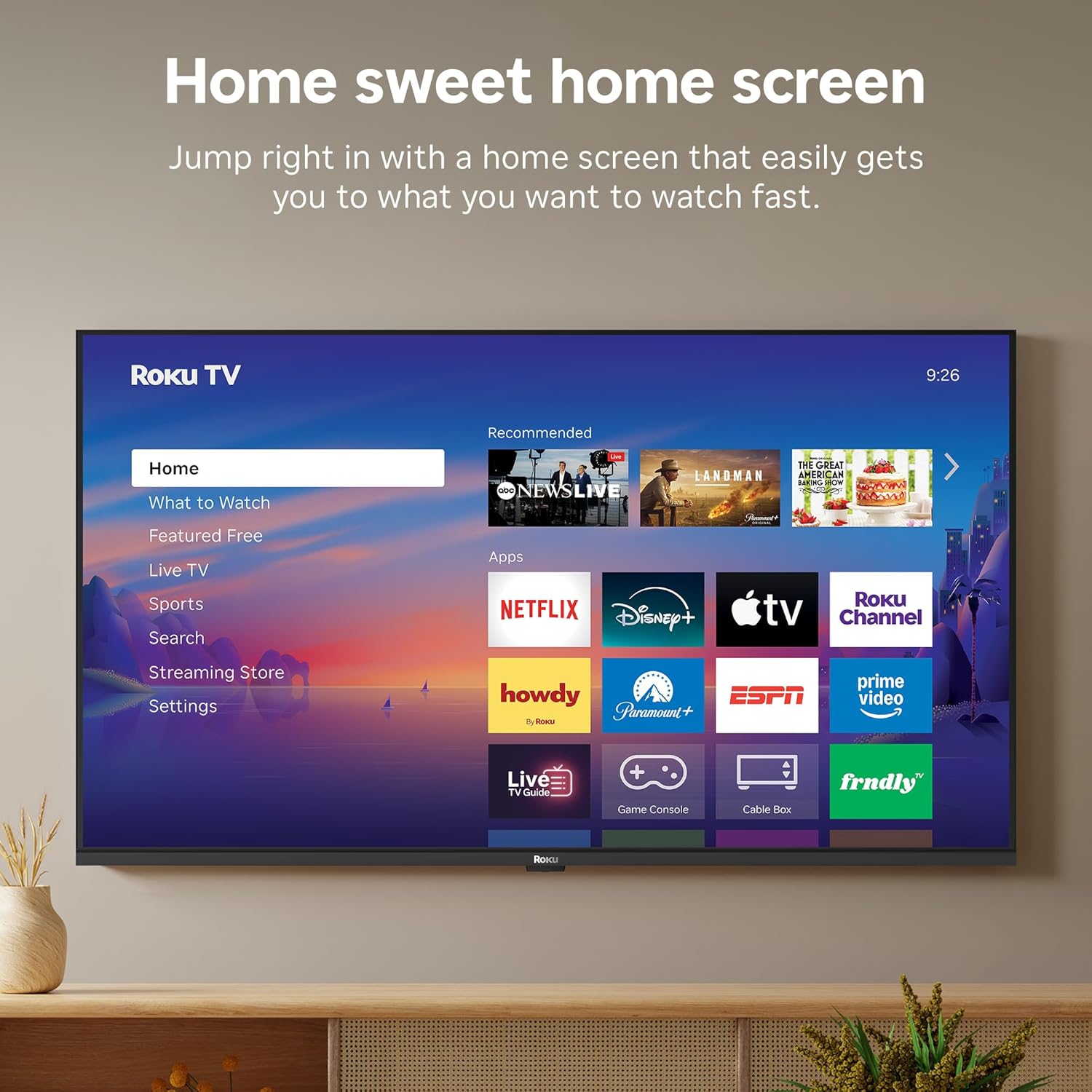
Image: A smart speaker positioned near the Roku TV, illustrating the TV's compatibility with voice assistants like Alexa for smart home control.
8. Мерач спавања
The TV includes a sleep timer function, allowing you to set the TV to automatically turn off after a specified duration (e.g., 30 minutes, 1 hour, 1.5 hours, 2 hours, 3 hours).
Одржавање
To ensure the longevity and optimal performance of your Roku TV, follow these maintenance guidelines:
- Чишћење: Use a soft, dry cloth to clean the screen and TV cabinet. Avoid abrasive cleaners or solvents.
- Ажурирања софтвера: Your Roku TV receives automatic software updates to provide the newest apps and features. Ensure your TV is connected to the internet for these updates.
- вентилација: Обезбедите одговарајућу вентилацију око телевизора како бисте спречили прегревање. Не блокирајте вентилационе отворе.
Решавање проблема
If you encounter issues with your Roku TV, try the following basic troubleshooting steps:
- Нема напајања: Проверите да ли је кабл за напајање безбедно повезан и са телевизором и са електричном утичницом. Покушајте са другом утичницом.
- Нема слике/звука: Проверите да ли је изабран исправан улазни извор. Проверите све кабловске везе (HDMI, AV, итд.).
- Нема интернет везе: Restart your Wi-Fi router and modem. Go to Settings > Network > Check connection on your TV to diagnose network issues.
- Даљински не реагује: Replace the batteries in the Roku Voice Remote. Ensure there are no obstructions between the remote and the TV.
- Општа питања: Try restarting the TV by unplugging it from the power outlet for 30 seconds, then plugging it back in.
Спецификације
| Феатуре | Детаљ |
|---|---|
| Бранд | Року |
| Назив модела | Roku 40" Select Series FHD |
| Број модела | 40Р3Е5 |
| Величина екрана | 40 инча |
| Дисплаи Тецхнологи | ЛЕД |
| Резолуција | 1080п Фулл ХД |
| Рефресх Рате | 60 Хз |
| Посебне карактеристике | Bluetooth Headphone Mode, Dolby Audio, Voice Remote, Roku Smart Picture |
| Технологија повезивања | Блуетоотх, Ви-Фи, инфрацрвени |
| Хардверски интерфејс | 3x HDMI, 1x USB, S/PDIF (Optical) |
| Димензије производа (Д x Ш x В) | 7.1"Д к 35.1"Ш к 21.9"В |
| Item Weight (without stand) | 10.4 фунти |
| VESA стандард за монтирање | 200 к 300 мм |
| Оперативни систем | Року ОС |
| Излазна снага звучника | 14 Ваттс |
| Parental Control Technology | В-Цхип |
| УПЦ | 829610009476 |
Гаранција и подршка
Roku warrants the hardware against defects in materials and workmanship under normal use for a period of one (1) year from the date of purchase ("Warranty Period"), provided it is used in accordance with the provided documentation. If a defect is determined during the Warranty Period, Roku's sole obligation and your exclusive remedy will be to either repair or replace the unit with a new or rebuilt device, at its option.
For important information about warranty returns and replacements, or additional details regarding product returns, please visit the official Roku support site. You may also return a device within thirty (30) days from the date of purchase from Roku, or within the applicable return period if purchased from an authorized reseller or distributor.
Званични видео производа
Video: An official product video from Roku, Inc. showcasing the features and user experience of the 2026 Roku TV Select Series.


