Увод
Thank you for choosing the Magcubic Smart Projector HY300GT. This portable projector offers a seamless smart entertainment experience with built-in Android 11, 2K support, and advanced features like automatic keystone correction and voice control. This manual provides essential information for setting up, operating, and maintaining your projector to ensure optimal performance.
Сетуп
1. Распакивање и први преглед
Пажљиво извадите све компоненте из паковања. Уверите се да су све ставке наведене у наставку присутне и да нису оштећене.
- Magcubic Smart Projector HY300GT Unit
- Ремоте Цонтрол
- Повер Адаптер
- Упутство за употребу
2. Повезивање напајања
Connect the power adapter to the projector's power input port and then plug it into a power outlet. The projector does not have an internal battery and requires continuous power for operation.
Слика: Позади view of the Magcubic HY300GT projector, highlighting the power input, HDMI, USB, and audio ports for connectivity.
3. Позиционирање пројектора
Place the projector on a stable, flat surface. The unique portable and foldable split design allows for flexible positioning. You can adjust the angle of projection by tilting the main unit on its base. For optimal viewing, a distance of 5.2 feet from an 80-inch screen is recommended.

Image: The Magcubic HY300GT projector demonstrating its flexible projection capabilities, including projecting onto a ceiling from a bedside table.
4. Прво укључивање
Press the power button on the projector or the remote control to turn on the device. The projector will boot up and display the main interface.
Упутство за употребу
1. Navigation and Remote Control
Use the provided remote control to navigate the projector's interface. The remote features dedicated buttons for popular apps like YouTube, Netflix, Prime Video, and Google Play for quick access. It also includes navigation arrows, an OK button, volume controls, and a mute button.
Video: A demonstration of the projector's main interface and remote control functionality, showing navigation through apps and settings.
2. Adjusting Focus and Keystone Correction
The HY300GT features automatic hardware keystone correction, which adjusts the image in real-time to ensure a uniform and high-quality display, even with side projection. It also supports 80%-100% zoom function for screen size adjustment. For manual focus, use the dedicated focus buttons on the remote control.

Image: The projector automatically correcting a tilted image of a motocross rider, illustrating the hardware keystone correction feature.
3. Повезивање (Wi-Fi и Bluetooth)
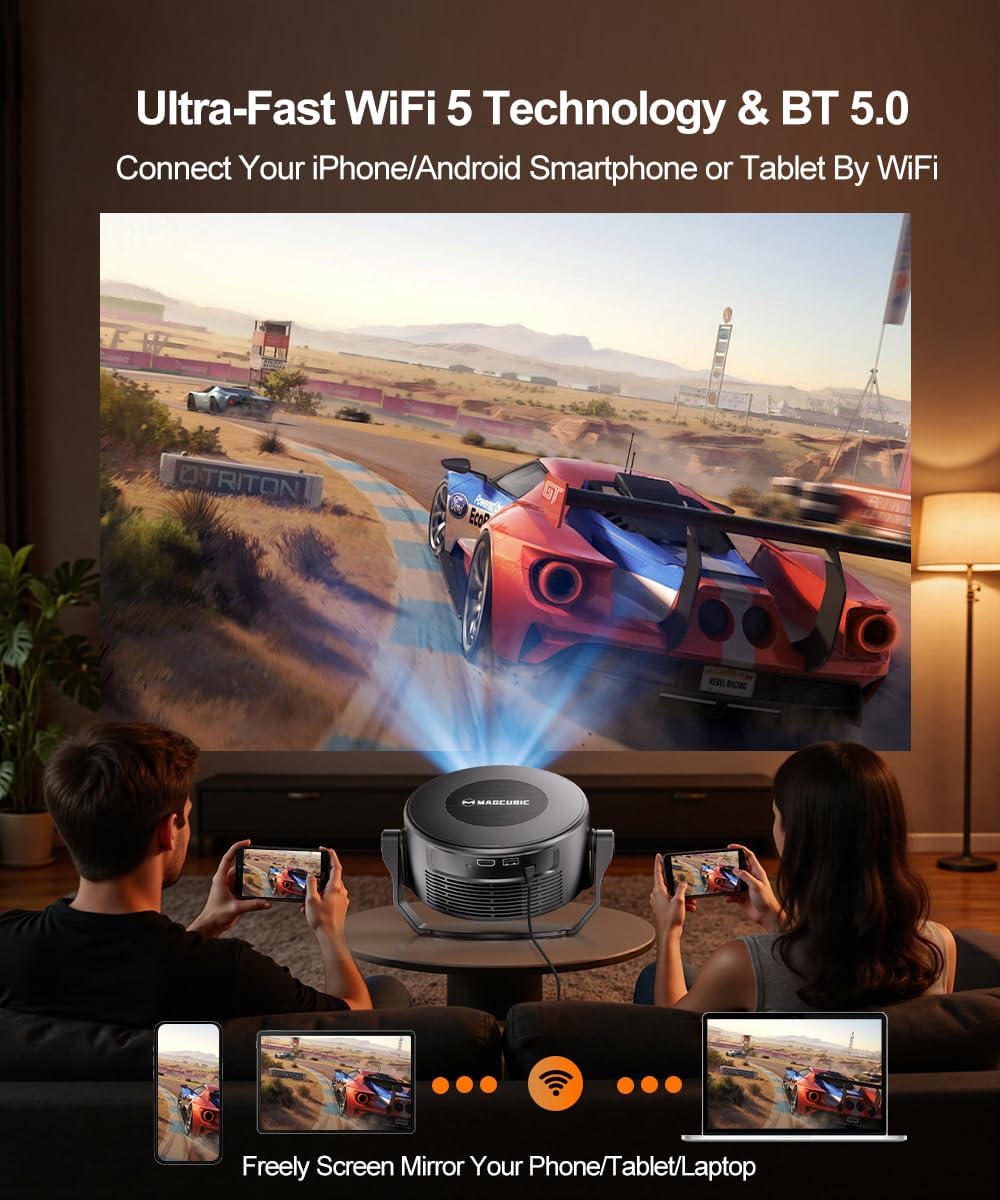
The projector supports 2T2R 802.11a/b/g/n/ac 2.4G&5G WIFI5 for fast and stable internet connectivity. Bluetooth 5.0 allows connection to wireless headphones or external speakers for enhanced audio. You can also effortlessly cast content from your smartphone, tablet, or PC screen.

Image: The projector's dual-band Wi-Fi and Bluetooth 5.0 capabilities are shown, with diagrams illustrating connections to external speakers and screen mirroring from a phone.
4. Using Built-in Android 11 and Voice Assistant
The projector comes with built-in Android 11, providing access to over 10,000 apps directly from the homepage, including YouTube, Prime Video, and Hulu. Use the smart voice assistant by pressing the voice button on the remote and issuing commands like "open YouTube" or "adjust volume."

Image: The projector's screen shows the Android 11 home interface with app icons, while a remote control illustrates how to use voice commands for operation.
Кључне карактеристике
- Seamless Smart Entertainment: Built-in Android 11 with access to over 10,000 apps (YouTube, Prime Video, Hulu).
- Паметни гласовни асистент: Control the projector with simple voice commands for easy operation.
- Запањујући квалитет слике: 260 ANSI lumens brightness, native 720P resolution with 2K support, and 10000:1 high contrast for vivid and sharp images.
- Напредна корекција трапезоидног изобличења: Automatic hardware keystone correction maintains 100% original resolution and supports 80%-100% zoom.
- Оптимално Viewинг: 0.8:1 throw ratio, recommended 5.2 feet distance for an 80-inch screen.
- Rich Audio & Stable Connectivity: Built-in 5W speaker, Bluetooth 5.0, and 2.4G&5G WIFI5 for a seamless audio-visual experience.
- Portable & Foldable Split Design: Detachable main body and base for mobile entertainment or free-form projection.
Спецификације
| Бранд | Магкубик |
| Модел | HY300GT |
| Тежина артикла | 2.4 фунти |
| Димензије пакета | 9.02 к 7.44 к 5.67 инча |
| Резолуција екрана | 1280 x 720 (Native), 2K Support |
| Осветљеност | КСНУМКС АНСИ Луменс |
| Однос контраста | 10000:1 |
| Технологија повезивања | Wi-Fi (2.4G&5G WIFI5), Bluetooth 5.0 |
| Посебне карактеристике | Smart Voice Assistant, 5W Speaker, Auto Keystone Correction, Built-in Android 11 |
Одржавање
1. Чишћење пројектора
Regularly clean the projector vents to prevent dust buildup, which can cause overheating and affect performance. Use a soft, dry cloth to clean the exterior surfaces. Do not use liquid cleaners or harsh chemicals.
2. Нега сочива
Gently clean the projector lens with a lens cleaning cloth. Avoid touching the lens directly with your fingers to prevent smudges.
Решавање проблема
1. No Power / Not Turning On
- Ensure the power adapter is securely connected to both the projector and a working power outlet.
- Проверите да ли је утичница функционална тако што ћете укључити други уређај.
- Try pressing the power button on the projector unit itself, not just the remote.
2. Blurry Image / Focus Issues
- Allow the automatic keystone correction to complete its cycle.
- Use the dedicated focus buttons on the remote control to manually adjust the focus.
- Ensure the projection surface is flat and free from obstructions.
3. Нема звука
- Check the volume level on the projector and the connected source device.
- Ensure the projector is not muted (check the mute button on the remote).
- Ако користите екстерне Bluetooth звучнике, уверите се да су правилно упарени и повезани.
Гаранција и подршка
- Повраћај или замена у року од 30 дана: Products are eligible for return or exchange within 30 days of purchase.
- Доживотна техничка подршка: Magcubic offers lifetime technical support for your projector.
- 24/7 Service Professional: Access to professional service support around the clock.
For any inquiries or assistance, please contact Magcubic customer support.


