1. Производ је готовview
The Magcubic Smart Projector HY350GT is a portable projector designed for versatile entertainment and presentation needs. It features 4K support, native 1080P resolution, and a built-in 4K TV stick for direct access to streaming applications. Key functionalities include automatic focus, keystone correction, obstacle avoidance, and screen alignment, ensuring a clear and properly framed image with minimal manual adjustment. Dual-band Wi-Fi and Bluetooth 5.1 provide robust connectivity options for various devices and audio accessories.
2. Шта је у кутији
- Magcubic Smart Projector HY350GT
- Повер Адаптер
- Ремоте Цонтрол
- Кориснички приручник (овај документ)
3. Упутства за подешавање
3.1 Почетно постављање и повезивање са напајањем
Place the projector on a stable, flat surface. The flexible rotating stand allows for projection onto walls or ceilings. Connect the power adapter to the projector's power input port and then to a power outlet.

Image: The Magcubic HY350GT projector demonstrating its flexible rotating stand for various projection angles, including walls and ceilings.
3.2 Automatic Image Correction
Upon powering on, the projector will automatically perform several corrections:
- Ауто фокус: The image will automatically sharpen.
- Ауто Кеистоне Цоррецтион: The image will adjust to be rectangular, even if the projector is at an angle.
- Аутоматско избегавање препрека: The projector detects walls and barriers, adjusting the image to avoid interference.
- Аутоматско поравнање екрана: The image will align itself to the projection surface.
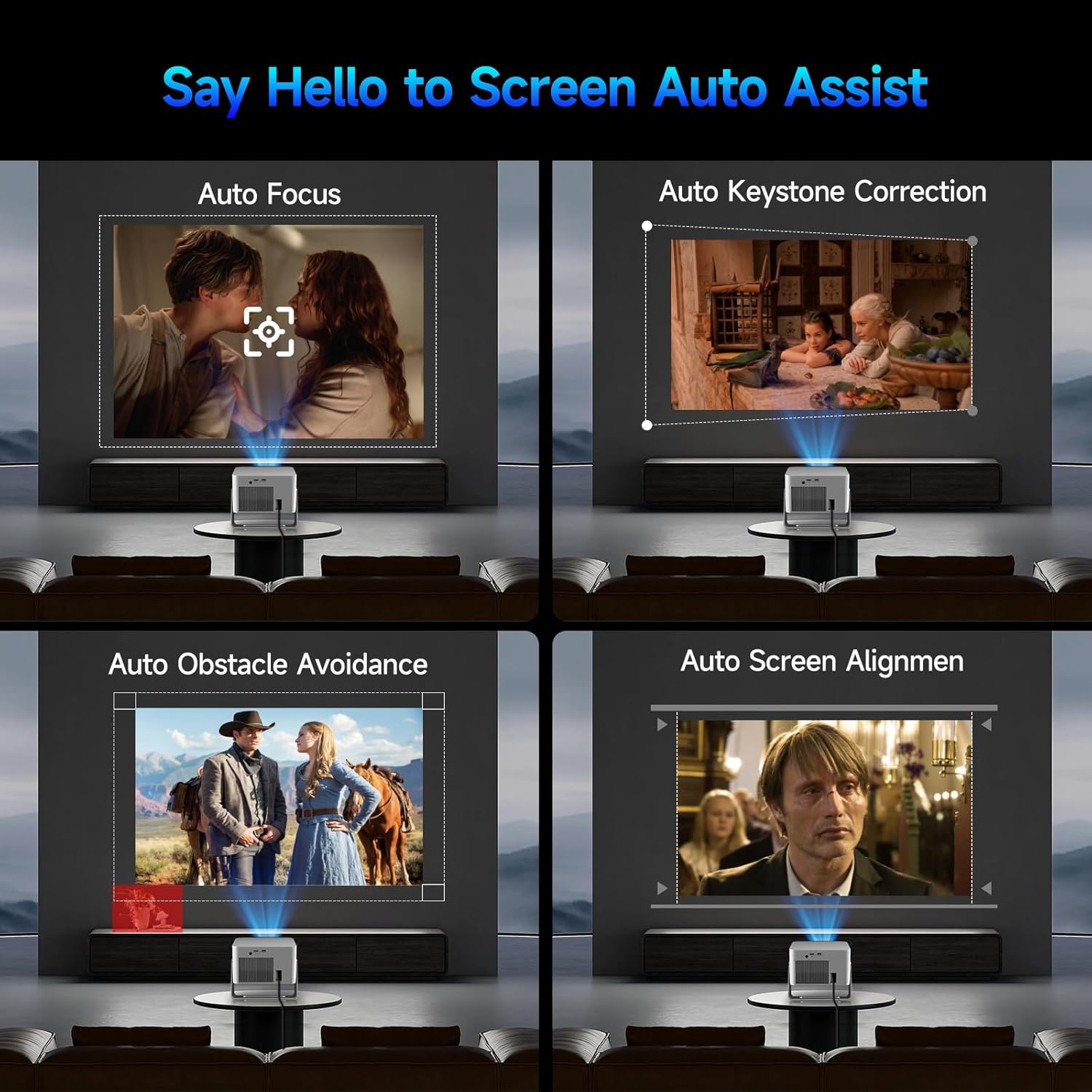
Image: Visual representation of the projector's automatic screen assist features, including auto focus, keystone correction, obstacle avoidance, and screen alignment.
3.3 Мрежна веза
Navigate to the 'Settings' menu using the remote control. Select 'Network settings' to connect to your Wi-Fi network (2.4G or 5G). This enables access to built-in streaming apps and online content.
4. Упутство за употребу
4.1 Даљински управљач и гласовни асистент
The included remote controls both the projector and the built-in streaming stick. Utilize the Voice Assistant feature by pressing the voice command button to quickly open apps, play movies, adjust volume, or check information.
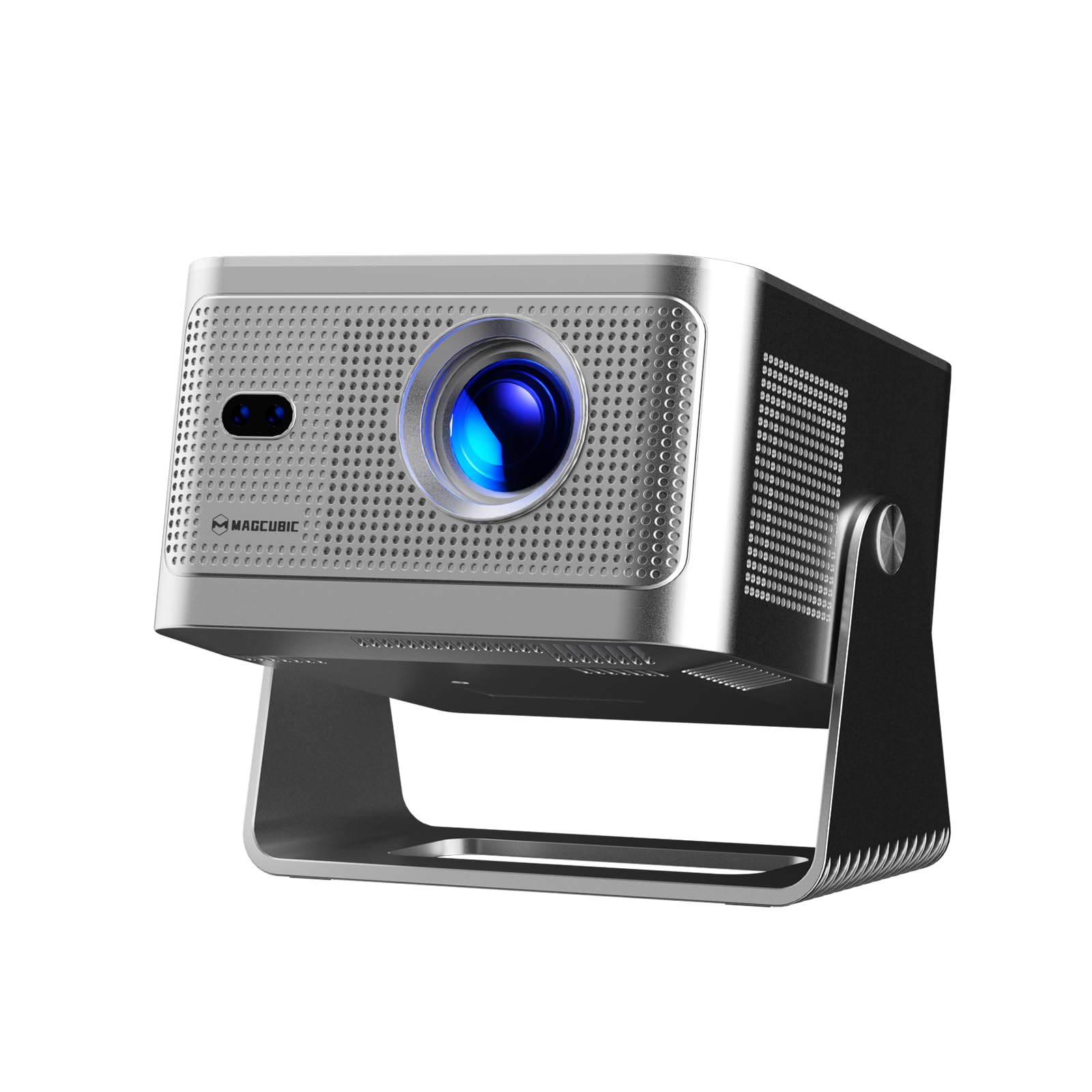
Image: The projector's main screen showing various streaming apps and the remote control, highlighting its voice assistant capabilities.
4.2 Приступ апликацијама
The projector comes with a built-in 4K TV stick, providing access to a wide range of applications. Navigate to 'My Apps' or the 'Store' to browse and download additional streaming services and utilities.

Image: The projector's interface showing pre-installed and downloadable streaming applications.
4.3 Подешавања пројекције
In the 'Settings' menu, select 'Projection settings' to fine-tune your display:
- Режим уређаја: Switch between Standard and Energy Saving modes.
- Начин инсталације: Adjust for front projection, rear projection, or ceiling mounting.
- Digital Scaling: Adjust image size from 80% to 100%.
- Ауто фокус: Toggle automatic focus on/off.
- Auto Four Corner Correction: Enable automatic trapezoidal correction.
- Интелигентно избегавање препрека: Enable automatic image adjustment around obstacles.
- Screen Recognition: Enable automatic screen detection and alignment.
4.4 Аудио излаз
The projector features a built-in 15W high-fidelity stereo speaker. For external audio, connect Bluetooth 5.1 compatible speakers or headphones via the 'Bluetooth' setting in the main menu.
4.5 External Connectivity
The rear panel of the projector includes:
- ХДМИ порт: Connect external devices such as laptops, gaming consoles (Switch, PS5), TV sticks, tablets, or smartphones.
- УСБ порт: Connect USB storage devices or a mouse for navigation.

Слика: Детаљна view of the projector's rear ports for HDMI, USB, and power connections.
4.6 Пресликавање екрана
The projector supports screen mirroring from both Android and iOS devices. Access this feature through the main menu to cast content directly from your phone or tablet.

Image: A smartphone wirelessly casting its screen to the projector, demonstrating the screen mirroring capability.
5. Одржавање
- Чишћење сочива: Gently wipe the projector lens with a soft, lint-free cloth. Avoid abrasive materials or harsh chemicals.
- вентилација: Ensure the projector's ventilation ports are clear of obstructions to prevent overheating. Do not block the air vents during operation.
- Складиштење: Када се не користи, пројектор чувајте на хладном и сувом месту, даље од директне сунчеве светлости и екстремних температура.
КСНУМКС. Решавање проблема
- Нема слике: Ensure the projector is powered on and the correct input source (HDMI, USB, or internal apps) is selected. Check all cable connections.
- Замућена слика: Allow the auto-focus feature to complete. If needed, manually adjust focus via the projection settings. Ensure the projection surface is flat.
- Нема звука: Check the volume level on both the projector and any connected external audio devices. Verify Bluetooth connection if using external speakers.
- Проблеми са повезивањем: For Wi-Fi, ensure the network password is correct and the projector is within range. For Bluetooth, ensure the external device is in pairing mode.
- Изобличење слике: Allow auto keystone correction to complete. If necessary, manually adjust keystone settings in the projection menu.
7. Спецификације
| Феатуре | Спецификација |
|---|---|
| Бранд Наме | Магкубик |
| Модел | HY350GT |
| Тежина артикла | 3.08 фунти |
| Димензије пакета | 9.61 к 8.27 к 5.39 инча |
| Резолуција екрана | 1920 x 1080 (Native 1080P, 4K Support) |
| Осветљеност | КСНУМКС АНСИ Луменс |
| Однос контраста | 10,000:1 |
| Гамут боја | 120% |
| Технологија повезивања | Bluetooth 5.1, Dual-Band Wi-Fi (2.4G&5G) |
| Посебне карактеристике | 15W Speaker, Auto Focus, Auto Keystone Correction, Auto Obstacle Avoidance, Auto Screen Alignment |
| Препоручена употреба | Пословање, образовање, игре, кућни биоскоп |
8. Гаранција и подршка
Magcubic offers a 30-day return guarantee for this product. Additionally, 24-hour live customer support and lifetime technical support are included to assist with any inquiries or issues.


