OUKITEL Smart Watch V3 User Manual
Model: B0G4V1QQPL
1. Водич за подешавање
1.1 Садржај пакета
- OUKITEL Smart Watch
- Кабл за пуњење
- User Manual (QR code for digital version)
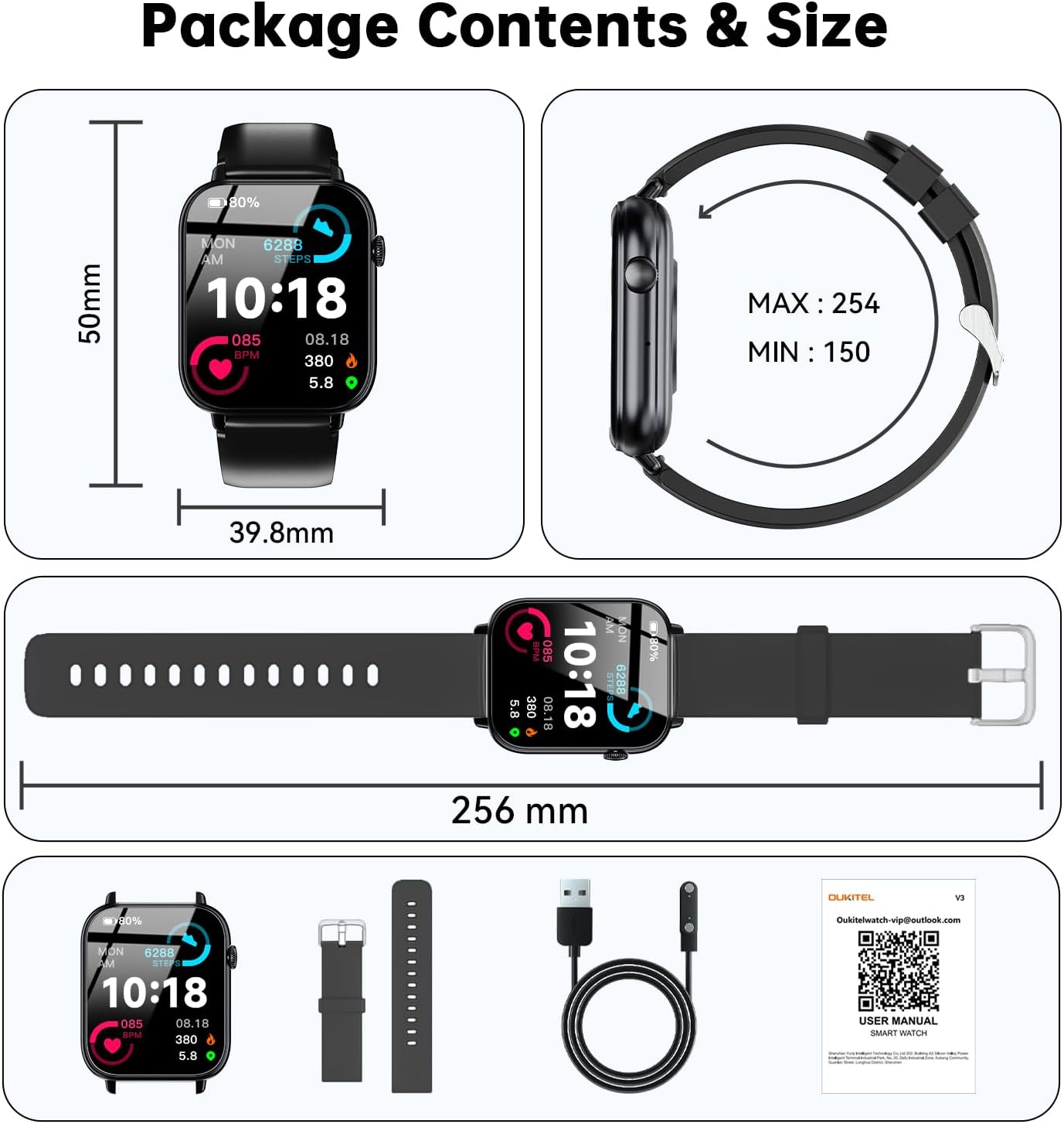
Image: Contents of the OUKITEL Smart Watch package, including the watch, an additional strap, charging cable, and user manual.
1.2 Преузимање и инсталација апликације
To utilize all features of your OUKITEL Smart Watch, download the companion application. Scan the QR code in the physical manual or visit the provided link:
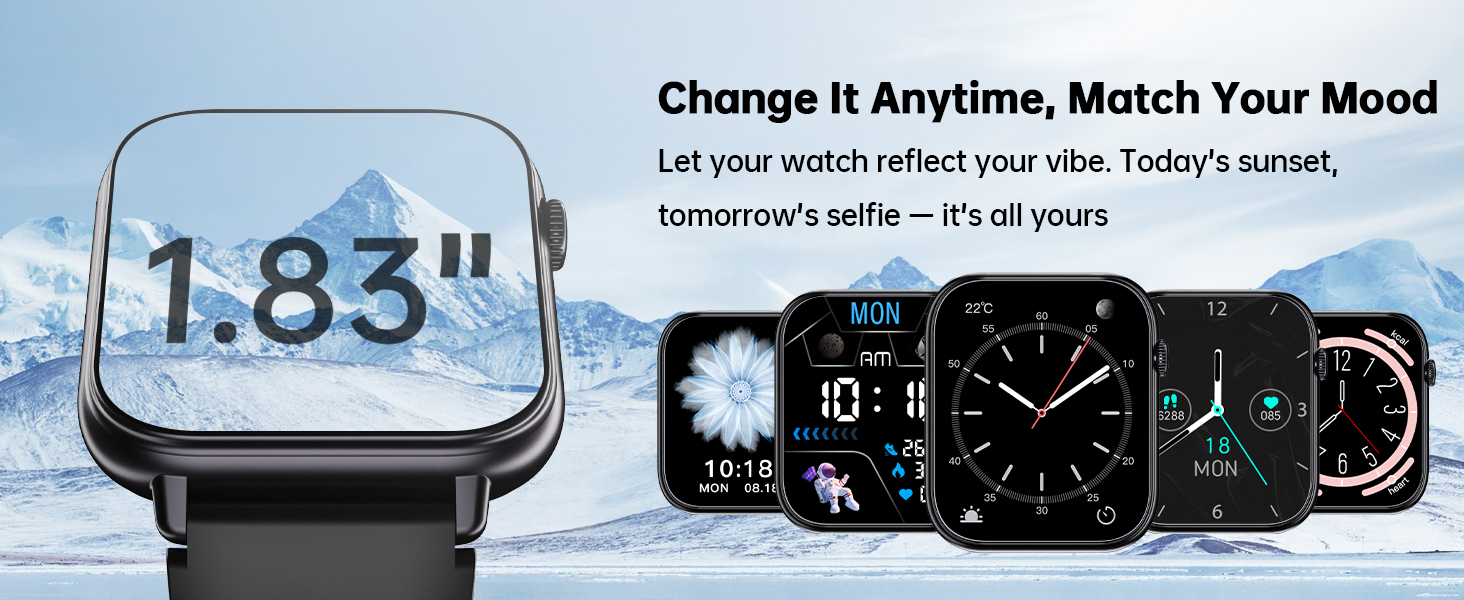
Image: Smartwatch displaying a QR code for app download, and screenshots of the DeeFit app in an app store and the binding process.
1.3 Упаривање уређаја
- Уверите се да је Блутут на вашем паметном телефону омогућен.
- Open the DeeFit app and select "Add Device".
- Locate and select "V3 (D824)" from the list of available devices.
- Потврдите захтев за упаривање и на телефону и на паметном сату.
- Allow necessary notifications and permissions for full functionality.
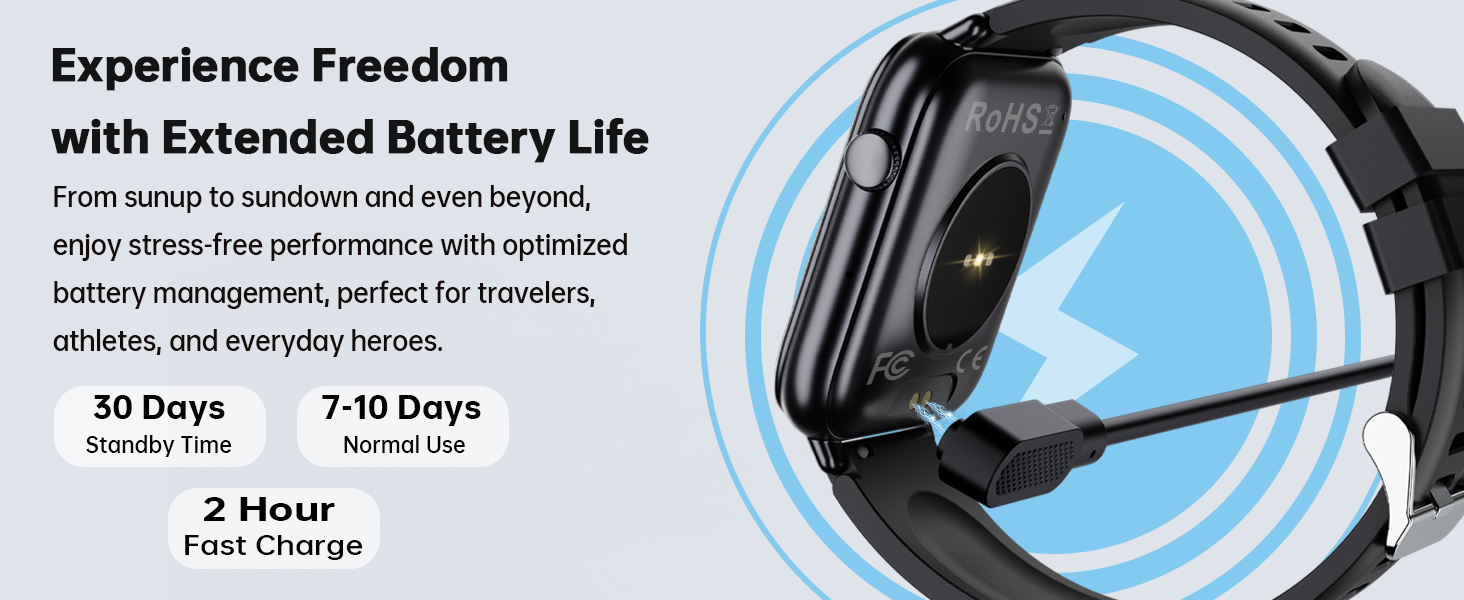
Image: Step-by-step guide for pairing the smartwatch with a smartphone via the DeeFit app, including Bluetooth activation and device selection.
2. Упутство за употребу
2.0 Производ завршенview Видео
Видео: Званичник прекоview of the OUKITEL V3 Smart Watch, showcasing its design, various watch faces, Bluetooth calling, smart notifications, health monitoring (sleep, heart rate, SpO2), sport modes, water resistance, and magnetic charging.
2.1 Основна навигација
- екран осетљив на додир: The 1.83" HD touchscreen allows for intuitive navigation. Swipe left, right, up, or down to access different features and menus.
- Бочно дугме: Притисните бочно дугме да бисте се вратили на почетни екран или пробудили уређај.
- Auto-Wake: The screen automatically activates when you lift your wrist.
2.2 Позиви и обавештења путем Bluetooth-а
The smartwatch supports Bluetooth 5.3 for calls and message notifications. You can answer or make calls directly from your wrist using the built-in HD speaker and microphone. Receive notifications from apps like WhatsApp, Telegram, and Facebook.
Напомена: Message replies are not supported directly from the watch.
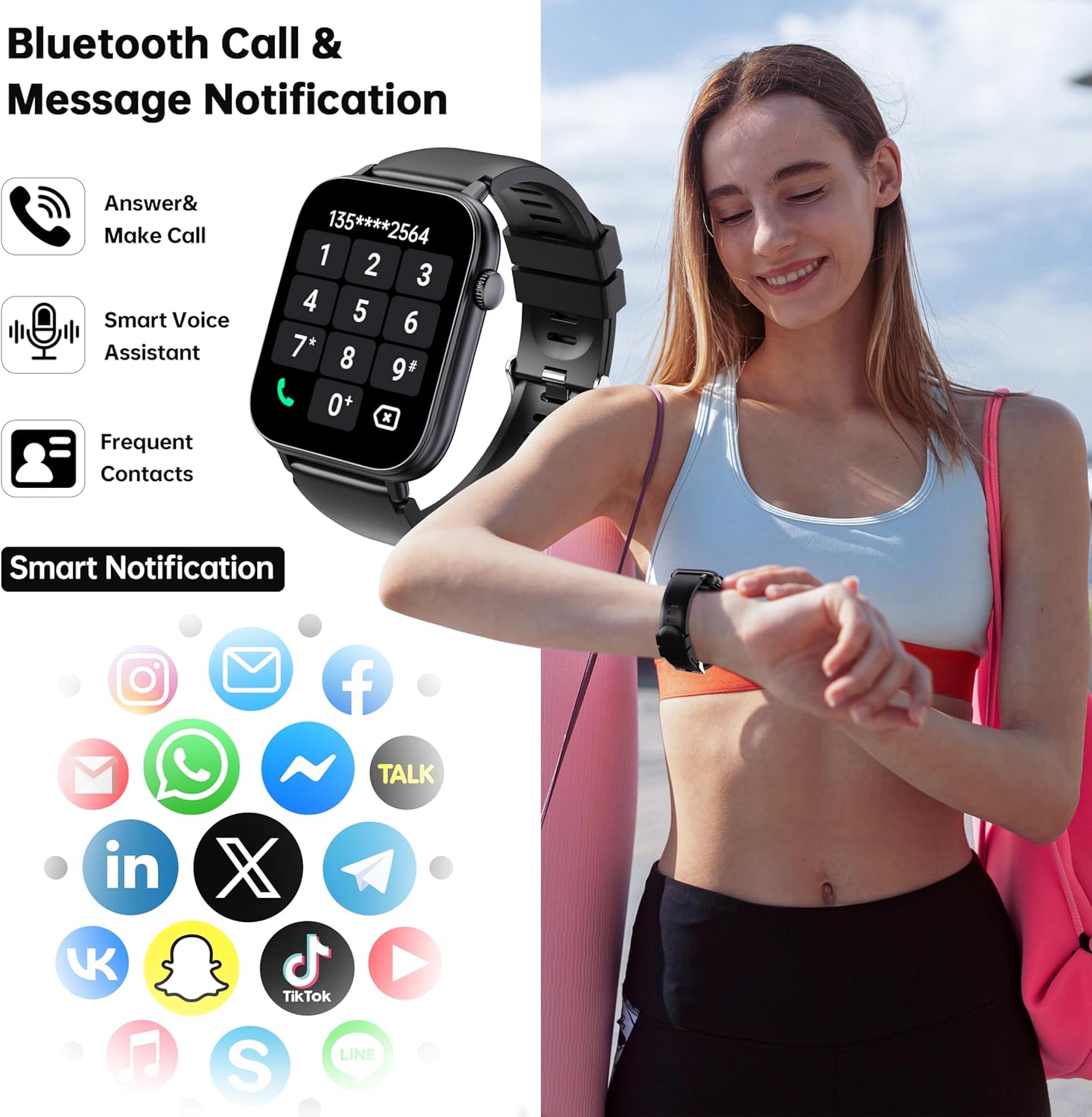
Image: A user interacting with the smartwatch, which displays a phone dialer and various social media app icons, illustrating Bluetooth call and notification capabilities.
2.3 Прилагођавање изгледа сата
Choose from over 100 watch faces available through the companion app to personalize your device. You can also create custom watch faces using your own images.
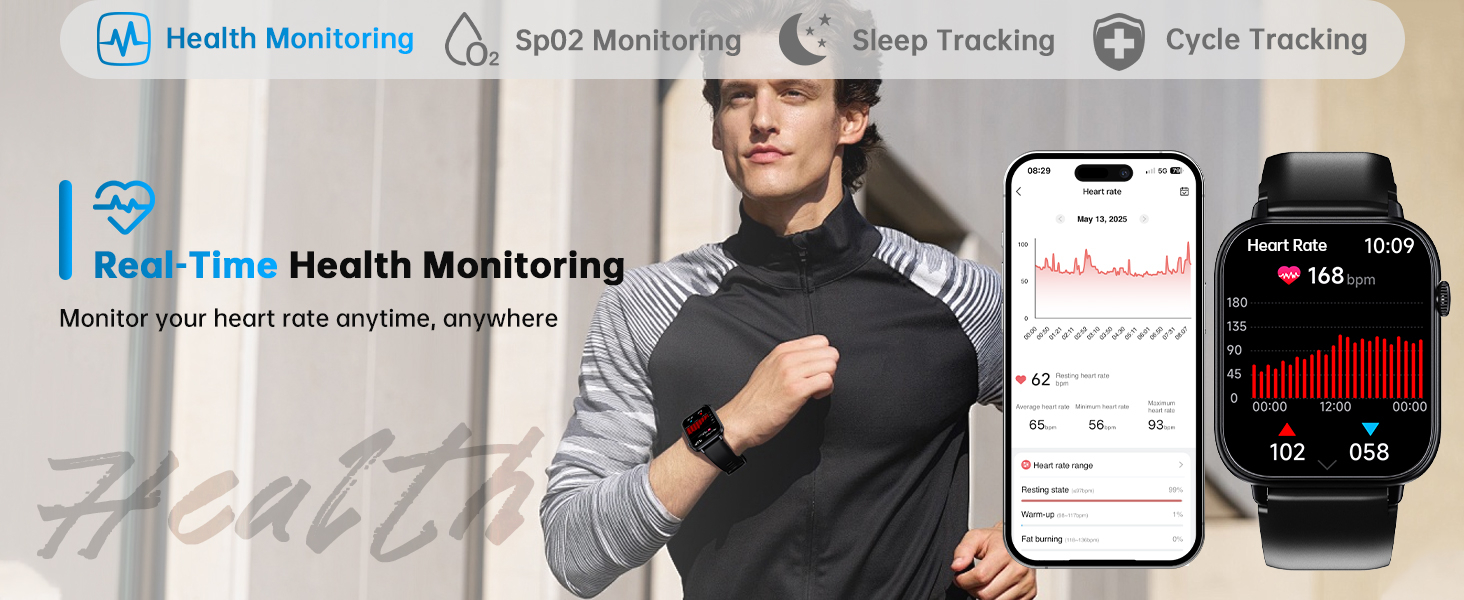
Image: A collection of diverse watch faces shown on the smartwatch, highlighting the customization options available to users.
2.4 Мониторинг здравља
The smartwatch features a built-in optical sensor for continuous health tracking.
- Монитор пулса: Континуирано прати ваш пулс током целог дана.
- Монитор спавања: Provides comprehensive analysis of your sleep quality, including deep, light, and REM sleep stagес.
- Монитор стреса: Tracks your stress levels.
- СпО2 Мониторинг: Monitors blood oxygen saturation levels.
- Праћење циклуса: Offers personalized reminders and health insights for menstrual cycles.

Image: The smartwatch displaying real-time heart rate and sleep quality data, alongside corresponding screens from the mobile application.
2.5 спортских режима
Access over 100 sport modes to track various physical activities. Set exercise duration and intensity goals for standardized workouts. The watch tracks calories burned, steps taken, and distance covered.
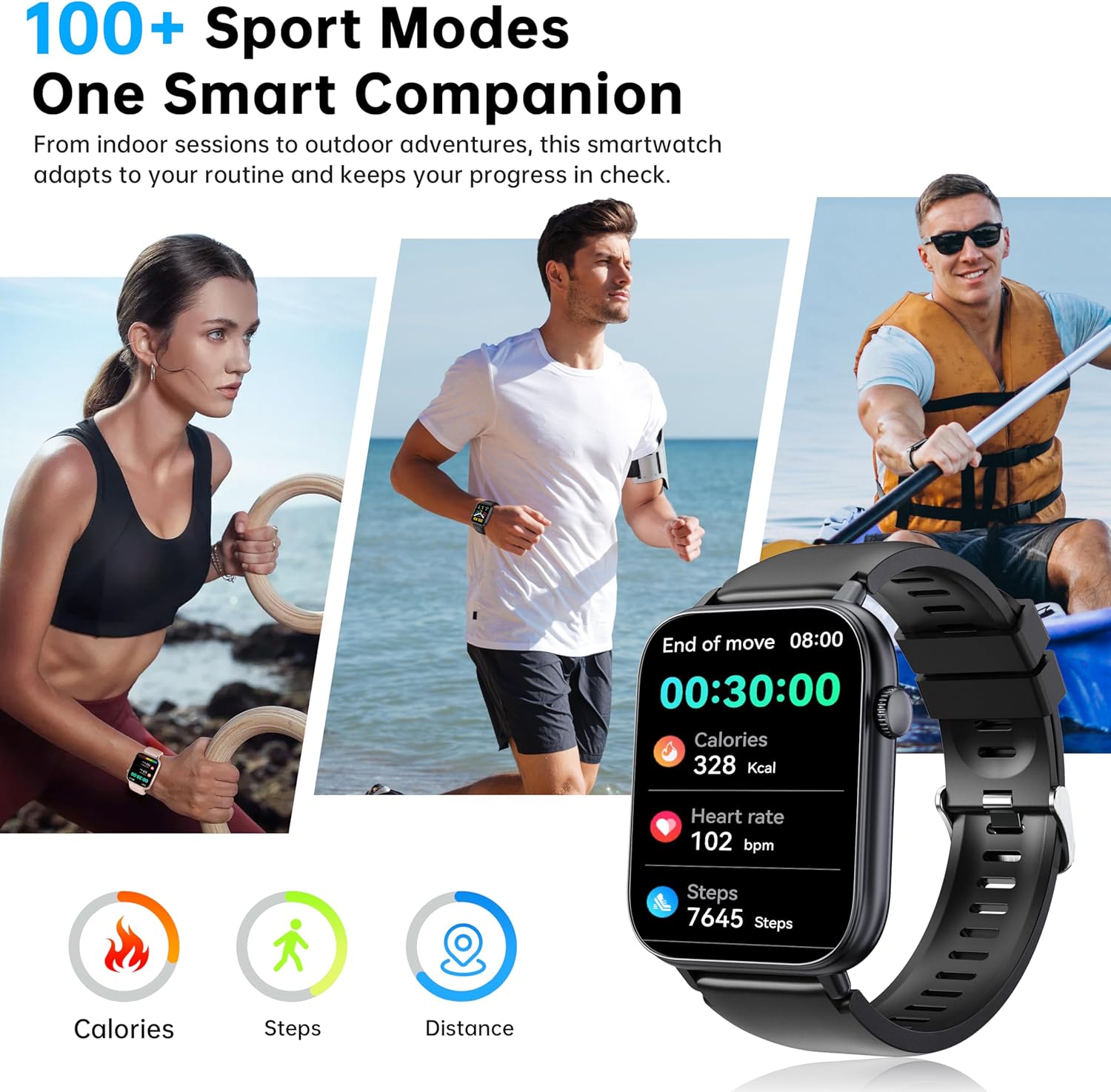
Image: The smartwatch interface showing exercise data such as calories, steps, and heart rate, with various sports activities depicted in the background.
2.6 додатних функција
- Гласовни асистент: Interact with your device using voice commands.
- Временска прогноза: Добијајте ажурирања о времену у реалном времену.
- Контрола камере: Даљински управљајте камером свог паметног телефона.
- Контрола музике: Управљајте репродукцијом музике на свом паметном телефону.
- Будилник: Подесите аларме и подсетнике.
- Седентарни подсетник: Примајте обавештења о кретању након периода неактивности.
- Пронађите телефон: Пронађите упарени паметни телефон.
- Luminance Regulation: Подесите осветљеност екрана.
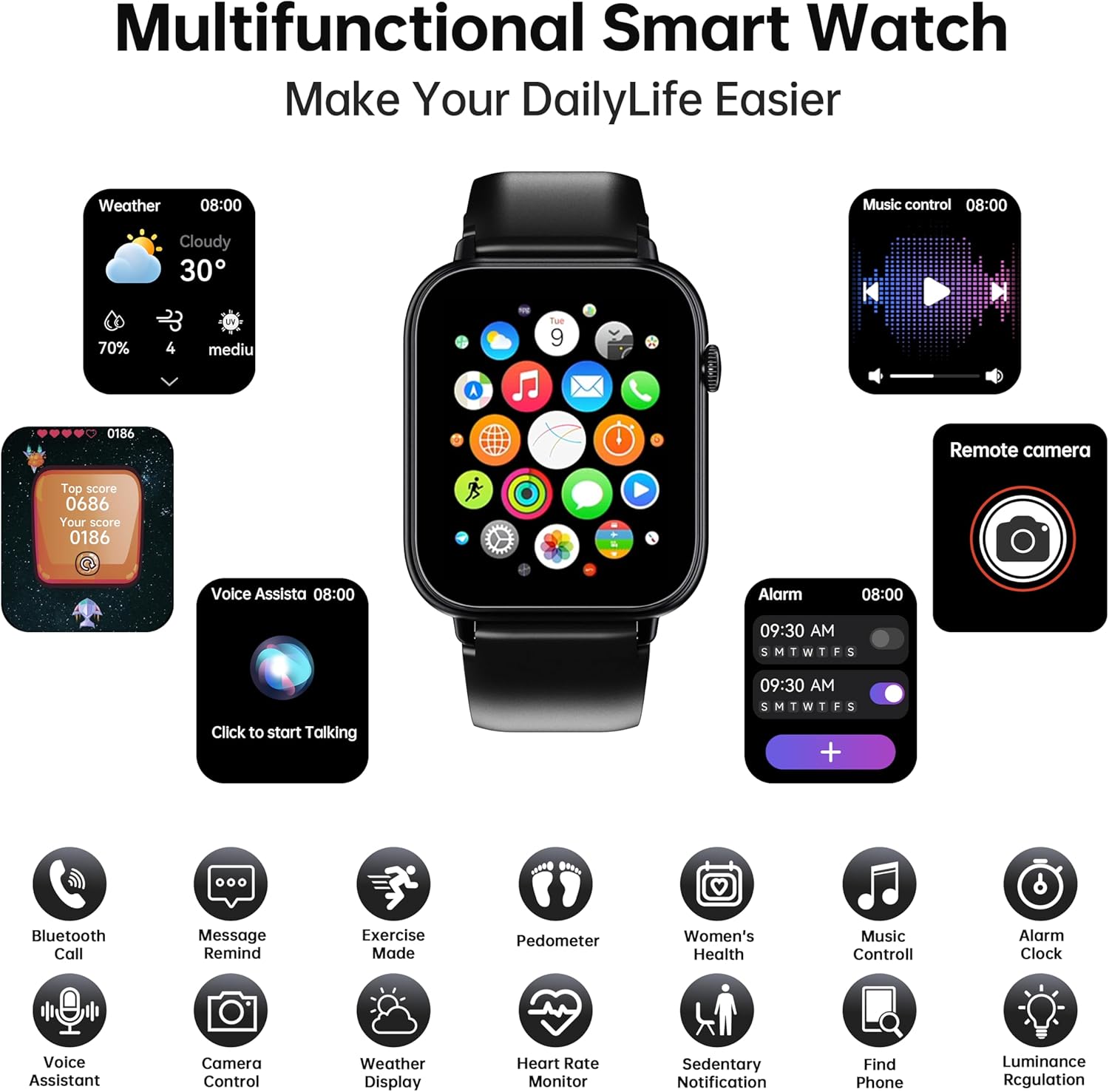
Image: A visual representation of the smartwatch's diverse functions, such as weather display, voice assistant, music control, and remote camera operation.
3. Одржавање
3.1 Отпорност на воду
The OUKITEL Smart Watch is IP68 rated, making it resistant to water intrusion during activities like hand washing, face washing, and daily sweating. It is suitable for swimming.
Важно: Do not use the smartwatch for baths, saunas, hot springs, or diving, as extreme temperatures and steam can compromise the water resistance.
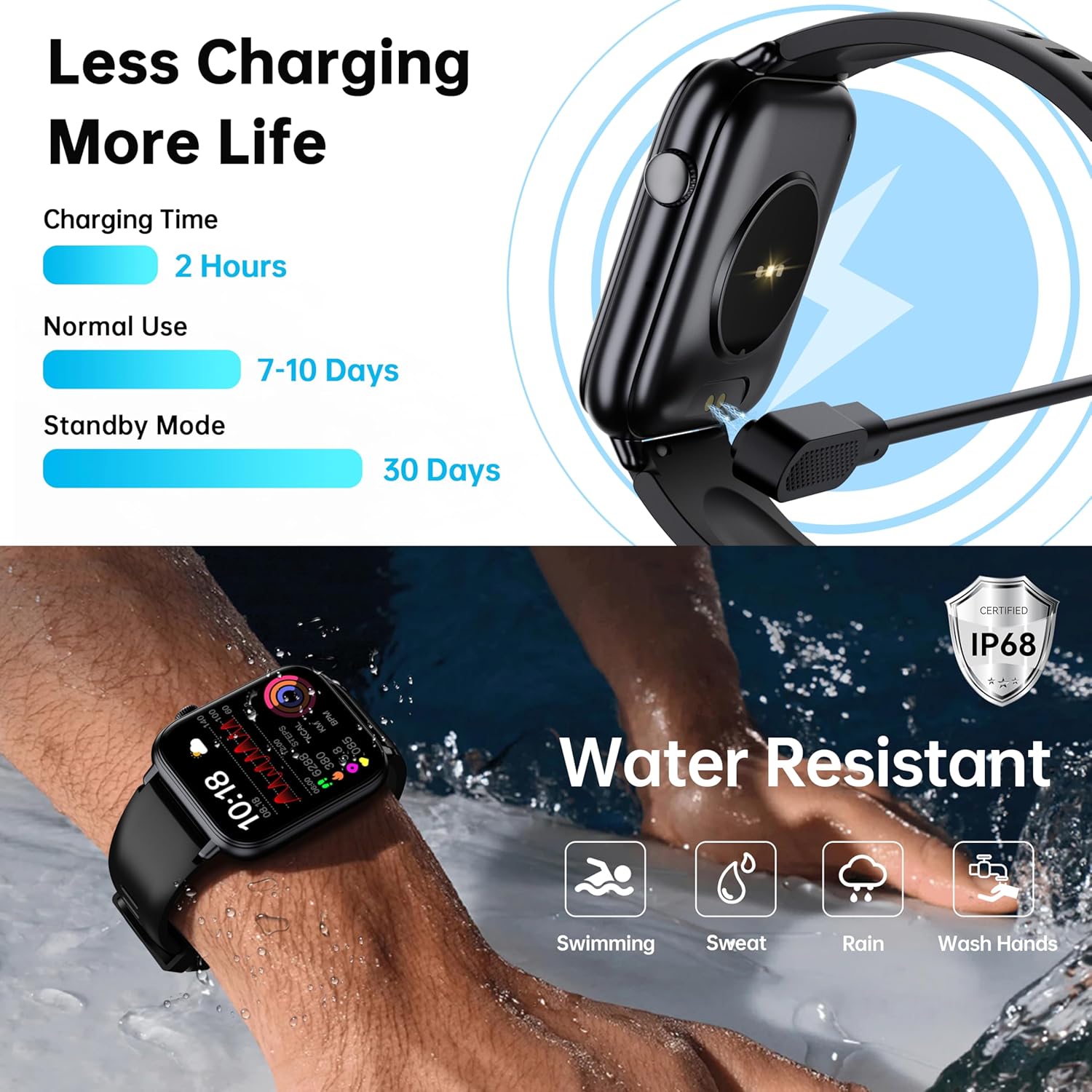
Image: The smartwatch submerged in water, with icons indicating its suitability for swimming, sweat, rain, and hand washing, confirming its IP68 water resistance.
3.2 Пуњење
Charge the smartwatch using the provided magnetic charging cable. A full charge typically takes 2 hours. The battery provides 7-10 days of normal use and up to 30 days in standby mode.

Image: The smartwatch connected to its magnetic charger, detailing charging time and expected battery life under normal use and standby conditions.
3.3 Чишћење
To clean your smartwatch, gently wipe the screen and strap with a soft, damp крпа. Избегавајте употребу јаких хемикалија или абразивних материјала, јер могу оштетити уређај.
КСНУМКС. Решавање проблема
If you encounter issues with your OUKITEL Smart Watch, refer to the following common solutions:
4.1 Проблеми са повезивањем
- Блуетоотх прекид везе: Ensure the smartwatch is within range of your paired smartphone. Check that Bluetooth is active on both devices. Restarting both the watch and phone can often resolve connection problems.
- Проблеми са синхронизацијом апликација: Verify that the DeeFit app is running in the background and has all necessary permissions enabled on your smartphone. Ensure the app and watch firmware are up to date.
4.2 Нетачности праћења здравља
- Праћење спавања: If sleep tracking is inaccurate, especially for non-traditional sleep schedules (e.g., third shift), ensure the watch is worn snugly on your wrist. The watch may have limitations in tracking sleep outside of typical nighttime hours.
- Откуцаји срца/SpO2: Ensure the watch is worn correctly, not too loose or too tight, and that the sensor is clean and in direct contact with your skin.
4.3 Проблеми са приказом
- Screen Visibility with Polarized Glasses: The OLED display may appear black or difficult to see when viewed through polarized sunglasses. This is a characteristic of OLED technology and not a defect. Remove polarized glasses for better visibility.
4.4 App Functionality
- Incorrect Units/Data: If the app displays incorrect units (e.g., weight in kg instead of lbs, temperature in Celsius instead of Fahrenheit), check the app settings for unit preferences. Ensure the app is properly synced for weather data.
За додатну помоћ, обратите се корисничкој подршци.
5. Спецификације
| Феатуре | Детаљ |
|---|---|
| Број модела | B0G4V1QQPL |
| Бранд | ОУКИТЕЛ |
| Величина екрана | 1.83 инча |
| Дисплаи Типе | ОЛЕД |
| Резолуција | 320 к 386 |
| Бежична комуникација | Блуетоотх 5.3 |
| Оцена водоотпорности | IP68 (1.5 Meters) |
| Трајање батерије (нормална употреба) | 7-10 дана |
| Трајање батерије (приправност) | 30 дана |
| Време пуњења | 2 сата |
| Измерене метрике | Heart Rate, Sleep Duration, SpO2, Stress |
| Спорт Модес | 100+ |
| Компатибилност | Андроид 6.0+ / иОС 10.0+ |
| Банд Материал | Силицоне |
| Унос људског интерфејса | Тоуцхсцреен |
6. Гаранција и подршка
6.1 Информације о гаранцији
This OUKITEL Smart Watch comes with a 2-year warranty from the date of purchase. This warranty covers manufacturing defects and malfunctions under normal use. Please retain your proof of purchase for warranty claims.
6.2 Политика враћања
A 30-day right of withdrawal is provided without justification, allowing returns within 30 days of purchase.
6.3 Корисничка подршка
For technical assistance, warranty claims, or any other inquiries, OUKITEL offers 24/7 customer service and lifetime support with satisfactory solutions.
You can also join the official OUKITEL Smart Watch Facebook group for community support and updates: OUKITEL Smart Watch Facebook Group

Image: OUKITEL's service commitment details, including warranty, return policy, and customer support availability.