1. Увод
Welcome to the DOOGEE Blade 20 Pro Rugged Phone user manual. This guide provides essential information to help you set up, operate, and maintain your device. The DOOGEE Blade 20 Pro is designed for durability and high performance, featuring a robust build, powerful specifications, and advanced camera capabilities, making it suitable for demanding environments and everyday use.
2. Садржај пакета
Upon opening your DOOGEE Blade 20 Pro package, please verify that all items listed below are present and in good condition:
- 1 x Cellphone (DOOGEE Blade 20 Pro)
- 1 к УСБ кабл типа Ц
- 1 x Пуњач (18W)
- 1 x Заштитна фолија са сито штампом (претходно налепљена)
- 1 x Заштитна фолија против експлозије
- 1 к Гарантни лист
- 1 к Упутство за употребу
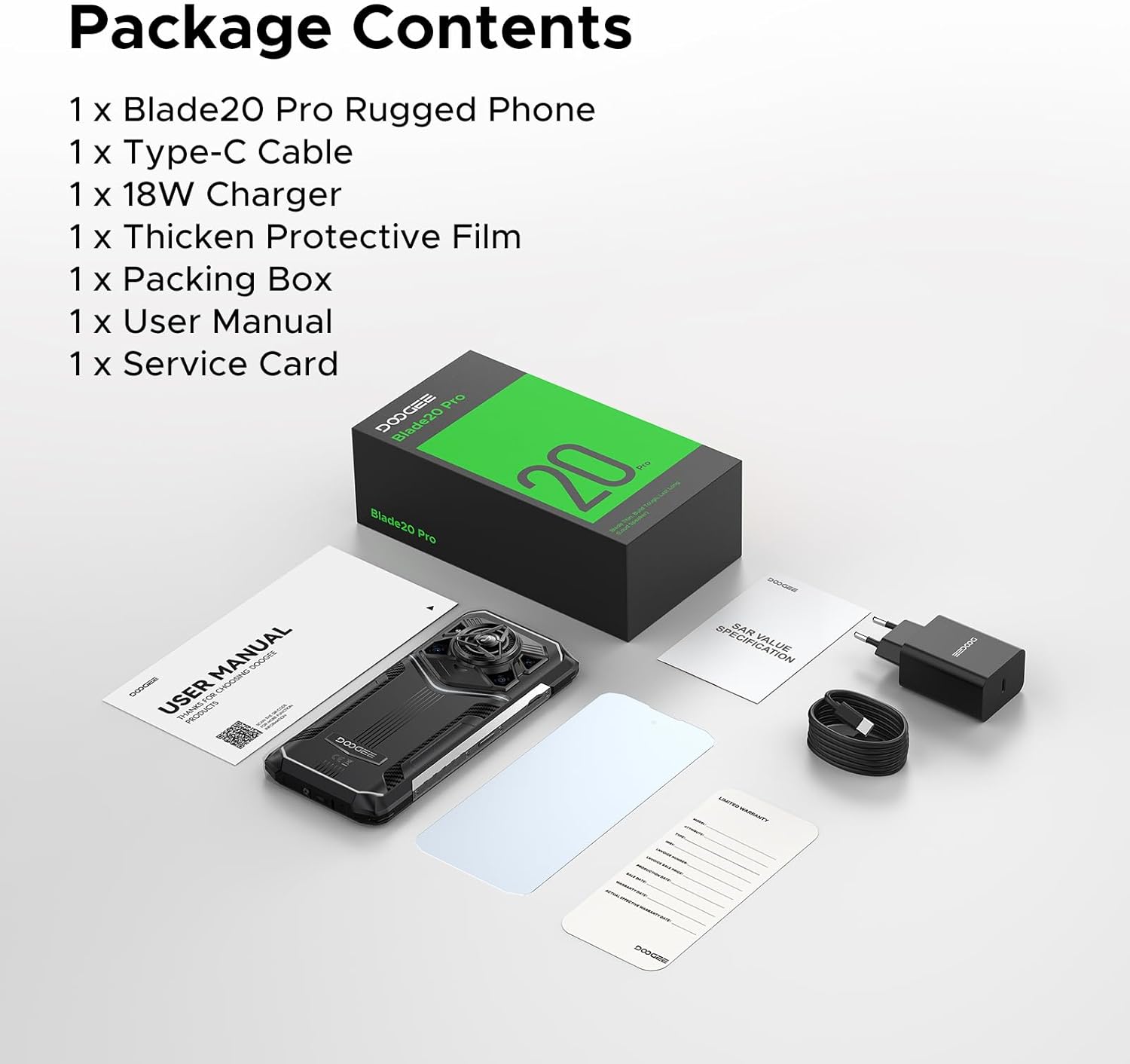
Image: Contents of the DOOGEE Blade 20 Pro retail box.
3. Производ је готовview
The DOOGEE Blade 20 Pro is engineered for resilience and performance. Key features include:
- процесор: Unisoc T7200 Octa-Core Processor
- Меморија: 24 ГБ РАМ-а (6 ГБ физичке + 18 ГБ виртуелне)
- Складиштење: 256GB ROM, expandable up to 2TB via microSD (sold separately)
- Оперативни систем: Андроид 15
- Приказ: 6.6-inch HD+ IPS punch-hole screen with 90Hz refresh rate
- батерија: 11800mAh Silicon Anode Battery with 18W fast charging and 5W OTG reverse charging
- камере: 50MP AI Main Camera, 20MP Infrared Night Vision Camera, 8MP Front Camera
- аудио: 125dB Thunder Speaker with 3.5W peak wattage and 36mm giant driver
- Трајност: IP68, IP69K, MIL-STD-810H certified for water, dust, and shock resistance
- Повезивање: Dual 4G SIM, Wi-Fi 6, NFC, GPS, Glonass, Beidou, Galileo
- безбедност: Face ID and Fingerprint Unlock
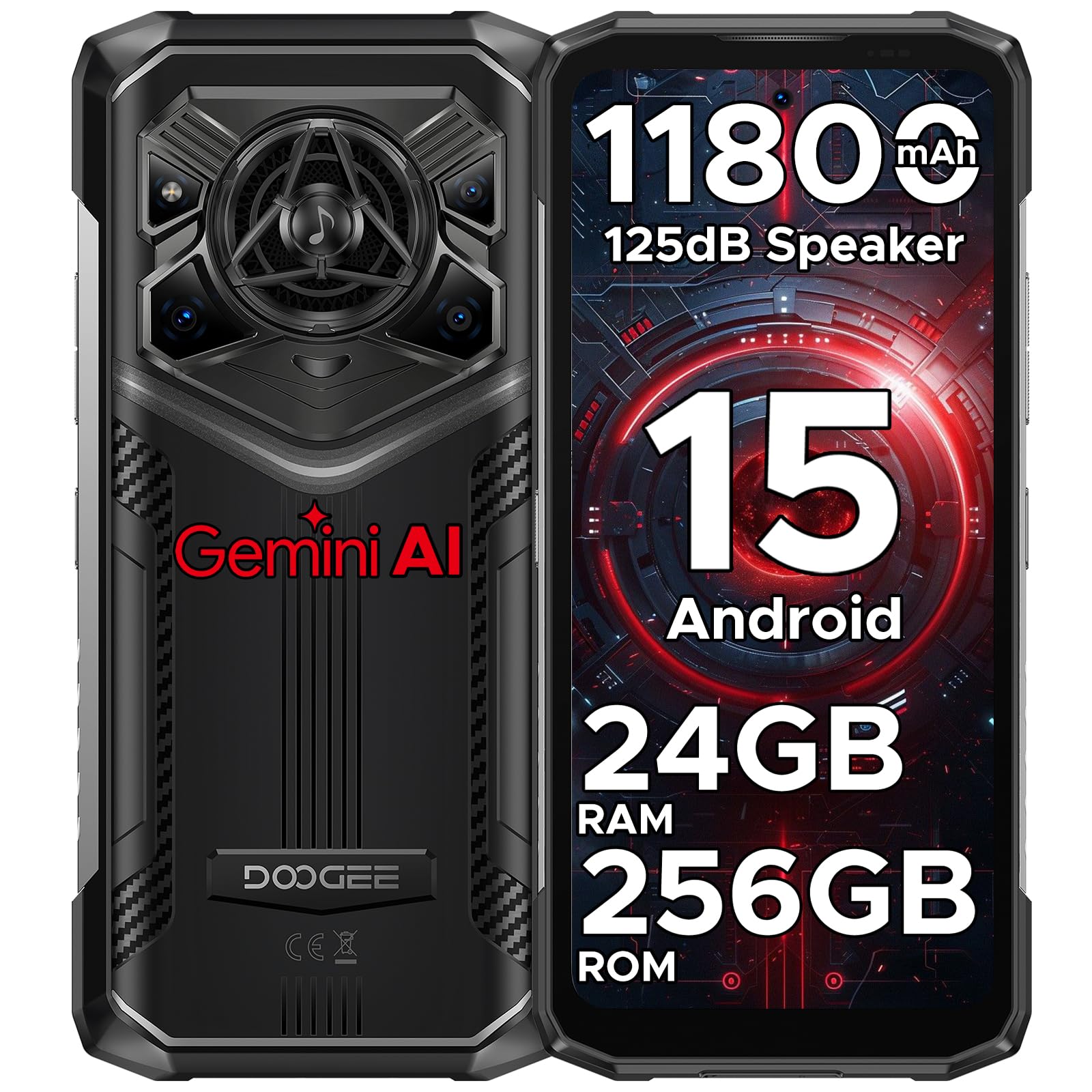
Слика: Предња и задња страна view of the DOOGEE Blade 20 Pro, showcasinг његов дизајн и карактеристике.

Image: Diagram illustrating the Unisoc T7200 Octa-core Processor, 24GB RAM, and 256GB ROM.

Слика: Детаљна view of the 125dB Thunder Speaker technology.
4. Подешавање
4.1 Inserting SIM Cards and MicroSD Card
- Пронађите лежиште за СИМ картицу са стране телефона.
- Користите приложени алат за избацивање СИМ картице да бисте отворили лежиште.
- Пажљиво поставите Nano-SIM картице и/или microSD картицу у предвиђене слотове. Уверите се да су златни контакти окренути надоле.
- Пажљиво гурните лежиште назад у телефон док се не уклопи у тело уређаја.
4.2 Почетно укључивање и чаробњак за подешавање
- Press and hold the Power button (located on the right side) until the DOOGEE logo appears.
- Follow the on-screen instructions to complete the initial setup, including language selection, Wi-Fi connection, Google account login, and security settings (Face ID/Fingerprint).
5. Упутство за употребу
5.1 Основна навигација
- додирните: Додирните икону да бисте отворили апликацију или изабрали ставку.
- Превуците: Move your finger across the screen to scroll, switch screens, or close apps.
- Прстохват: Користите два прста да бисте увећали или умањили фотографије и web странице.
- Дуго притисните: Притисните и држите ставку за више опција или да бисте је преместили.
5.2 Функције Андроида 15
Your DOOGEE Blade 20 Pro runs on Android 15, offering enhanced privacy, improved performance, and new features:
- Побољшане контроле приватности: Granular permissions for apps, privacy dashboard.
- Smoother UI: Optimized animations and transitions for a fluid experience.
- Smart Assistant (Gemini AI): Integrated AI for various tasks, content creation, image analysis, and more.
- Клонирање апликација: Run multiple instances of the same app.
- Подели екран: Користите две апликације истовремено.
- Режим рукавице: Побољшана осетљивост на додир за употребу са рукавицама.
Слика: Прекоview of Android 15 operating system features.

Image: Visual representation of the integrated Gemini AI capabilities.
6. Карактеристике камере
The DOOGEE Blade 20 Pro is equipped with a versatile camera system to capture moments in various conditions:
- Главна камера са вештачком интелигенцијом од 50 МП: For high-resolution photos with AI scene recognition.
- Инфрацрвена камера за ноћно гледање од 20MP: Capture clear images in complete darkness.
- Предња камера од 8 МП: За селфије и видео позиве.
6.1 режима камере
Explore various camera modes for optimal photography:
- Ноћни режим: Побољшава фотографисање при слабом осветљењу.
- EIS Anti-shake: Electronic Image Stabilization for smoother videos and sharper photos.
- AI Recognition: Automatically adjusts settings based on the scene.
- Multi-frame Noise Reduction: Improves image clarity by combining multiple shots.
- Анти треперења: Reduces flickering in photos and videos under artificial lighting.
- Про режим: Manual control over camera settings like ISO, white balance, and exposure.
- Panoramic Mode: Capture wide-angle landscape shots.
- Бурст режим: Take a rapid sequence of photos.
- Режим лепоте: Enhances facial features for portraits.
- Портретни режим: Creates a depth-of-field effect with blurred backgrounds.
- ХДР: High Dynamic Range for balanced exposure in challenging lighting.

Слика: Прекоview of the phone's camera setup and capabilities.
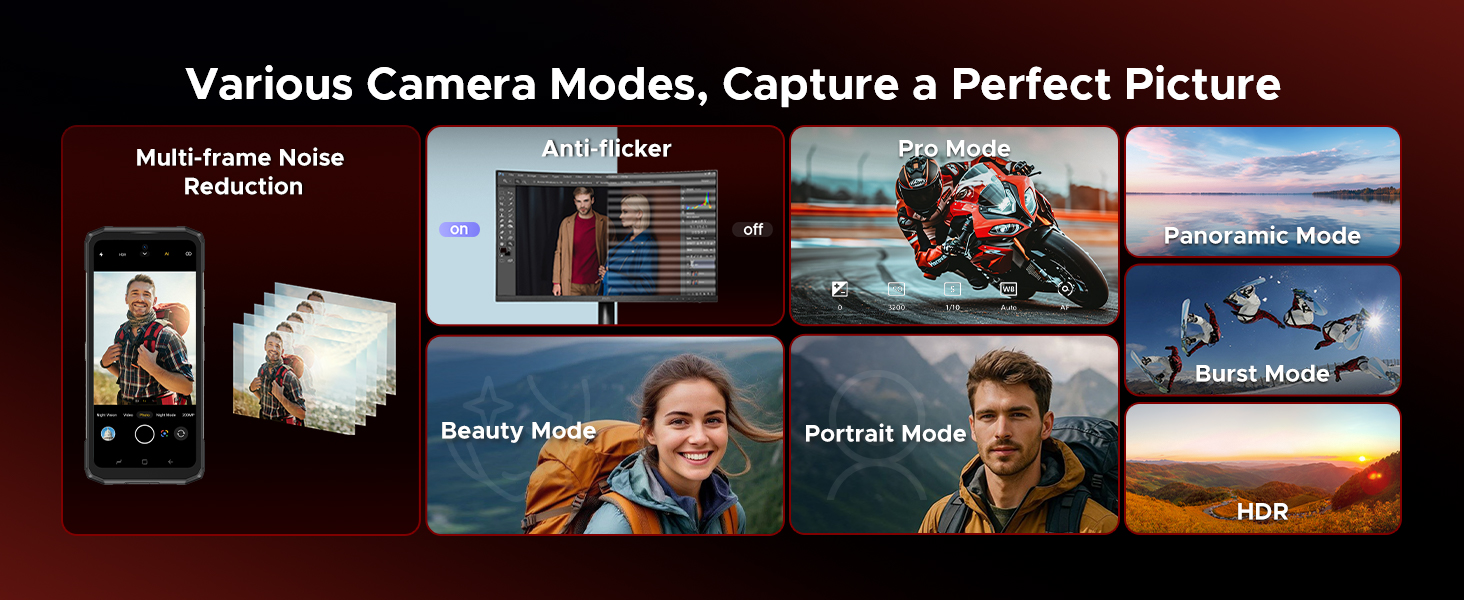
Image: Demonstrations of advanced camera features like Night Mode and EIS.

Image: Selection of camera modes for diverse photographic needs.
7. Батерија и пуњење
The DOOGEE Blade 20 Pro features an 11800mAh Silicon Anode Battery for extended usage.
- Пуњење: Користите приложени пуњач од 18 W и USB кабл типа C за оптималну брзину пуњења.
- OTG обрнуто пуњење: The phone can act as a power bank to charge other devices using an OTG cable (not included).
- Трајање батерије: Expect up to 58 days of standby time, 52.7 hours of calling, 38.3 hours of video watching, or 19.3 hours of web прегледавање са једним пуњењем.
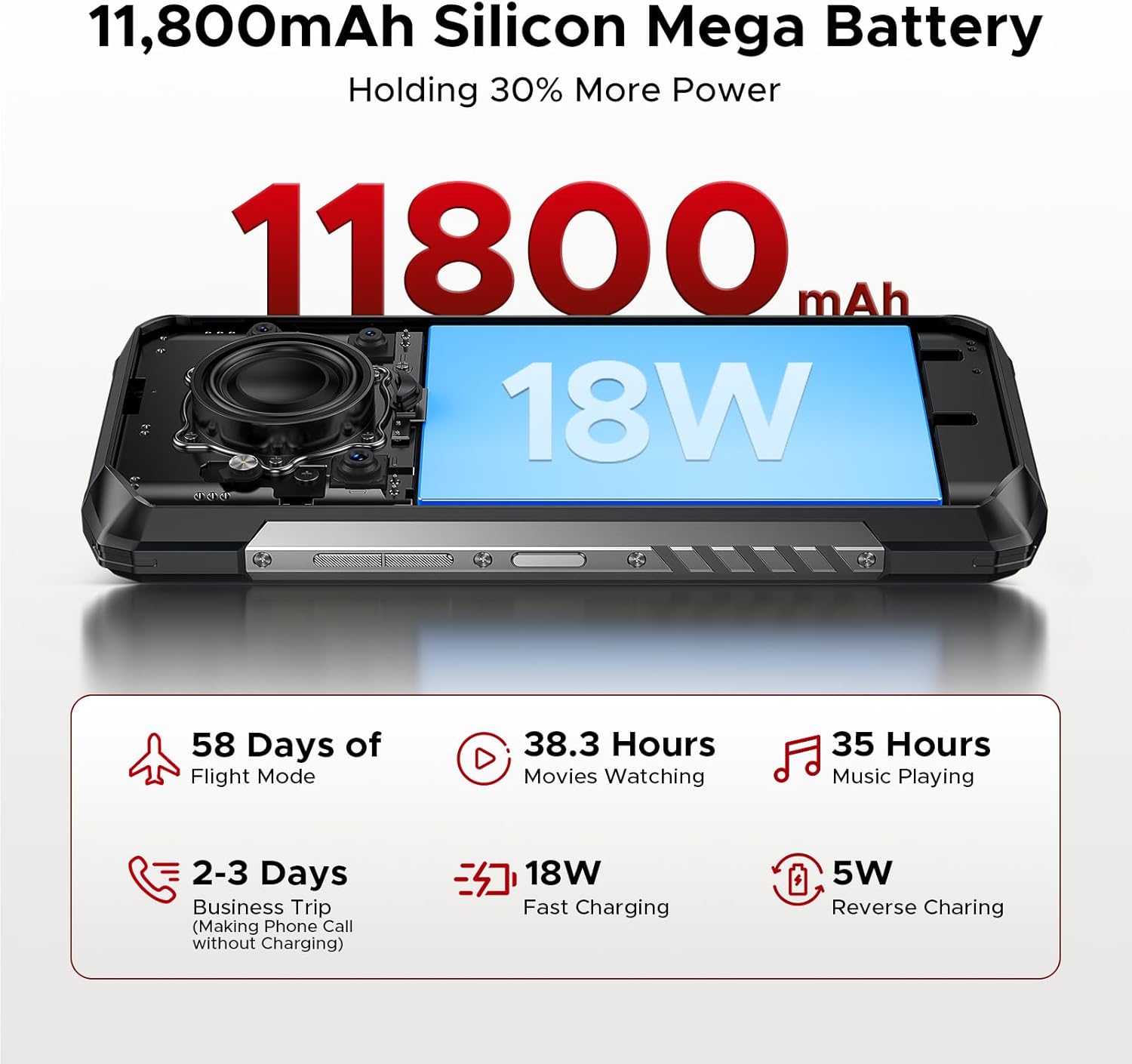
Image: Visualizing the large battery capacity and charging features.
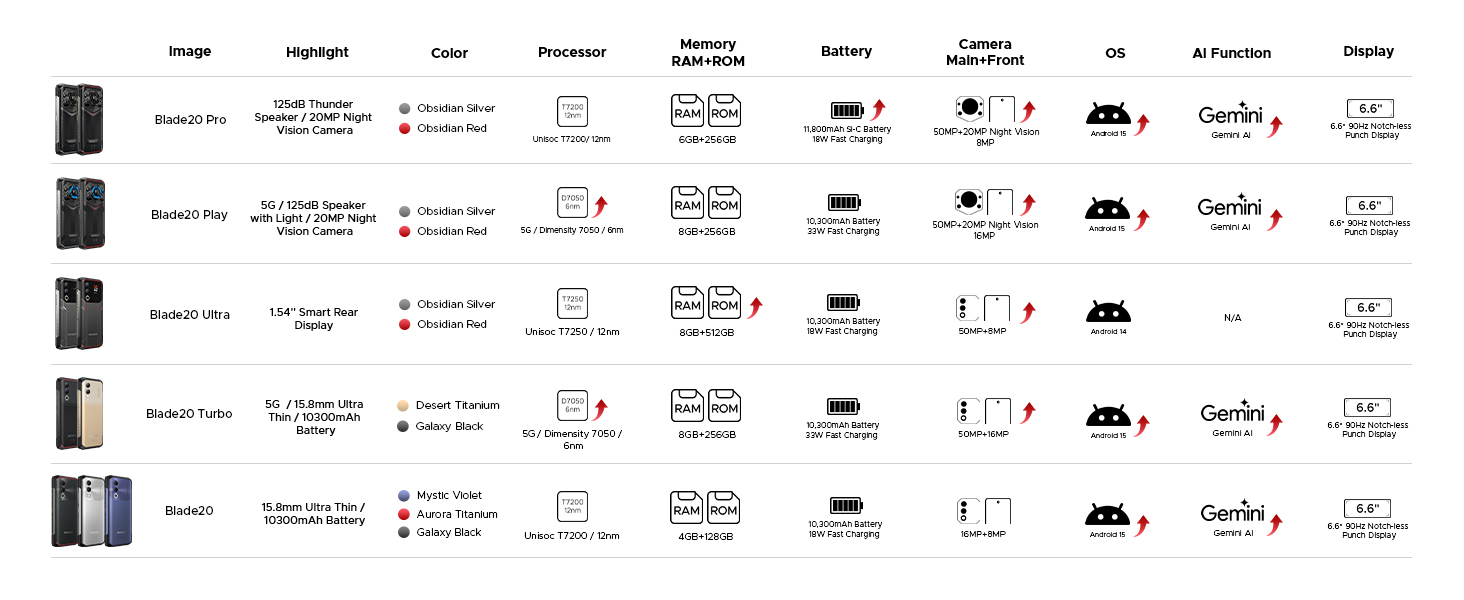
Image: Detailed battery usage statistics.
8. Издржљивост и сертификати
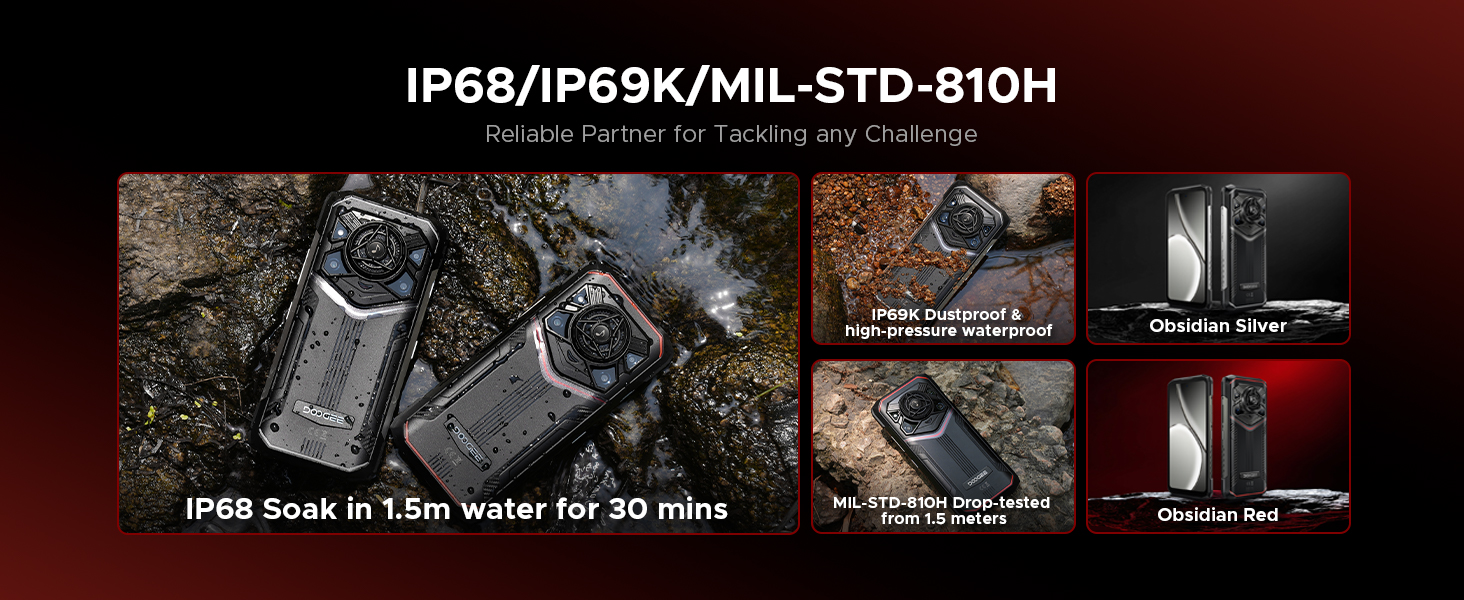
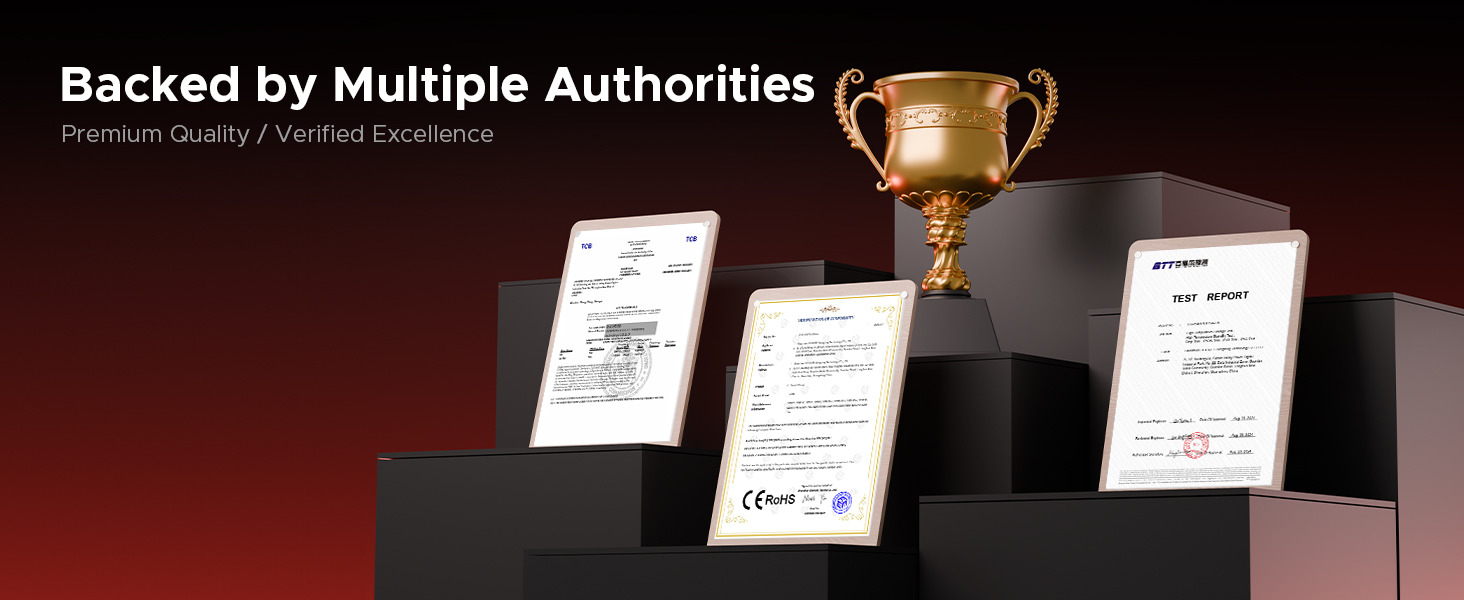
The DOOGEE Blade 20 Pro is built to withstand harsh conditions, certified with industry-leading durability standards:
- ИП68: Водоотпоран до 1.5 метара током 30 минута.
- ИП69К: Resistant to high-pressure, high-temperature water jets and dust ingress.
- MIL-STD-810H: Military-grade standard for shock, drop, vibration, and extreme temperature resistance.
Video: Demonstration of the DOOGEE Blade 20 Pro's ruggedness and water resistance.

Image: The phone submerged in water, showcasing its waterproof design.

Image: Infographic detailing the rigorous durability tests the phone undergoes.
9. Повезивање
The DOOGEE Blade 20 Pro offers robust connectivity options:
- Две 4Г СИМ картице: Supports two 4G SIM cards for flexible network usage.
- Ви-Фи 6: Омогућава брже и стабилније бежичне интернет везе.
- НФЦ: За бесконтактна плаћања и пренос података.
- ГПС: Integrated GPS, Glonass, Beidou, and Galileo for accurate navigation.
9.1 Carrier Compatibility
This unlocked rugged smartphone supports various frequency bands. Please note: Verizon and AT&T are not supported. Confirm compatibility with your local carrier's frequency bands before use.
Supported bands include:
- ГСМ: Б2/Б3/Б5/Б8
- WCDMA: B1/B2/B4/B5/B8
- FDD: B1/2/3/4/5/7/8/18/19/20/25/26/28AB/66
- TDD-LTE: B34/B38/B39/B40/B41
Слика: Прекоview of connectivity and security features.
10. Одржавање
To ensure the longevity and optimal performance of your DOOGEE Blade 20 Pro, follow these maintenance guidelines:
- Чишћење: Обришите телефон меком крпомamp крпа. Избегавајте јаке хемикалије или абразивне материјале.
- Изложеност води: While waterproof, ensure all ports are dry before charging to prevent damage.
- температура: Avoid exposing the phone to extreme temperatures (below -40°C or above 70°C) for prolonged periods.
- Ажурирања софтвера: Regularly check for and install system updates to ensure security and performance improvements.
- Одржавање батерије: Avoid fully discharging the battery frequently. Charge the phone before it drops below 20% to prolong battery health.
КСНУМКС. Решавање проблема
If you encounter issues with your DOOGEE Blade 20 Pro, try the following common troubleshooting steps:
- Телефон не одговара: Притисните и држите дугме за напајање око 10-15 секунди да бисте поново покренули рачунар.
- Рушење апликације: Clear the cache and data of the problematic app in Settings > Apps. If the issue persists, uninstall and reinstall the app.
- Слаб мрежни сигнал: Ensure your SIM card is correctly inserted. Try restarting the phone or toggling Airplane Mode on and off. Verify carrier compatibility.
- Батерија се брзо празни: Check battery usage in Settings > Battery to identify power-hungry apps. Reduce screen brightness and disable unnecessary features like GPS or Wi-Fi when not in use.
- Проблеми са екраном: If the screen is unresponsive, try a forced restart. If physical damage is suspected, contact support.
- Фацтори Ресет: Као последње средство, можете извршити фабричко ресетовање (Подешавања > Систем > Опције ресетовања > Обриши све податке). Warning: This will erase all data on your phone. Back up important information before proceeding.
12. Спецификације
| Феатуре | Спецификација |
|---|---|
| Димензије производа | 6.85 к 3.2 к 0.62 инча |
| Тежина артикла | 1 фунти |
| Број модела ставке | Бладе 20 Про |
| Оперативни систем | Андроид 15 |
| Брзина процесора | 1.6 GHz (Octa-Core) |
| Величина инсталиране РАМ меморије | 24 GB (6 GB физичке + 18 GB виртуелне) |
| Капацитет меморије | 256 GB (прошириво до 2 TB) |
| Величина екрана на стојећем екрану | 6.6 инча |
| Резолуција | 1612 к 720 |
| Рефресх Рате | 90 Хз |
| Оцена снаге батерије | 11800 Милиamp Сати |
| Цоннецтивити Тецхнологиес | Бежични |
| Посебне карактеристике | Dual SIM, Expandable Memory, Rugged Body, Water Resistant, NFC, GPS |
| Остале карактеристике камере | Front, Rear (50MP Main, 20MP Night Vision, 8MP Front) |
| Аудио Јацк | Типе-Ц |
| Форм Фацтор | Бар |
| Боја | Сребро |
| Произвођач | ДООГЕЕ |
13. Гаранција и подршка
DOOGEE is committed to providing quality products and customer satisfaction.
- Ограничена гаранција: Your DOOGEE Blade 20 Pro comes with a 2-year limited warranty. Please refer to the included Warranty Card for detailed terms and conditions.
- Гаранција поврата новца: A 30-day money-back guarantee and free return policy are available for eligible purchases.
- Корисничка подршка: For technical assistance, warranty claims, or other inquiries, please contact DOOGEE customer service. You can typically find support contact information on the official DOOGEE webсајту или преко вашег продавца.


