1. Увод
This manual provides detailed instructions for the LIGE FV21-F Smart Watch. Please read this guide thoroughly to ensure proper usage, optimal performance, and longevity of your device. This smartwatch is designed to enhance your daily life with health monitoring, fitness tracking, and smart communication features.
2. Шта је у кутији
Upon unboxing your LIGE FV21-F Smart Watch, verify that all the following items are included:
- Smartwatch (LIGE FV21-F)
- Кабл за пуњење
- Watch Strap (Black Mesh)
- Additional Watch Strap (Apricot Silicone)
- Алати за подешавање сатова
- Упутства за паметне сатове (овај документ)
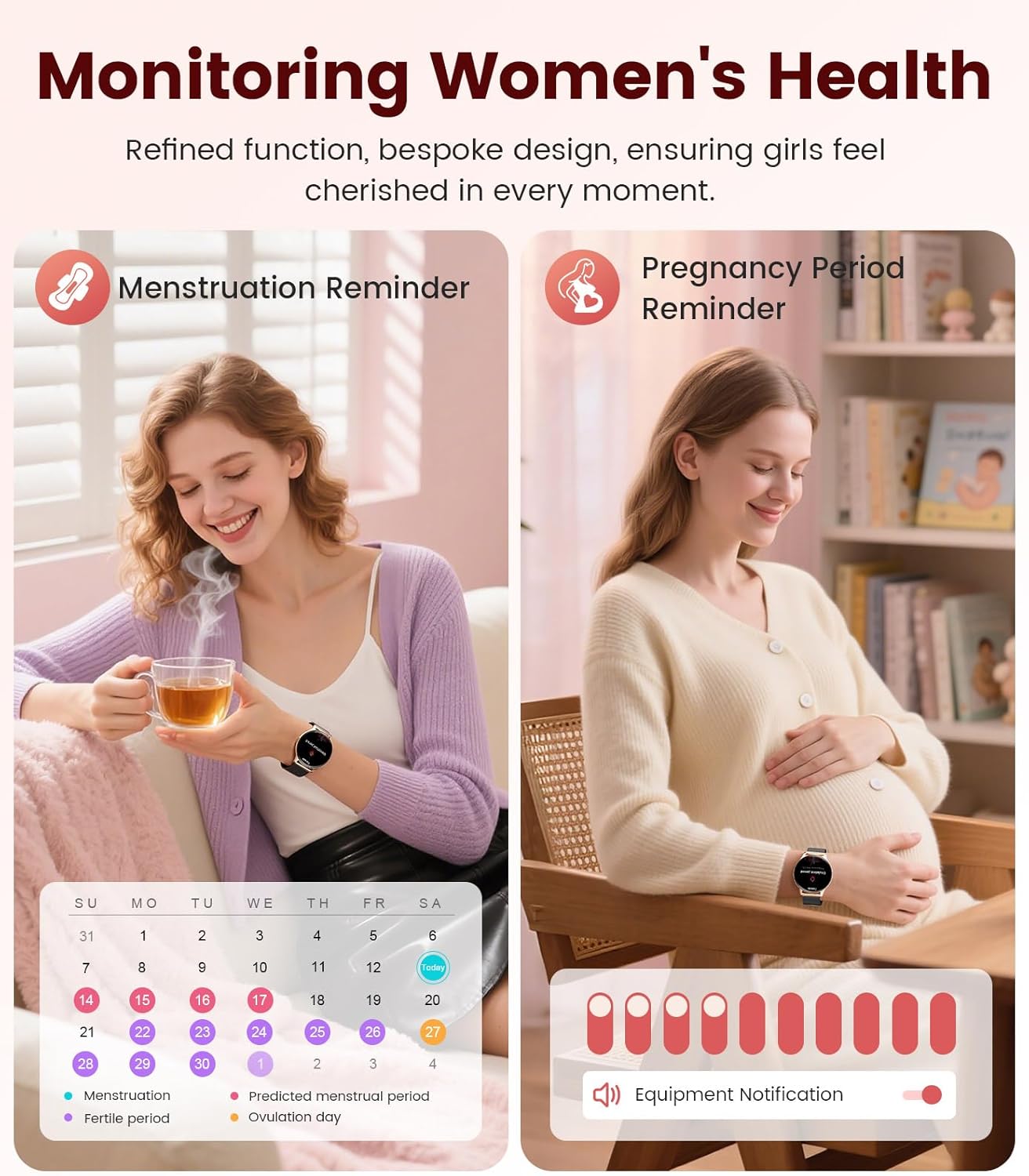
Image: Contents of the LIGE FV21-F Smart Watch package, showing the watch, charging cable, and two interchangeable bands.
3. Водич за подешавање
3.1 Attaching the Watch Straps
Your LIGE FV21-F Smart Watch comes with two interchangeable straps: a black mesh band and an apricot silicone band. To attach a strap:
- Locate the spring bar on the back of the watch strap.
- Align one end of the spring bar with the lug hole on the watch case.
- Push the spring bar inward and slide the strap into place between the lugs.
- Release the spring bar, ensuring both ends are securely seated in the lug holes.
- Gently pull the strap to confirm it is firmly attached.
Video: Demonstrates how to attach and change the watch straps, as well as initial setup and pairing with a smartphone.
3.2 Пуњење паметног сата
Before first use, fully charge your smartwatch. Use the provided magnetic charging cable.
- Повежите УСБ крај кабла за пуњење са адаптером за напајање (није укључен) или УСБ портом рачунара.
- Place the magnetic end of the charging cable onto the charging contacts on the back of the smartwatch. The magnets will align it correctly.
- The watch screen will display a charging indicator. A full charge typically takes approximately 2-3 hours.
Image: The LIGE FV21-F Smart Watch being charged using its magnetic charging cable.
3.3 Преузимање и упаривање апликације
To unlock the full functionality of your smartwatch, download the companion app, "FitCloudPro," and pair it with your smartphone.
- Преузмите апликацију: Scan the QR code displayed on the watch screen (access via Settings > QR Code) or search for "FitCloudPro" in your smartphone's app store (App Store for iOS, Google Play Store for Android).
- Омогући Блуетоотх: Уверите се да је Блуетоотх омогућен на вашем паметном телефону.
- Отворите апликацију и упарите: Open the FitCloudPro app, navigate to the "Device" section, and tap "Add Device" or "Search Now". Select "FV21" from the list of discovered devices.
- Потврдите упаривање: A pairing request will appear on both your phone and watch. Confirm the pairing on both devices.
- Дозволи обавештења: Grant necessary permissions for notifications (calls, messages, apps) when prompted by the app.

Image: The FitCloudPro app interface on a smartphone and the QR code on the smartwatch for easy app download and pairing.
4. Упутство за употребу
4.1 Основна навигација
- екран осетљив на додир: Превуците прстом лево/десно, горе/доле да бисте се кретали кроз меније и екране. Додирните да бисте изабрали.
- Бочно дугме: Press to wake the screen, return to the home screen, or access the app list.
- Буђење екрана: Raise your wrist or press the side button to activate the display.
4.2 Прилагођавање изгледа сата
The LIGE FV21-F offers over 200 customizable watch faces. You can also upload your own photos.
- On the watch, long-press the home screen to access watch face options, then swipe to select.
- In the FitCloudPro app, go to "Watch Face Store" to browse and sync new faces.
- To use a custom photo, select "Watch Face DIY" in the app, choose a photo, adjust its position, and sync to your watch.

Image: The smartwatch displaying a custom watch face, demonstrating the personalization options available through the app.
4.3 Комуникационе функције
- Одговорите на позиве: Once paired via Bluetooth, you can answer incoming calls directly from your watch or dial numbers using the watch's dial pad.
- Обавештења о порукама: Receive notifications for SMS, emails, and various social media apps (WhatsApp, Facebook, Instagram, etc.) directly on your wrist. Ensure app permissions are granted.
- Гласовни асистент: Utilize the integrated voice assistant for quick commands and information.

Image: The smartwatch displaying an incoming call and message notifications, highlighting its communication capabilities.
5. Праћење здравља
The LIGE FV21-F Smart Watch provides comprehensive health tracking features to help you monitor your well-being.
- Мониторинг срчане фреквенције: Континуирано прати ваш пулс током целог дана.
- Праћење сна: Анализира ваше обрасце спавања, укључујући дубок сан, лаган сан и време буђења.
- Праћење кисеоника у крви (СпО2): Мери ниво засићености крви кисеоником.
- Women's Physiological Cycle Monitor: Provides reminders and tracking for menstrual and pregnancy periods.
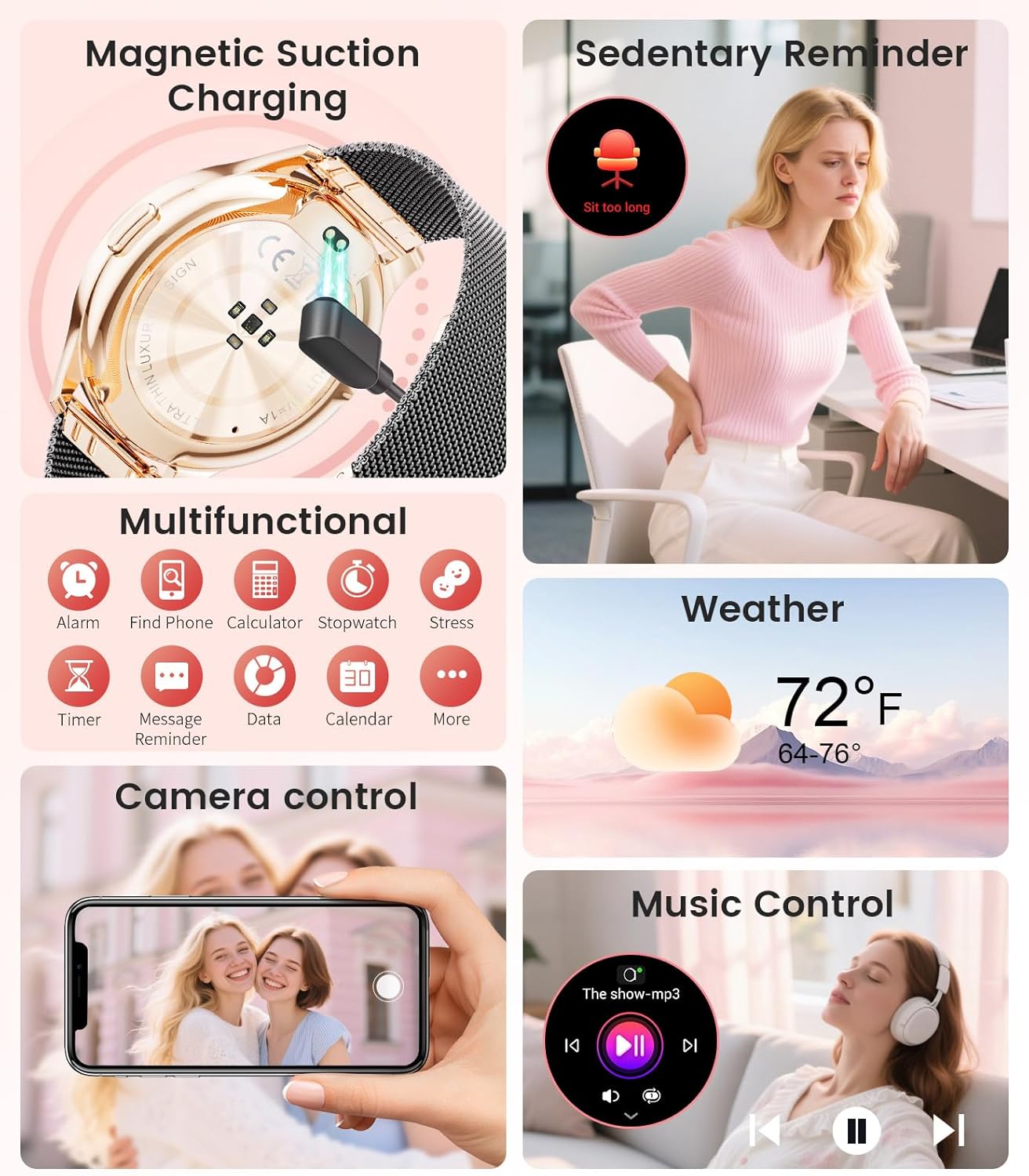
Image: The smartwatch interface showing women's health tracking features, including menstruation and pregnancy reminders.

Image: A user sleeping while wearing the smartwatch, with an inset showing the sleep tracking data on the watch face.
6. Fitness Tracking (120+ Sport Modes)
The LIGE FV21-F Smart Watch supports over 120 sport modes to track your activities, including walking, running, cycling, yoga, and more. It records steps, distance, calories burned, and heart rate during workouts.
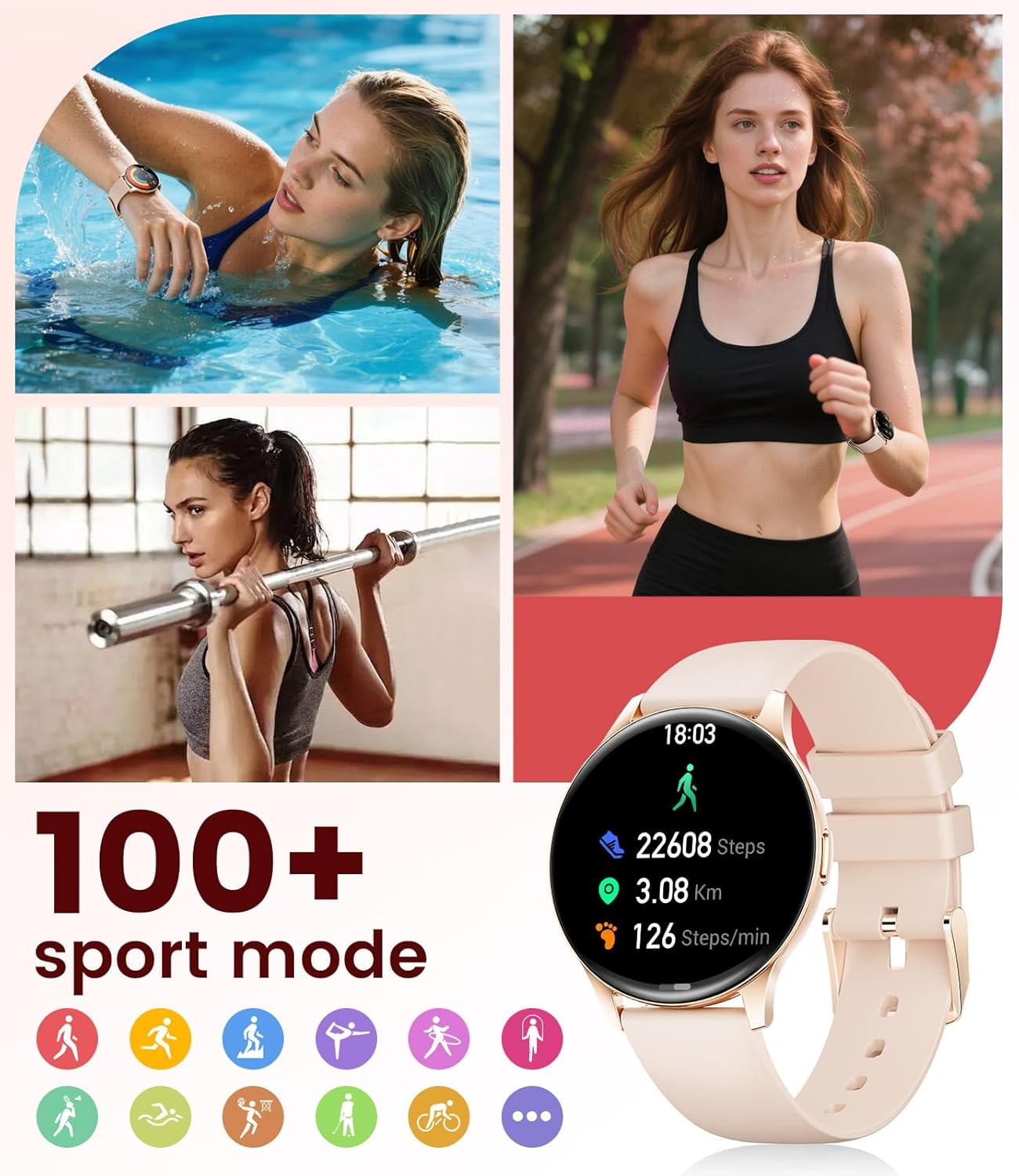
Image: The smartwatch showing different sport modes and real-time fitness data like steps, distance, and calories.
7. Остале паметне функције
Beyond health and fitness, your smartwatch offers several convenient smart features:
- Контрола музике: Контролишите репродукцију музике на свом паметном телефону директно са свог сата.
- Контрола камере: Користите свој сат као даљински управљач за камеру телефона.
- Приказ времена: Добијајте ажурирања о времену у реалном времену.
- Аларми и подсетници: Подесите аларме, подсетнике за седентарни начин живота и подсетнике за пијење воде.
- Пронађите телефон: Пронађите свој изгубљени телефон активирањем аларма на сату.
- Calculator & Stopwatch: Basic utility tools available on your wrist.

Image: The smartwatch screen showing icons for music control, weather forecast, camera remote, and other utility features.
8. Спецификације
Detailed technical specifications for the LIGE FV21-F Smart Watch:
| Феатуре | Детаљ |
|---|---|
| Назив модела | FV21-F |
| Дисплаи | 1.43" HD Curved AMOLED (466x466) |
| Компатибилност оперативног система | Андроид 4.4+ и иОС 9.0+ |
| Повезивање | Блуетоотх |
| Капацитет батерије | 1000 Милиamp Сати (литијум-полимер) |
| Отпорност на воду | IP68 Waterproof (up to 50 meters) |
| Капацитет меморије | 256 МБ |
| Врста материјала бенда | Нерђајући челик, силикон |
| Измерене метрике | Heart Rate, Sleep Duration, Blood Oxygen |
| Унос људског интерфејса | Тоуцхсцреен |
| ГПС | Преко паметног телефона |
9. Одржавање
To ensure the longevity and optimal performance of your LIGE FV21-F Smart Watch, follow these maintenance guidelines:
- Чишћење: Regularly wipe the watch screen and straps with a soft, dry cloth. For silicone straps, a mild soap and water solution can be used, ensuring to rinse thoroughly and dry completely.
- Избегавајте оштре хемикалије: Do not use abrasive cleaners, solvents, or strong chemicals, as these can damage the watch's finish and internal components.
- Пуњење: Use only the provided magnetic charging cable. Avoid exposing the charging contacts to moisture or corrosive substances.
- Складиштење: Када се сат не користи дуже време, чувајте га на хладном и сувом месту, даље од директне сунчеве светлости и екстремних температура.
- Изложеност води: While IP68 waterproof, avoid prolonged submersion in hot water, steam, or high-pressure water jets. Dry the watch thoroughly after exposure to water.
Video: The smartwatch being rinsed under tap water, showcasing its IP68 water resistance. Ensure to dry the watch after such exposure.
КСНУМКС. Решавање проблема
If you encounter issues with your LIGE FV21-F Smart Watch, refer to the following common solutions:
- Сат се не укључује: Уверите се да је сат потпуно напуњен. Повежите га са пуњачем најмање 30 минута.
- Не може се упарити са телефоном:
- Уверите се да је Bluetooth омогућен на вашем телефону и да је сат у домету.
- Рестартујте и телефон и сат.
- Clear the Bluetooth cache on your phone and try pairing again.
- Ensure the FitCloudPro app has all necessary permissions.
- Обавештења нису примљена:
- Check app permissions for notifications in your phone settings and within the FitCloudPro app.
- Уверите се да је сат правилно повезан путем Блутут-а.
- Disable and re-enable notifications in the FitCloudPro app.
- Нетачни здравствени подаци:
- Уверите се да сат чврсто приања на зглоб, не превише стегнут или превише лабав.
- Очистите сензор на задњој страни сата.
- Note that health data is for reference and not for medical diagnosis.
- Кратак век трајања батерије:
- Смањите осветљеност екрана и време када је екран укључен.
- Онемогућите континуирано праћење откуцаја срца ако није потребно.
- Ограничите број апликација које шаљу обавештења на сат.
Ако проблем и даље постоји, обратите се корисничкој подршци.
11. Гаранција и подршка
The LIGE FV21-F Smart Watch comes with a 2 година гаранције од датума куповине, покривајући производне недостатке. Ова гаранција не покрива штету насталу услед злоупотребе, несрећа, неовлашћених модификација или нормалног хабања.
For technical support, warranty claims, or any other inquiries, please contact LIGE customer service through the retailer where you purchased the product or visit the official LIGE webсајт за контакт информације.
We are committed to ensuring your satisfaction and providing a delightful experience with your LIGE Smart Watch.


