1. Увод
Thank you for choosing Auxmir Smart A19 RGB+CCT LED Light Bulbs. These smart bulbs offer a wide range of colors and tunable white light, controllable via Wi-Fi, Bluetooth, remote, or voice commands through Amazon Alexa and Google Assistant. This manual provides essential information for safe installation, operation, and maintenance of your smart light bulbs.
2. Безбедносне информације
- Само за унутрашњу употребу: These bulbs are designed for indoor use. Do not install in wet or humid locations.
- Искључите напајање пре инсталације: Always turn off the power to the fixture before installing or removing the bulb.
- Пропер Волtage: Уверите се да је јачина звука уређајаtage is compatible with the bulb (AC100-130V).
- Компатибилност димера: Do not use with standard dimmer switches. Dimming is controlled via the app or voice commands.
- Избегавајте затворене инсталације: Do not install in fully enclosed fixtures, as this can trap heat and shorten the bulb's lifespan.
- Држите даље од воде: Избегавајте излагање води или другим течностима.
3. Садржај пакета
- Auxmir Smart A19 RGB+CCT LED Light Bulb (2-Pack)
- Даљински управљач (1)
- Упутство за употребу (овај документ)
4. Карактеристике производа
- RGB+CCT Color Changing: 16 million RGB colors and tunable white light (2700K warm white to 6500K cool daylight).
- Двоструко повезивање: Supports both Wi-Fi (2.4GHz only) and Bluetooth for flexible control.
- Више метода контроле: Control via Briturn App, included remote, or voice commands with Alexa and Google Home.
- Није потребан концентратор: Повезује се директно на вашу Wi-Fi мрежу од 2.4 GHz.
- Музичка синхронизација: Lights change color and brightness in rhythm with music.
- Режими сцене: Pre-set scenes and customizable DIY effects (fading, flashing, breathing).
- Заказивање и тајмер: Set schedules for automatic on/off and brightness adjustments.
- Енергетски ефикасан: 9W power consumption, equivalent to a 60W incandescent bulb, delivering 800 lumens.
- Дуг животни век: До 20,000 сати рада.
5. Подешавање
5.1 Физичка инсталација
- Ensure the power to the light fixture is turned off at the switch before installation.
- Carefully screw the Auxmir Smart Light Bulb into a standard E26 base socket.
- Turn on the power to the light fixture. The bulb should flash, indicating it is in pairing mode.
5.2 App Download and Pairing (Briturn App)
The Briturn App is required for full smart functionality. Ensure your mobile device is connected to a 2.4GHz Wi-Fi network.
- Преузмите апликацију: Тражи "Briturn" in the Apple App Store or Google Play Store, or scan the QR code provided in the product packaging.
- Региструј се/Пријави се: Open the Briturn App and create a new account or log in if you already have one.
- Додај уређај: Tap the "+" icon or "Add Device" button in the app.
- Изаберите тип уређаја: Choose "Lighting" or "Light Source (Wi-Fi)" from the device list.
- Потврдите режим упаривања: Ensure your bulb is flashing rapidly. If not, turn the bulb off and on 3 times (on-off-on-off-on) until it flashes.
- Повежите се на Ви-Фи: Унесите име и лозинку за своју Wi-Fi мрежу од 2.4 GHz у апликацију.
- Упаривање: The app will begin searching for the bulb. Once found, the bulb will stop flashing and remain steadily lit.
- Преименуј уређај: You can rename the bulb for easier control (e.g., "Living Room Light").
Блуетоотх контрола: If your Wi-Fi is unavailable, you can still control the bulb directly via Bluetooth within a 40-meter (130 feet) range using the Briturn App. Ensure Bluetooth is enabled on your phone.
5.3 Voice Assistant Integration (Alexa & Google Home)
To enable voice control, link your Briturn account to Amazon Alexa or Google Assistant.
- Open Voice Assistant App: Open the Amazon Alexa app or Google Home app on your mobile device.
- Add Device/Skill: Navigate to the "Skills & Games" section (Alexa) or "Works with Google" section (Google Home).
- Тражи Briturn: Тражи the "Briturn" skill/service.
- Enable Skill/Link Account: Enable the Briturn skill and link it to your Briturn account using your Briturn login credentials.
- Откријте уређаје: Када се повежете, замолите свог гласовног асистента да „открије уређаје“ или ручно покрените откривање уређаја у апликацији.
- Гласовне команде: Сада можете користити гласовне команде као што су:
- „Алекса, упали светло у дневној соби.“
- "Hey Google, dim Bedroom Light to 50%."
- "Alexa, change Kitchen Light to blue."
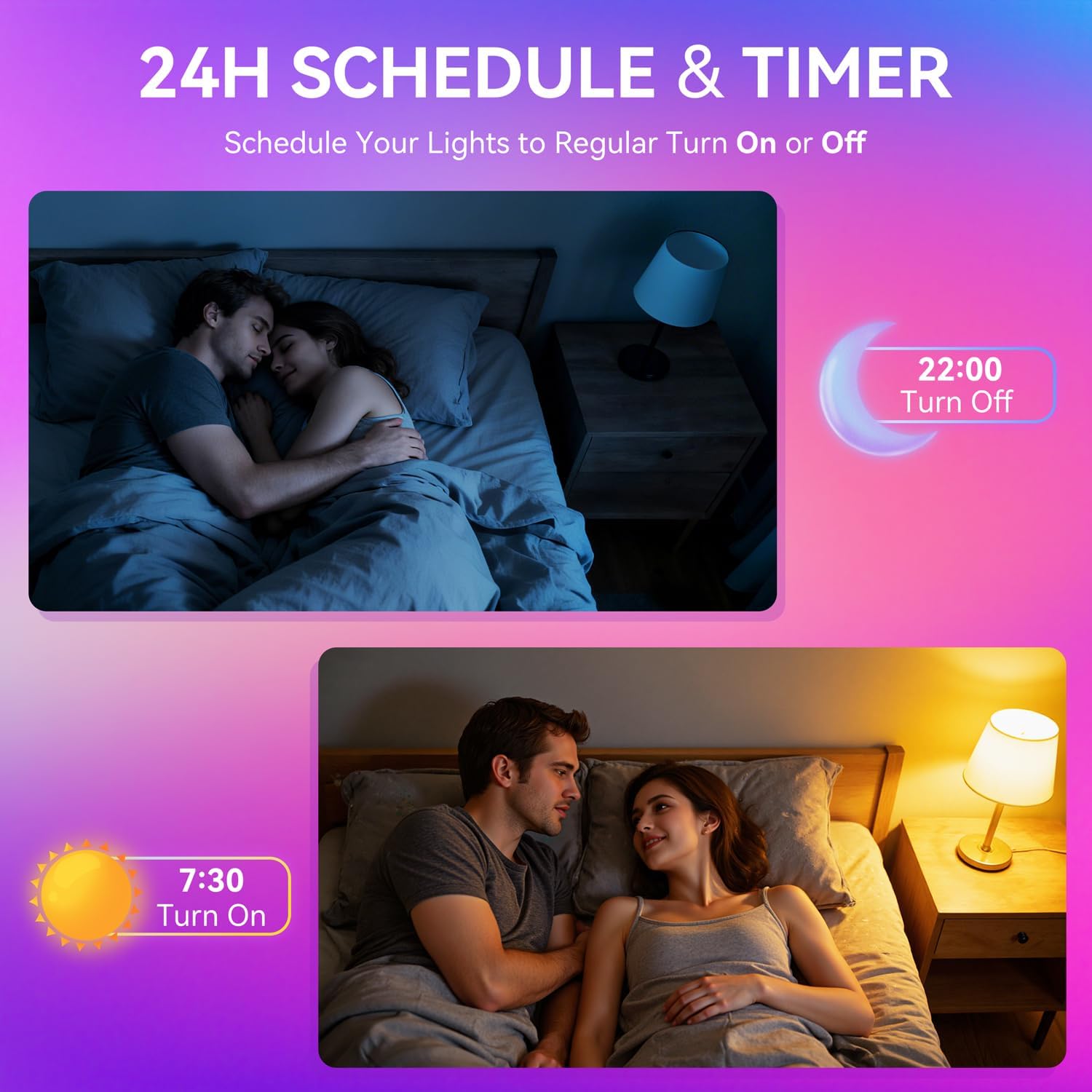
Image: A woman interacting with a smart speaker to control her Auxmir smart light bulb, demonstrating voice control functionality.
6. Упутство за употребу
6.1 Color and Brightness Control
- Избор боја: In the Briturn App, select your bulb and choose from 16 million RGB colors using the color wheel.
- Подесива бела: Adjust the white light temperature from 2700K (warm white) to 6500K (cool daylight) to suit your preference.
- Затамњење: Use the brightness slider in the app or voice commands to adjust brightness from 1% to 100%.

Image: Three Auxmir smart bulbs showcasing their ability to display a wide range of RGB colors and tunable white light, from warm to cool.
6.2 режима сцене
The Briturn App offers various pre-set scenes and allows you to create custom lighting effects.
- Унапред подешене сцене: Select from modes like Movie, Sleep, Festival, and more to instantly change the ambiance of your room.
- „Уради сам“ сцене: Create your own custom lighting effects by adjusting colors, brightness, and transition styles (fading, flashing, breathing). Save these as personal scenes for quick access.

Слика: Бивши/аample of a living space transformed by Auxmir smart lighting, demonstrating various scene modes and their impact on room ambiance.
6.3 Music Sync
Synchronize your lights with music playing on your phone or through the phone's microphone.
- In the Briturn App, select the Music Sync feature.
- Choose from modes like Party, Dynamic, Calm, or Auto Rhythm.
- The bulbs will change colors and brightness according to the rhythm and beat of the music detected by your phone's microphone.

Image: A visual representation of the music sync feature, where Auxmir smart bulbs change colors and patterns in response to music, creating a dynamic atmosphere.
6.4 Scheduling and Timer
Automate your lighting with schedules and timers.
- In the Briturn App, navigate to the "Schedule" or "Timer" section for your bulb.
- Set specific times for the bulb to turn on or off.
- Customize brightness and color for scheduled events (e.g., a warm light to wake up, a dim light for bedtime).
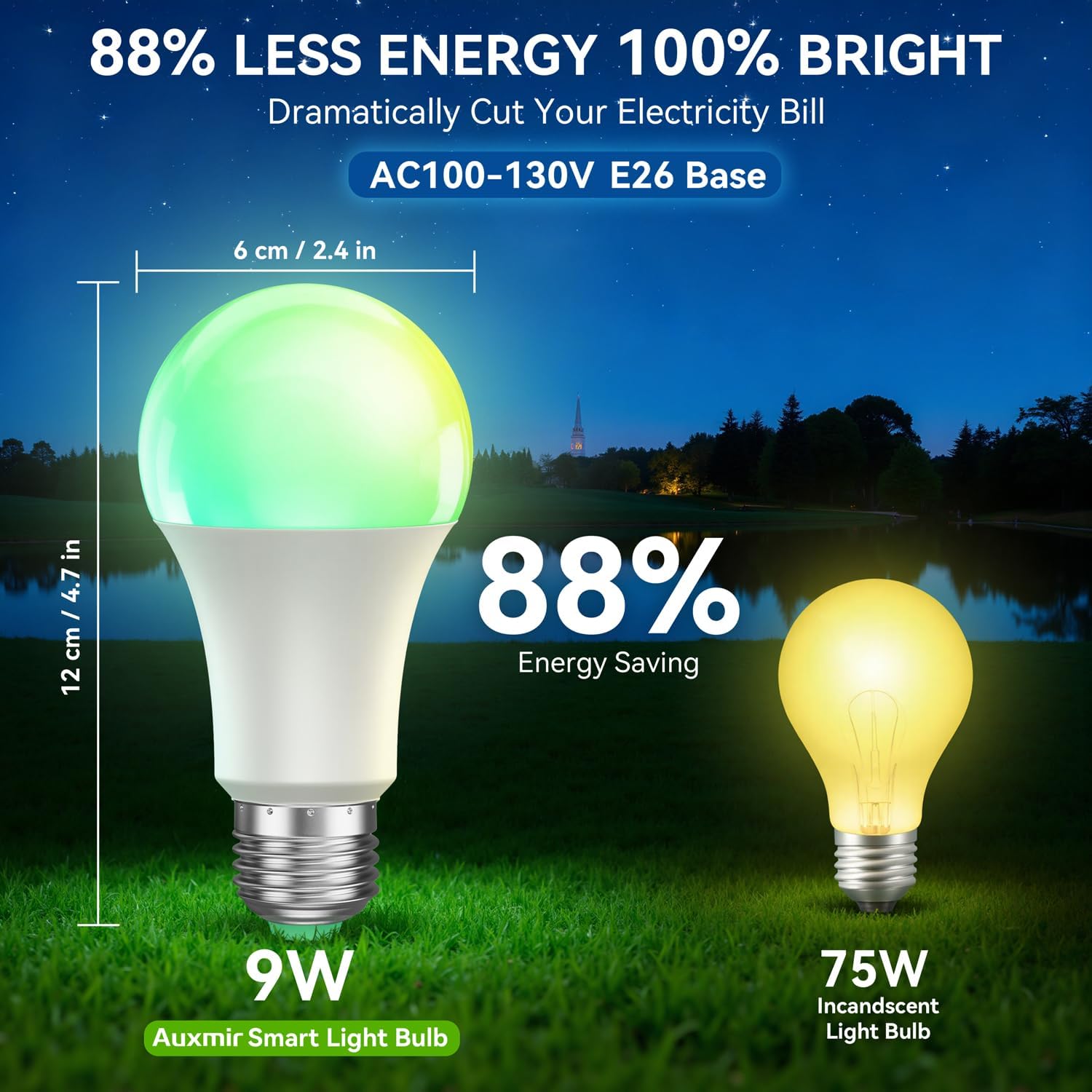
Image: Illustrations depicting the scheduling feature, where Auxmir smart bulbs can be programmed to turn on and off at specific times, such as for waking up or going to bed.
6.5 Групна контрола
Control multiple Auxmir smart bulbs simultaneously.
- In the Briturn App, go to the device list.
- Select the option to create a "Group."
- Add the desired bulbs to the group (e.g., "Living Room Lights").
- You can now control all bulbs in the group with a single command or tap, adjusting their color, brightness, and scenes together.

Image: A diagram illustrating how Auxmir smart bulbs can be grouped and controlled across different rooms in a home, enabling synchronized lighting for various activities.
7. Одржавање
- Чишћење: Уверите се да је сијалица искључена и да се охлади пре чишћења. Обришите меком, сувом крпом. Не користите течна средства за чишћење.
- Замена: When the bulb reaches the end of its lifespan, replace it with another Auxmir Smart A19 LED Light Bulb or a compatible E26 LED bulb.
- Складиштење: If storing the bulb, keep it in a cool, dry place away from direct sunlight and extreme temperatures.
КСНУМКС. Решавање проблема
| Проблем | Могући узрок | Решење |
|---|---|---|
| Сијалица се не пали | Нема напајања у расветном телу; сијалица није правилно заврнута; сијалица је неисправна. | Check power switch and circuit breaker. Ensure bulb is securely screwed in. Test bulb in another fixture. |
| Сијалица се не повезује на Ви-Фи | Incorrect Wi-Fi password; Not a 2.4GHz network; Bulb not in pairing mode; Router too far. | Verify Wi-Fi password. Ensure you are on a 2.4GHz network. Reset bulb to pairing mode (on-off-on-off-on). Move bulb closer to router. |
| Гласовна контрола не ради | Briturn skill not enabled/linked; Incorrect device name; Voice assistant not connected to internet. | Ensure Briturn skill is enabled and linked in Alexa/Google Home app. Use the exact device name. Check internet connection of your voice assistant device. |
| Даљински управљач не ради | Battery depleted; Obstruction between remote and bulb; Remote not paired. | Replace remote battery. Ensure clear line of sight. Refer to remote pairing instructions (if applicable, usually automatic). |
| Bulb flickering or unstable light | Loose connection; Electrical interference; Faulty bulb. | Check bulb connection. Ensure no other devices are causing interference. If problem persists, contact support. |
9. Спецификације
| Феатуре | Спецификација |
|---|---|
| Број модела | ZJ-BWBL1L-RGBWW-2PP-BT |
| Величина облика сијалице | А19 |
| Булб Басе | Е26 |
| Ватtage | 9 Ваттс |
| Ужарени еквивалент | 60 Ваттс |
| Осветљеност | 800 лумена |
| Лигхт Цолор | Multicolor (RGB) + Tunable White (2700K-6500K) |
| Диммабле | 1% - 100% via App/Voice |
| Повезивање | Ви-Фи 2.4 ГХз, Блуетоотх |
| Контролни метод | Апликација, даљински управљач, глас (Алекса, Гугл асистент) |
| Улазни волtage | АЦ100-130В |
| Животни век | 20,000 сата |
| Унутрашња/спољна употреба | Индоор Онли |
| Димензије (Ш к В) | 2.4" x 4.7" (6 цм x 12 цм) |
| Материјал | стакло |
10. Гаранција и подршка
10.1 Информације о гаранцији
Auxmir Smart Light Bulbs come with a 3 година гаранције from the date of purchase. This warranty covers manufacturing defects and malfunctions under normal use. It does not cover damage caused by misuse, accidents, unauthorized modifications, or improper installation.
10.2 Корисничка подршка
If you encounter any issues or have questions regarding your Auxmir Smart Light Bulbs, please contact our customer support team:
- Емаил: [Insert Customer Support Email Here]
- Телефон: [Insert Customer Support Phone Number Here]
- Webсајт: Visit the official Auxmir webсајт за често постављана питања и додатне ресурсе.
Please have your model number (ZJ-BWBL1L-RGBWW-2PP-BT) and purchase details ready when contacting support.


