1. Увод
This manual provides comprehensive instructions for the setup, operation, and maintenance of your GOBOULT Mustang Racer Smart Watch. Please read this manual thoroughly before using the device to ensure proper functionality and to maximize your user experience. Keep this manual for future reference.
2. Шта је у кутији
Проверите да ли су све ставке присутне у пакету:
- GOBOULT Mustang Racer Smart Watch
- Кабл за пуњење
- Кориснички приручник (овај документ)
- Гарантни лист
3. Производ је готовview
Familiarize yourself with the key components of your GOBOULT Mustang Racer Smart Watch.
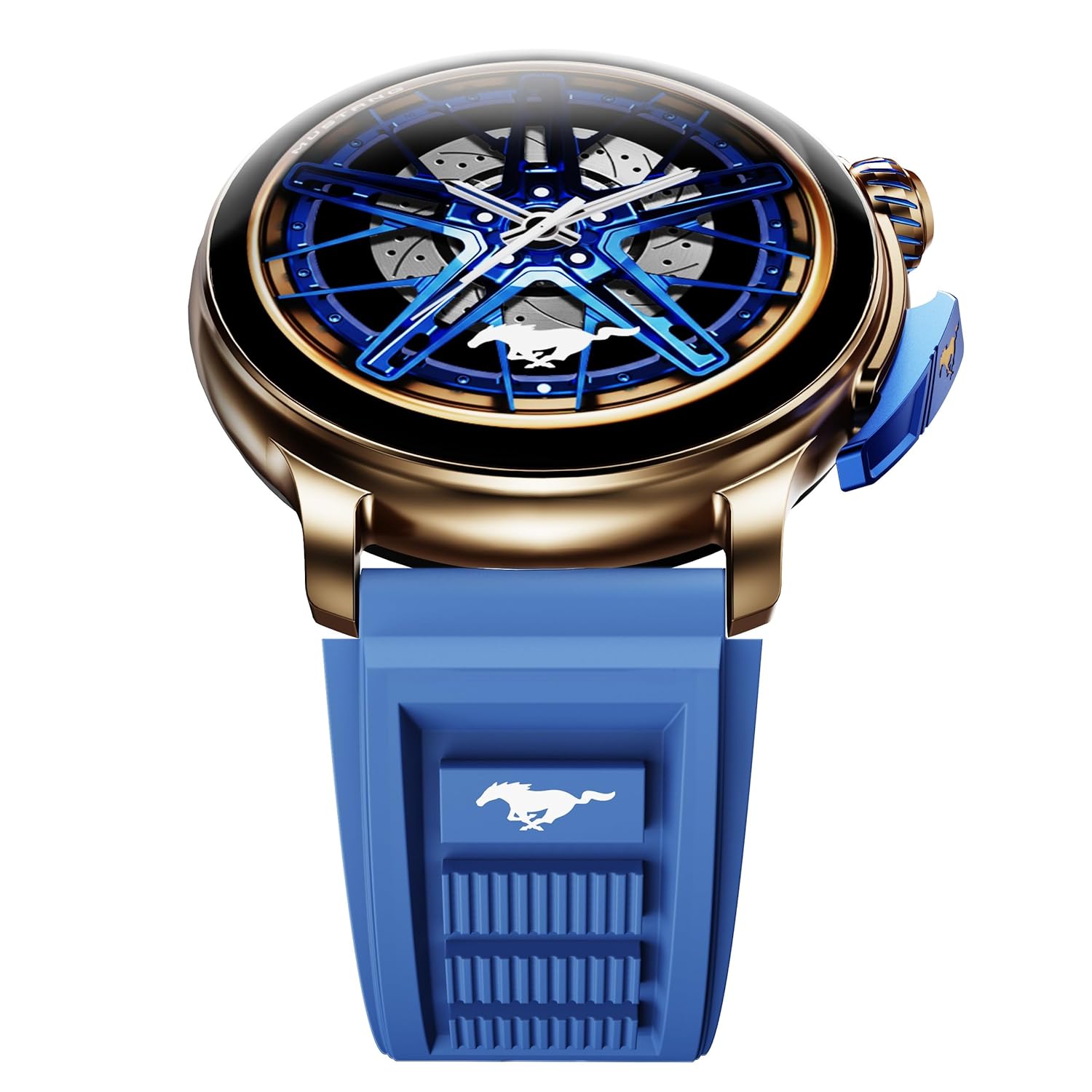
Image: The GOBOULT Mustang Racer Smart Watch, showcasing its 1.43-inch AMOLED display and overall design.
Display and Bezel
The watch features a 1.43-inch AMOLED display with 500 Nits brightness for clear visibility. The functional rotating bezel allows for intuitive navigation through menus and features.

Слика: Детаљна view of the smartwatch's 1.43-inch AMOLED display and the rotating bezel, highlighting its design and brightness.
Buttons and Crown
The watch includes a rotating tyre-tread crown for navigation and selection, along with a functional paddle shifter button for quick access to features.

Image: The smartwatch featuring its functional paddle shifter and rotating crown, designed for enhanced control.
4. Подешавање
4.1. Пуњење паметног сата
Before initial use, fully charge your smartwatch. Connect the magnetic charging cable to the charging pins on the back of the watch and plug the USB end into a compatible power adapter (not included) or a computer's USB port. The watch will display a charging indicator. A full charge takes approximately 120 minutes.
4.2. Укључивање/искључивање
- Укључено: Press and hold the main power button (crown) for a few seconds until the GOBOULT logo appears.
- Искључивање: From the watch face, swipe down to access quick settings, or navigate to the settings menu. Select "Power Off" and confirm. Alternatively, press and hold the main power button until the power-off option appears.
4.3. Упаривање са вашим паметним телефоном
To unlock all features, pair your GOBOULT Mustang Racer Smart Watch with the companion app on your smartphone via Bluetooth.
- Download the official GOBOULT app from your smartphone's app store (iOS App Store or Google Play Store).
- Уверите се да је Блуетоотх омогућен на вашем паметном телефону.
- Open the GOBOULT app and follow the on-screen instructions to create an account or log in.
- In the app, select "Add Device" or similar option.
- Select "GOBOULT Mustang Racer" from the list of available devices.
- Потврдите захтев за упаривање и на паметном телефону и на паметном сату.
Након упаривања, сат ће синхронизовати податке са вашим телефоном, а подешавања можете прилагодити путем апликације.

Image: The smartwatch highlighting its Bluetooth V5.3 connectivity for quick syncing and IP67 water resistance.
5. Упутство за употребу
5.1. Навигација
- Превлачење горе/доле/лево/десно: Navigate through menus, notifications, and quick access panels.
- Додирните: Изаберите ставку или потврдите радњу.
- Rotating Bezel/Crown: Rotate to scroll through lists or adjust settings. Press to select or return to the home screen.
- Paddle Shifter Button: Customizable shortcut for frequently used functions (e.g., sports modes).
5.2. Позивање преко Bluetooth-а
With integrated speaker and microphone, you can make and receive calls directly from your wrist after pairing with your smartphone.
- Уверите се да је ваш сат повезан са телефоном путем Блутут-а.
- To make a call: Access the dialer or contacts list on your watch.
- To receive a call: An incoming call notification will appear on your watch. Tap to answer or decline.
5.3. Бројчаници сата
Customize your watch's appearance with over 150 watch faces, including exclusive Mustang designs. Long-press the watch face to change it, or use the companion app for more options.

Слика: Сајам паметних сатоваasing multiple watch face options, including exclusive Mustang designs.
5.4. Спортски режими
The watch supports over 120 sports modes to track your physical activities. Access sports modes from the main menu or via the paddle shifter shortcut (if configured).
- Select your desired sport.
- Start the activity. The watch will record metrics such as duration, calories burned, and heart rate.
- End the activity to save data. Review your performance in the app.

Image: The smartwatch displaying a sports tracking interface, indicating its capability to monitor various physical activities.
5.5. Праћење здравља
The GOBOULT Mustang Racer Smart Watch provides comprehensive health tracking features:
- Монитор откуцаја срца 24/7: Непрекидно прати ваш откуцај срца.
- Монитор засићености крви кисеоником SpO2: Мери ниво кисеоника у крви.
- Праћење сна: Analyzes sleep patterns (deep sleep, light sleep, awake time).
- Монитор стреса: Пружа увид у ваше нивое стреса.
- крвни притисак: (Note: Smartwatch blood pressure measurements are for reference only and should not be used for medical diagnosis.)
Access these features from the watch's health menu or view detailed reports in the companion app.

Слика: Интерна view of the smartwatch highlighting its health tracking sensors, with text indicating features like heart rate, SpO2, sleep, and stress monitoring.
5.6. АИ гласовни асистент
Activate the AI Voice Assistant on your watch to perform tasks, set reminders, or get information using voice commands. Ensure your watch is connected to your phone for this feature to function.
5.7. Паметна обавештења
Receive notifications for calls, messages, and app alerts directly on your watch. Manage notification settings through the GOBOULT app.
5.8. Always On Display
The Always On Display feature allows the time and essential information to remain visible on the screen without needing to raise your wrist or press a button. This feature can be enabled or disabled in the watch settings to manage battery consumption.

Image: The smartwatch displaying the time and a car image, illustrating the Always On Display functionality.
6. Features and Specifications
Кључне карактеристике:
- 1.43" AMOLED Display with 500 Nits Brightness
- Bluetooth Calling (BT V5.3)
- Rotating Bezel for intuitive control
- 150+ Watch Faces, including exclusive Mustang designs
- АИ гласовни асистент
- Health Monitoring: SpO2, Heart Rate, Sleep, Stress, Blood Pressure
- 120+ спортских режима
- ИП67 водоотпоран
- Up to 7-day battery runtime with fast charging
Техничке спецификације:
| Бранд | ГОБУЛТ |
| Број модела | GOBOULT Mustang Racer |
| Величина екрана | 1.43 инча |
| Вирелесс Типе | Блуетоотх В5.3 |
| Време пуњења батерије | 120 минута |
| Садржај енергије батерије | 1.11 ватних сати |
| Отпорност на воду | ИП67 |
| Тежина артикла | 55 г |
| Земља порекла | Кина |
7. Одржавање
7.1. Чишћење паметног сата
Regular cleaning helps maintain the watch's appearance and functionality:
- Обришите екран и кућиште меком крпом која не оставља влакна.
- За тврдокорне мрље, благо дampИсперите крпу водом. Избегавајте употребу јаких хемикалија или абразивних материјала.
- Clean the charging contacts periodically with a dry cloth to ensure proper charging.
7.2. Отпорност на воду (IP67)
The GOBOULT Mustang Racer Smart Watch is IP67 water resistant, meaning it can withstand immersion in up to 1 meter of fresh water for up to 30 minutes. It is suitable for daily use and light splashes. However, it is not recommended for swimming, showering with hot water, or diving. Avoid exposure to saltwater or chemicals, as this may damage the device.
7.3. Брига о батерији
- Избегавајте често потпуно пражњење батерије.
- Чувајте сат на хладном и сувом месту када га не користите дуже време.
- Користите само приложени кабл за пуњење.
КСНУМКС. Решавање проблема
| Проблем | Могуће решење |
|---|---|
| Сат се не укључује. | Уверите се да је сат потпуно напуњен. Повежите га са пуњачем најмање 30 минута. |
| Не може се упарити са паметним телефоном. |
|
| Нетачни здравствени подаци. |
|
| Кратко трајање батерије. |
|
9. Гаранција и подршка
Your GOBOULT Mustang Racer Smart Watch comes with a warranty as specified on the included Warranty Card. Please refer to the card for details regarding warranty period, coverage, and terms and conditions.
For technical support, product inquiries, or warranty claims, please contact GOBOULT customer service through the contact information provided on your Warranty Card or visit the official GOBOULT webсајту.
Укључене компоненте: Charging Cable, Mustang Racer Apex Blue Smart watch, User Manual, Warranty Card


