Увод
This manual provides essential information for the proper setup, operation, and maintenance of your GOBOULT Mustang Racer Smart Watch. Please read these instructions carefully before using your device to ensure optimal performance and longevity.
Шта је у кутији
Upon unboxing your GOBOULT Mustang Racer Smart Watch, verify that all the following components are present:
- GOBOULT Mustang Racer Smart Watch (Black Blaze)
- Кабл за пуњење
- Кориснички приручник (овај документ)
- Гарантни лист

Image: The GOBOULT Mustang Racer Smart Watch packaging, showing the watch, charging cable, user manual, and warranty card.
Производ је завршенview
The GOBOULT Mustang Racer Smart Watch features a robust design with intuitive controls and a vibrant display.
Кључне компоненте:
- АМОЛЕД екран од 1.43 инча: High-resolution screen for clear visuals.
- Ротирајућа маска: A functional bezel for navigating menus and features.
- Paddle Shifter: A unique side button for quick access to functions.
- Сензори: Located on the rear for health monitoring.
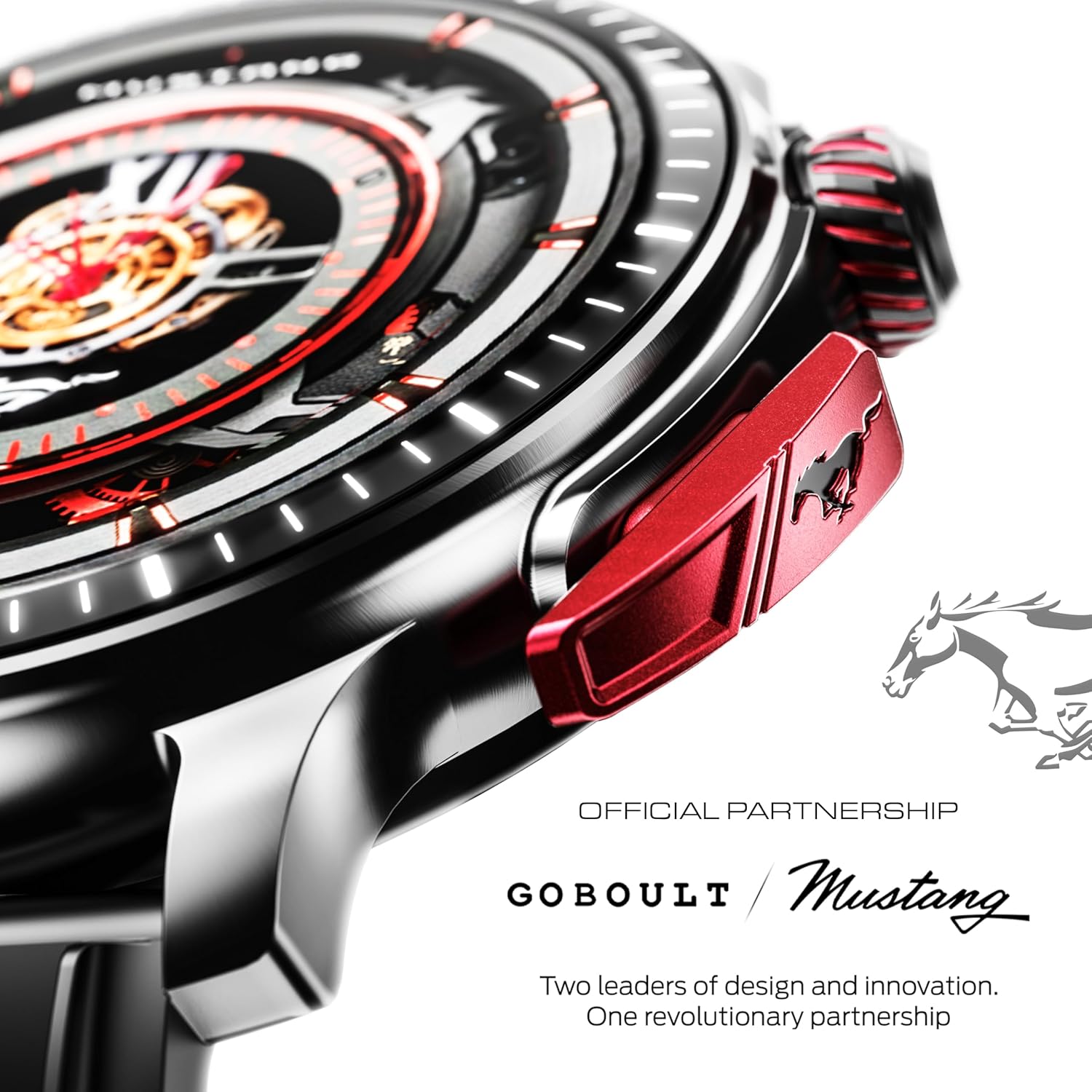
Слика: Детаљна view of the watch's side, highlighting the red paddle shifter and the textured rotating crown.

Image: The watch face, showcasing the 1.43-inch AMOLED display and the functional paddle shifter.
Сетуп
1. Пуњење уређаја
Before initial use, fully charge your smart watch. Connect the provided charging cable to the charging port on the back of the watch and to a standard USB power adapter (not included). A full charge typically takes approximately 120 minutes.
2. Упаривање са вашим паметним телефоном
- Download the official GOBOULT companion app from your smartphone's app store.
- Уверите се да је Блуетоотх омогућен на вашем паметном телефону.
- Open the GOBOULT app and follow the on-screen instructions to search for and connect to your Mustang Racer Smart Watch. The watch uses Bluetooth V5.3 for stable connectivity.
- Потврдите захтев за упаривање и на сату и на паметном телефону.

Image: The watch on a wet surface, indicating its Bluetooth V5.3 and IP67 water resistance features.
Упутство за употребу
Блуетоотх позивање
The integrated speaker and microphone allow you to make and receive calls directly from your wrist. Once paired with your smartphone, access the call function through the watch interface.
Прилагођавање лица сатова
Your Mustang Racer Smart Watch offers over 150 watch faces, including exclusive Mustang-themed designs. You can change watch faces through the watch settings or the companion app to match your style.

Image: Various watch faces displayed on the GOBOULT Mustang Racer Smart Watch, demonstrating customization options.
Спортски режими
Track your physical activities with over 120 performance sports modes. Select your desired sport from the watch menu to monitor metrics such as steps, distance, calories burned, and heart rate during your workout.

Image: The watch on a wrist, displaying the sports mode interface.
АИ гласовни асистент
Utilize the integrated AI Voice Assistant for hands-free control. Activate the assistant through the watch interface and issue commands for various functions.
Always On Display (AOD)
The Always On Display feature allows the watch face to remain visible at a low power state, providing continuous time and information without needing to raise your wrist or press a button.

Image: The watch face with Always On Display enabled, showing continuous time display.
Функције праћења здравља
The GOBOULT Mustang Racer Smart Watch is equipped with advanced sensors to monitor various health metrics:
- Монитор откуцаја срца 24/7: Континуирано прати ваш пулс током целог дана и током тренинга.
- Монитор засићености крви кисеоником SpO2: Measures the oxygen level in your blood.
- Праћење сна: Анализира ваше обрасце спавања, укључујући дубок сан, лаган сан и време буђења.
- Праћење крвног притиска: Provides estimates of your blood pressure levels.
- Монитор стреса: Помаже вам да разумете и управљате нивоом стреса.
Access detailed health data and trends through the companion app.

Image: The back of the watch, displaying the health monitoring sensors.
Спецификације
| Феатуре | Спецификација |
|---|---|
| Бранд | ГОБУЛТ |
| Број модела | GOBOULT Mustang Racer |
| Величина екрана | 1.43 инча AMOLED |
| Вирелесс Типе | Блуетоотх В5.3 |
| Време пуњења батерије | 120 минута |
| Садржај енергије батерије | 1.11 ватних сати |
| Отпорност на воду | ИП67 |
| Тежина артикла | 55 г |
| Укључене компоненте | Charging Cable, Smart Watch, User Manual, Warranty Card |
Одржавање
Чишћење
Regularly clean your watch and strap with a soft, dry cloth. For stubborn dirt, lightly dampИсперите крпу водом. Избегавајте употребу јаких хемикалија или абразивних материјала.
Отпорност на воду
The GOBOULT Mustang Racer Smart Watch is IP67 water resistant, meaning it can withstand immersion in up to 1 meter of water for 30 minutes. It is suitable for daily use and can resist splashes and sweat. However, it is not recommended for swimming, diving, or exposure to high-pressure water.
Баттери Царе
To prolong battery life, avoid fully discharging the watch frequently. Charge it when the battery level is low, and avoid leaving it uncharged for extended periods.
Решавање проблема
Сат се не укључује
- Ensure the watch is fully charged. Connect it to the charging cable and allow it to charge for at least 30 minutes.
- Притисните и држите дугме за напајање неколико секунди.
Cannot Pair with Smartphone
- Verify that Bluetooth is enabled on your smartphone and the watch.
- Ensure the watch is within the Bluetooth range of your smartphone.
- Restart both your smartphone and the smart watch.
- Clear the Bluetooth cache on your smartphone and try pairing again.
Нетачни здравствени подаци
- Уверите се да сат чврсто приања на зглоб, али не превише стегнут.
- Очистите сензоре на задњој страни сата.
- Избегавајте прекомерно кретање током мерења.
Проблеми са приказом
- Поново покрените сат.
- Adjust the brightness settings.
Гаранција и подршка
Your GOBOULT Mustang Racer Smart Watch comes with a warranty. Please refer to the included Warranty Card for details regarding coverage, terms, and conditions.
For further assistance, technical support, or warranty claims, please contact GOBOULT customer service through their official website or the contact information provided on your Warranty Card.


