
ЕЛАТЕЦ РФИД ТВН4 МУЛТИТЕЦХ 2 ЛФ ХФ стони читач Упутство за употребу
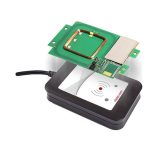
ELATEC RFID TWN4 MULTITECH 2 LF HF стони читач УВОД О ОВОМ УПУТСТВУ Ово корисничко упутство је намењено кориснику и омогућава безбедно и правилно руковање…


ELATEC is a leading global provider of highly secure RFID readers, modules, and software solutions for universal access control and system integration applications.
ЕЛАТЕЦ is a premier provider of short-range wireless readers and writers, specializing in RFID technology for universal access control, time attendance, and authentication solutions. Widely recognized for devices like the versatile TWN3 and TWN4 MultiTech readers, ELATEC products seamlessly integrate into diverse applications, from secure printing to complex industrial environments.
Providing broad support for high frequency (13.56 MHz), low frequency (125 kHz), and NFC technologies, ELATEC RFID modules offer unmatched versatility. With a commitment to security and ease of use, ELATEC also supplies essential configuration tools, including the TWN4 DevPack and AppBlaster, equipping hardware integrators with everything they need to deploy optimal physical access systems.
Најновији приручници од manuals+ курирано за овај бренд.




Честа питања о упутствима, регистрацији и подршци за овај бренд.
You can contact ELATEC technical support by emailing support-rfid@elatec.com with inquiries regarding your RFID readers and modules.
ELATEC offers the TWN4 DevPack and AppBlaster tools that allow you to easily adapt and configure your RFID readers to specific access control needs.
Most standard desktop modules, such as the TWN3 and TWN4 MultiTech series, are specifically designed for indoor use. Always consult your product's user manual for strict environmental guidelines.
The modules can typically be connected directly to a host device via USB or RS-232 cables. In USB mode, the reader simply uses enumeration to power up standard keyboard emulation or direct ID ASCII output.